
Kea Labs Search Pro for WooCommerce
Premium WooCommerce search.
No monthly subscription.
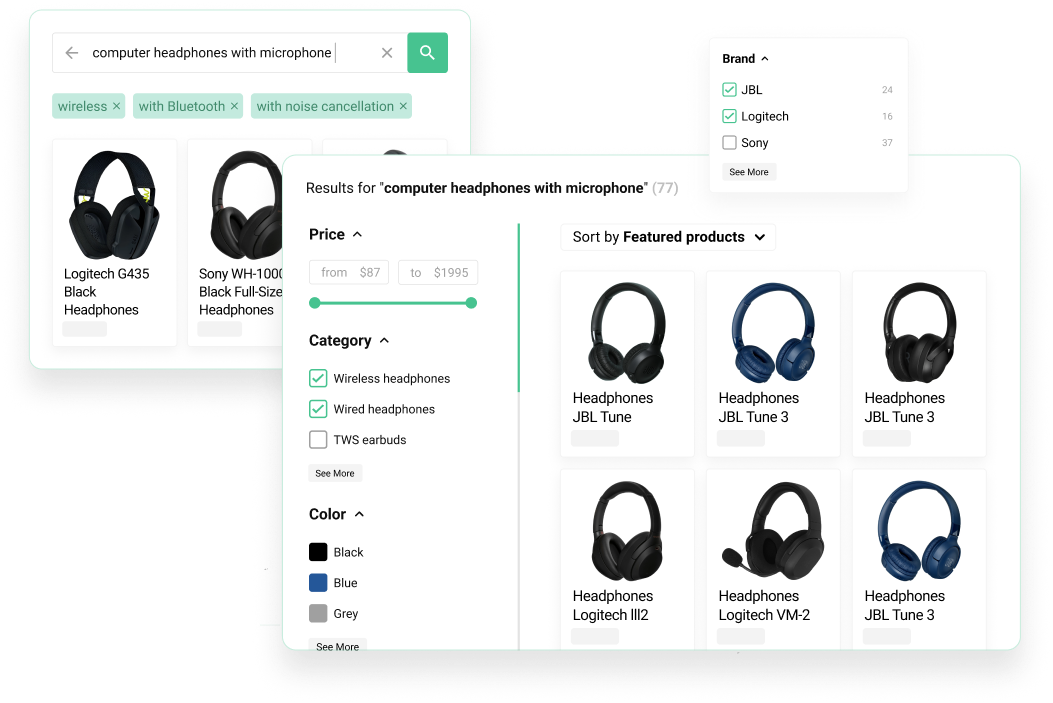
See the product
Watch Kea Labs Search Pro in action
Follow the shopping experience and the tools behind it: autocomplete, product filters, relevance, merchandising and search analytics.
Shopper experience
A complete product search experience for WooCommerce
Help shoppers go from a few typed letters to the right products. Autocomplete, search results, ranking and filters work together inside your WordPress store.

- Search-as-you-type suggestions.
- Dedicated search result pages.
- Desktop and mobile storefront fit.

- Weighted product fields.
- Synonyms for store vocabulary.
- Typo tolerance and fuzzy matching.

- Filter visibility and order controls.
- Boolean and color value handling.
- Display changes without unnecessary reindexing.
Storefront search
Search that feels like part of the store
Autocomplete, product suggestions, result pages, product cards, and filters in one shopping flow.
- Search-as-you-type suggestions.
- Dedicated search result pages.
- Desktop and mobile storefront fit.
Search ranking
Configurable relevance beyond exact-term matching
SQL-backed search with configurable field priorities, language analysis, synonyms, typo tolerance, fuzzy matching, and BM25 relevance.
- Weighted product fields.
- Synonyms for store vocabulary.
- Typo tolerance and fuzzy matching.
Filters
Configurable filters for catalog navigation
Lists, numeric ranges, color swatches, and Boolean toggles, with controls for visibility, ordering, display type, searchable values, and storefront fit.
- Filter visibility and order controls.
- Boolean and color value handling.
- Display changes without unnecessary reindexing.
Merchant control
Manage search from your WordPress dashboard
See what shoppers search for, set product priorities and preview your changes. Your team controls the search experience alongside the WooCommerce catalog.

- Pin products for important queries.
- Boost or bury products by rule.
- Compare base and adjusted results before enabling a rule.

- Configure layouts, product cards and storefront filters.
- Use documented CSS and HTML templates for deeper changes.
- Review the result in Preview before shoppers see it.

- Find high-demand shopper queries.
- Catch zero-result searches.
- See clicked products.
Merchandising
Control product visibility with preview
Pin, boost, bury, hide, and prioritize products for exact queries and business goals.
- Pin products for important queries.
- Boost or bury products by rule.
- Compare base and adjusted results before enabling a rule.
Interface and Preview
Make search fit your WordPress storefront
Choose layouts and product cards, adapt the styling and review the shopping experience in Preview before publishing.
- Configure layouts, product cards and storefront filters.
- Use documented CSS and HTML templates for deeper changes.
- Review the result in Preview before shoppers see it.
Search analytics
See what shoppers search for
Popular searches, zero-result searches, clicked products, and search activity connected to actions the merchant can take.
- Find high-demand shopper queries.
- Catch zero-result searches.
- See clicked products.
Inside Kea Labs Search Pro
The controls behind your WooCommerce search
Work visually with merchandising rules, catalog filters, search layouts, product cards and analytics.
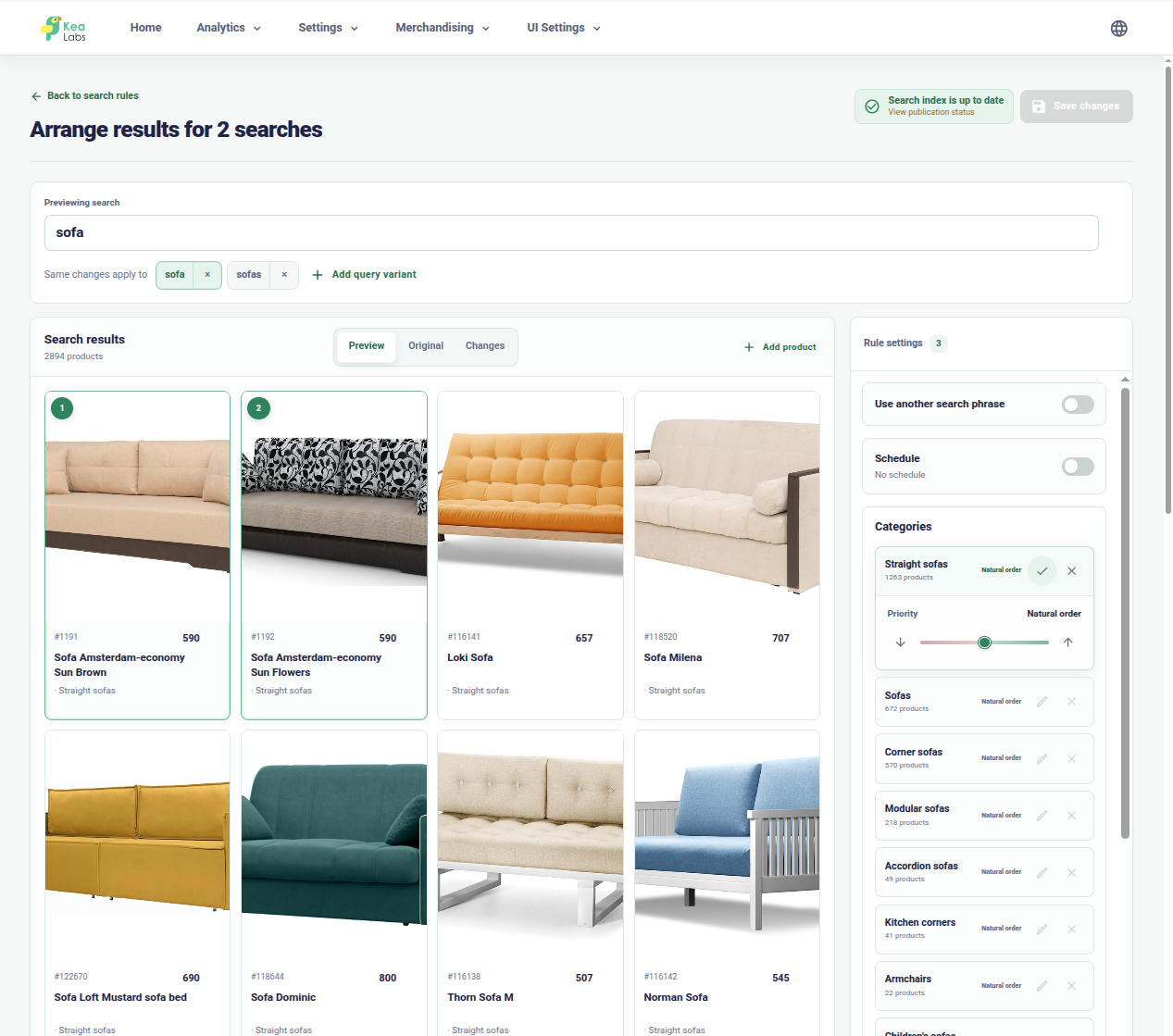
Merchandise important searches visually
Arrange products and category priorities, then compare the adjusted results before publishing.
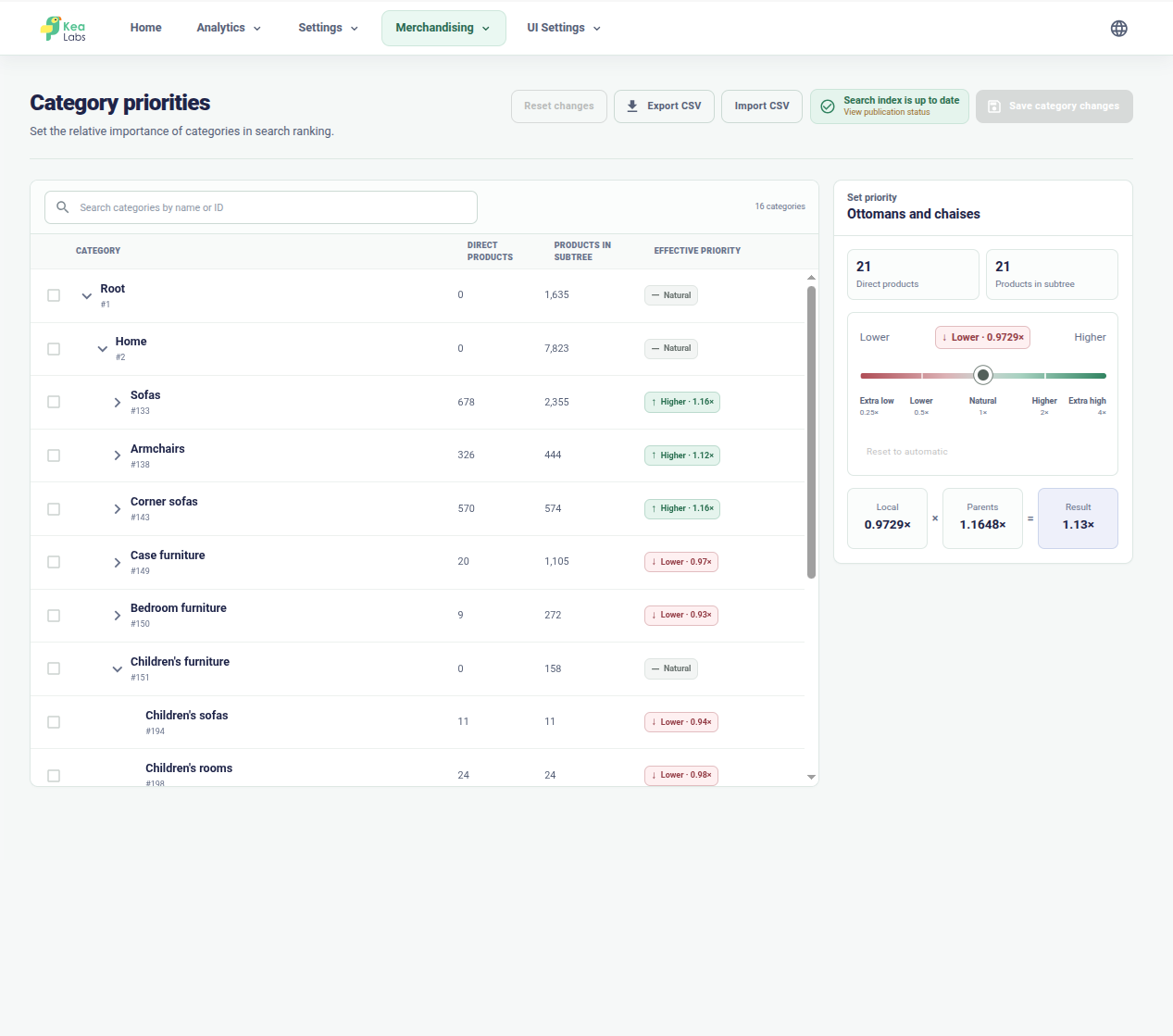
Set category priorities
Raise or lower categories in search ranking and see how parent priorities affect their children.

Configure every storefront filter
Choose filter types, ordering, value counts, and visibility from one catalog-driven list.
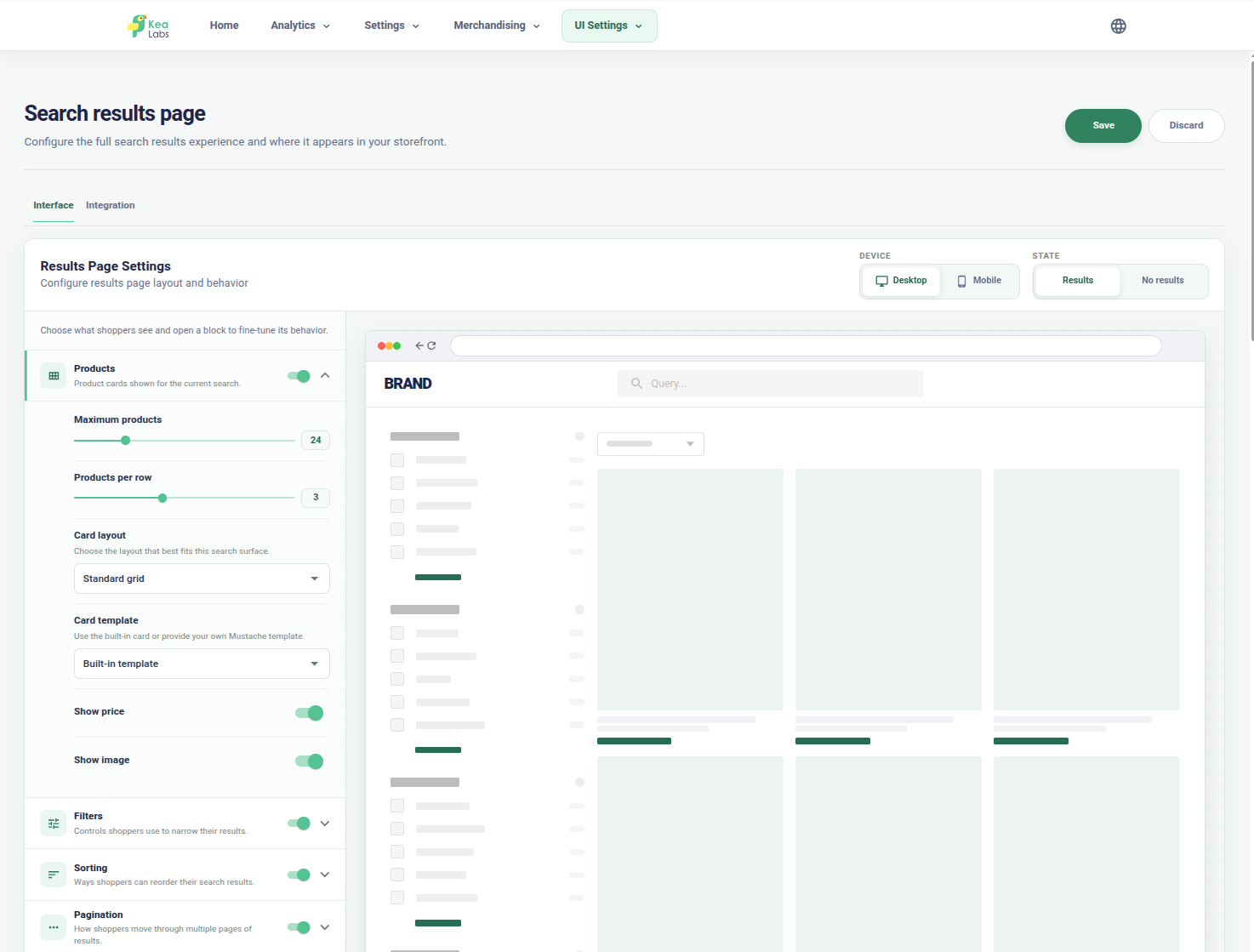
Adapt the search results page
Configure layouts, filters, grid density, responsive modes, and product-card behavior with a visual preview.
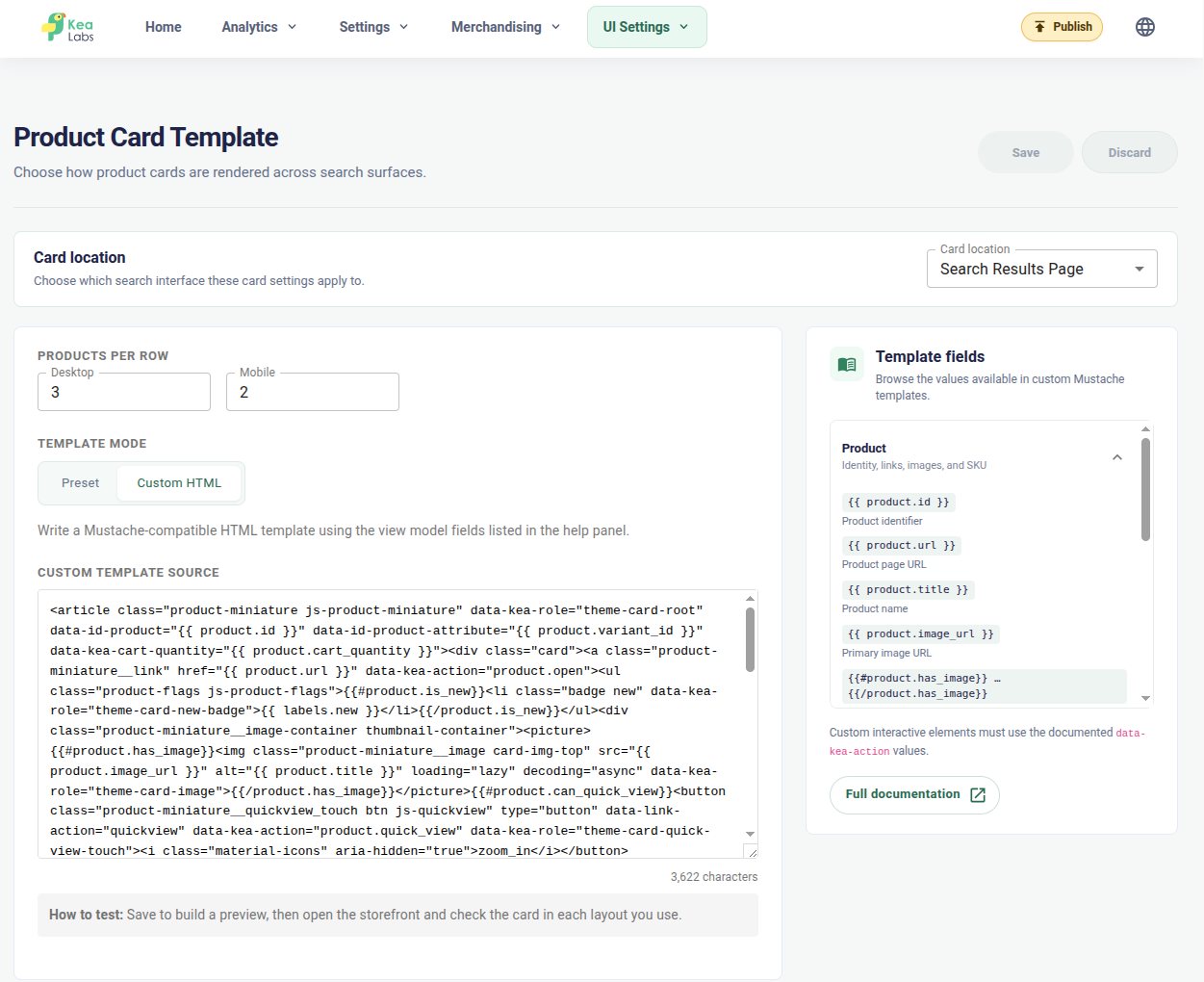
Build custom product cards
Use store data and editable templates when the standard card layouts are not enough.
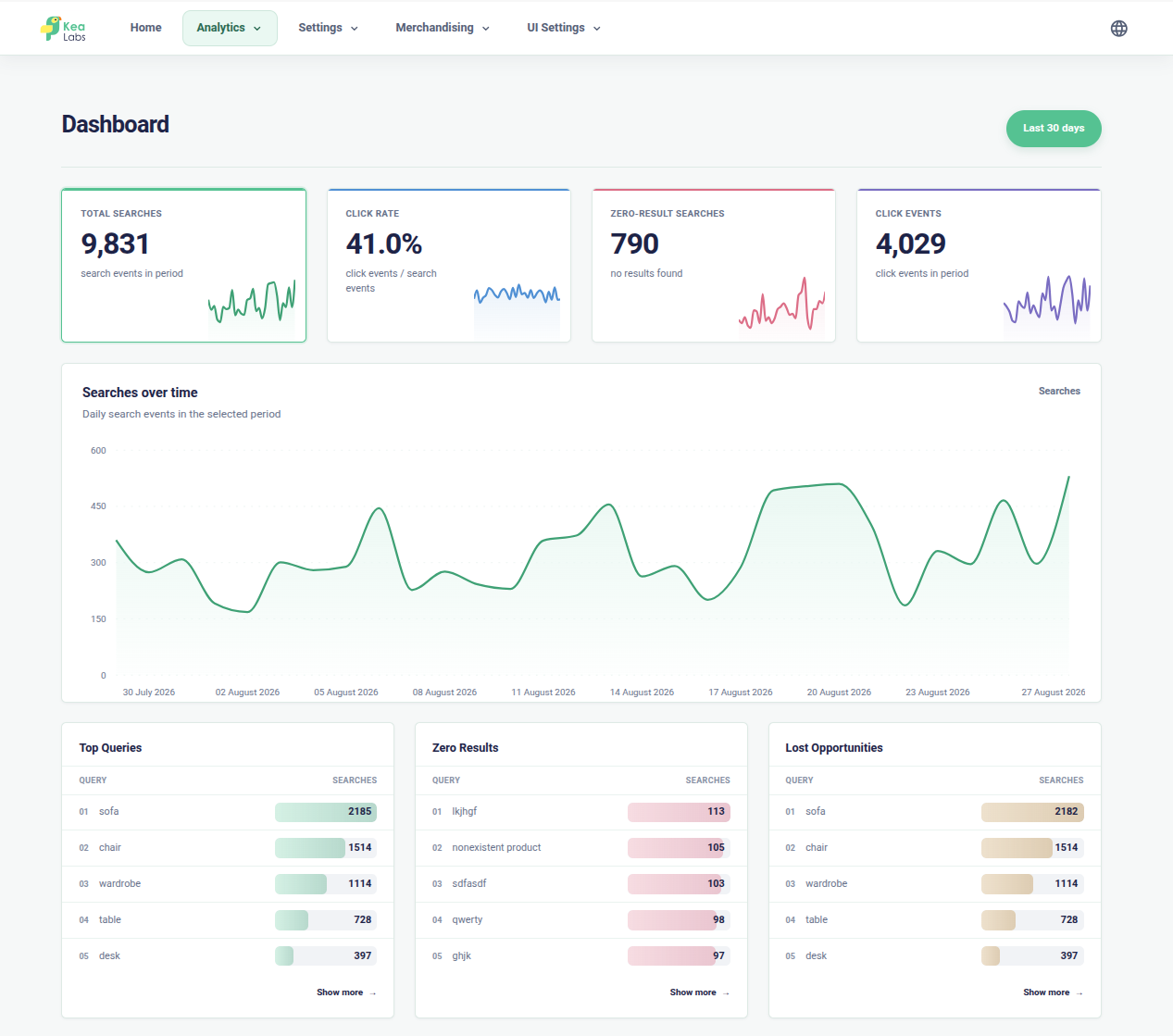
Understand search performance
Review search volume, click-through rate, zero-result searches, and lost opportunities from one dashboard.
Kea Labs Search Pro for WooCommerce
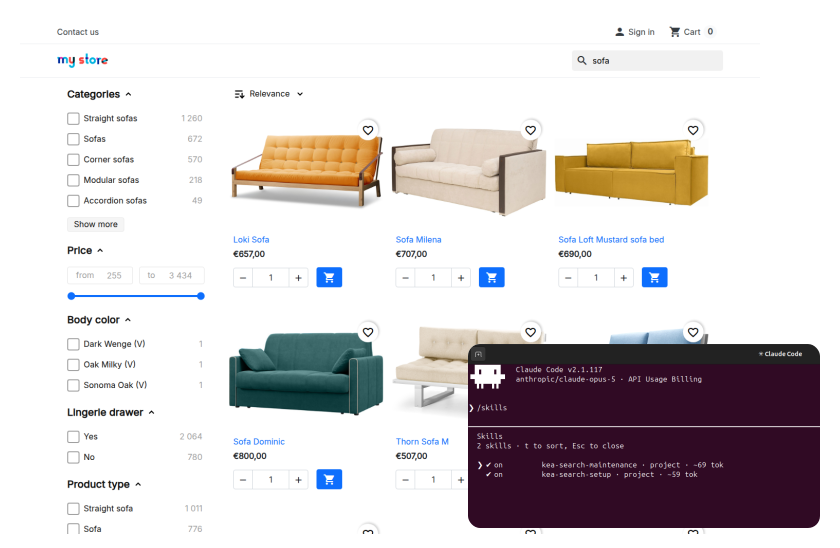
Let your own AI help configure search
Use your AI to prepare relevance settings, product filters, merchandising, and storefront changes around your catalog. Kea Labs Search Pro supplies the setup guidance and store tools; you review the result in Preview before publishing.
- Use your own AI client and model account.
- Prepare settings around your products and customer vocabulary.
- Keep existing merchant decisions part of the configuration.
- Review the search experience before it reaches shoppers.
WooCommerce search FAQ
What is Kea Labs Search Pro for WooCommerce?
Kea Labs Search Pro is a WordPress plugin for WooCommerce product search. It combines autocomplete, product results, filters, configurable relevance, merchandising, interface customization, analytics, and AI-assisted configuration. The engine and index run inside WooCommerce, with automatic real-time product updates.
Does it work like Kea Labs Search Pro for PrestaShop?
Yes. Kea Labs Search Pro is available as a PrestaShop module and a WordPress plugin for WooCommerce. Both provide the same core functionality and operating approach, with platform-specific integration.
How can I try Kea Labs Search Pro for WooCommerce?
A 14-day trial is available through the Kea Labs marketplace. Use it to evaluate the plugin with your own WooCommerce catalog, theme, and search goals. Prepare a few important queries so you can compare the results with your current search. If you need more time to evaluate your store, contact our team to request an extension.
Can you help improve search for my store?
Yes. Share your store URL and a few searches that need work. Kea Labs or a partner can help with relevance, filters, merchandising, configuration, and theme adaptation.
How can I evaluate Kea Labs Search Pro with my store?
Evaluate the WooCommerce plugin with your own catalog and theme during the 14-day trial. Start 14-day trial and install it in WordPress to compare relevance, filters, merchandising, and the complete shopper journey.
What do the Kea Labs Search Pro license and Care cover?
The Kea license covers one production store and unlimited development and test stores. Optional Care includes the first year; an active subscription after that year provides updates, new features, and support. See pricing and licensing details.