
AI-assisted WooCommerce search setup
Set up WooCommerce search with your own AI
Your AI account. Your store. Your final approval.
Kea Labs Search Pro supplies reusable setup and maintenance skills plus authorized MCP tools. Your AI uses the actual catalog and storefront to prepare changes you can inspect.
Your AI does the setup
Give your AI a working connection to the store
Connect your supported AI client to the store through MCP. Kea Labs Search Pro supplies two reusable instruction packages: setup prepares the initial configuration, and maintenance supports later improvements.
The setup workflow
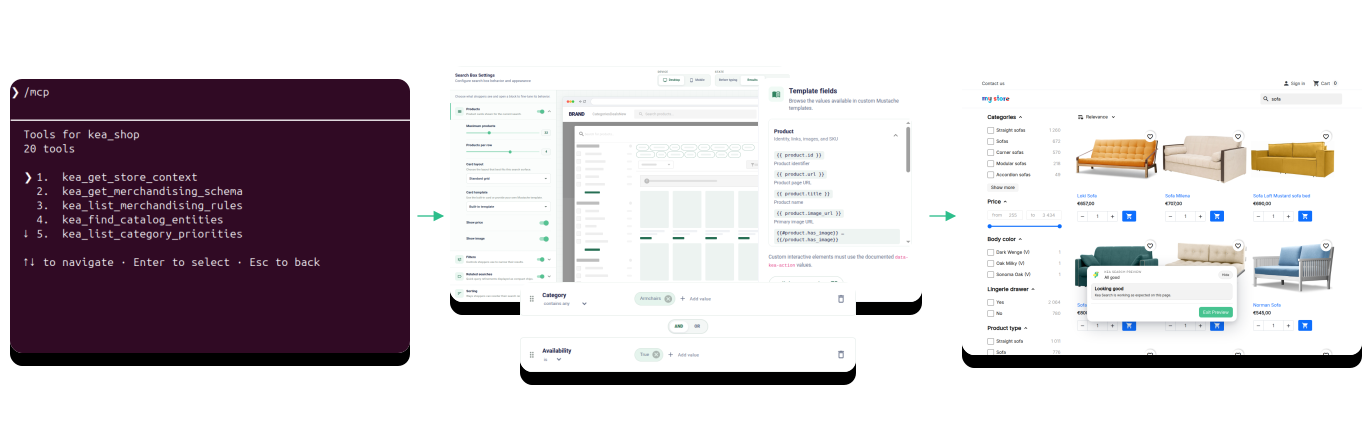
Connect, configure, preview, launch
Your AI prepares the work around the connected store. Your team decides which configuration is ready for shoppers.
- 01 Connect the client and store Add the Kea Labs Search Pro setup and maintenance skills to a supported AI client and authorize the intended store connection.
- 02 Inspect and configure Review the catalog and current settings, then prepare relevance priorities, synonyms, facets, merchandising, and storefront configuration.
- 03 Review the whole experience Check product results, filters, responsive layouts, product cards, and supported theme actions in Preview.
- 04 Approve and verify Publish the approved configuration, then verify the live storefront on desktop and mobile.
Connect your AI
See the skills and the store connection
Setup and maintenance use the same authorized store connection. Open each capture to inspect the client workflow.
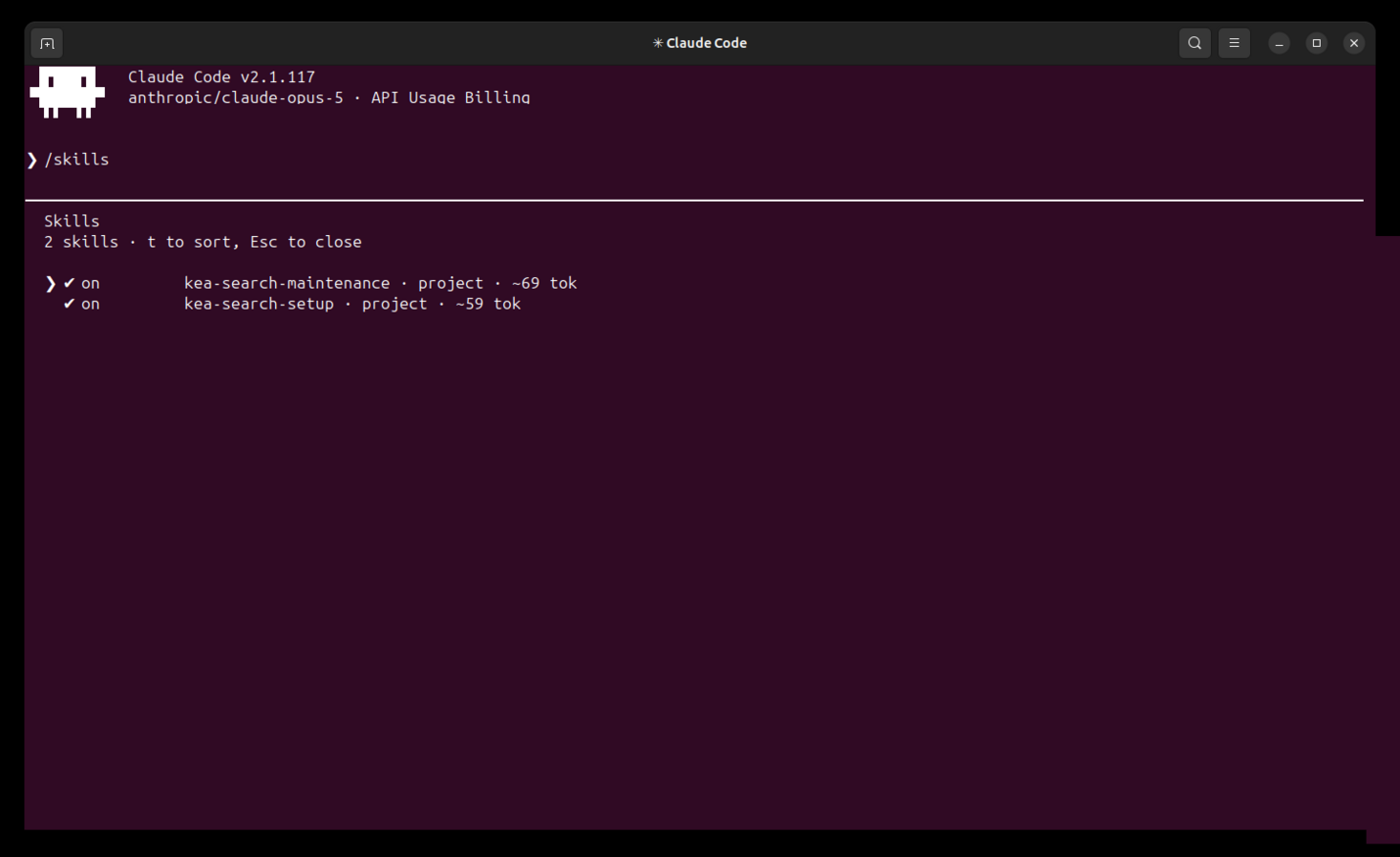
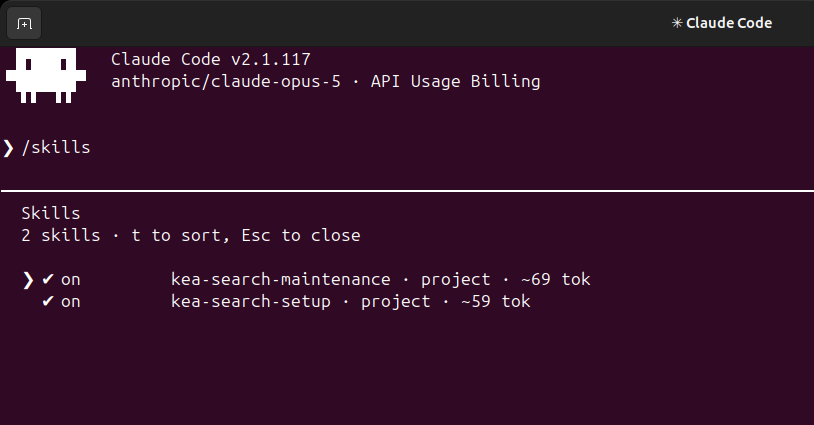
Setup and maintenance skills
Claude Code lists kea-search-setup for initial configuration and kea-search-maintenance for ongoing search work.
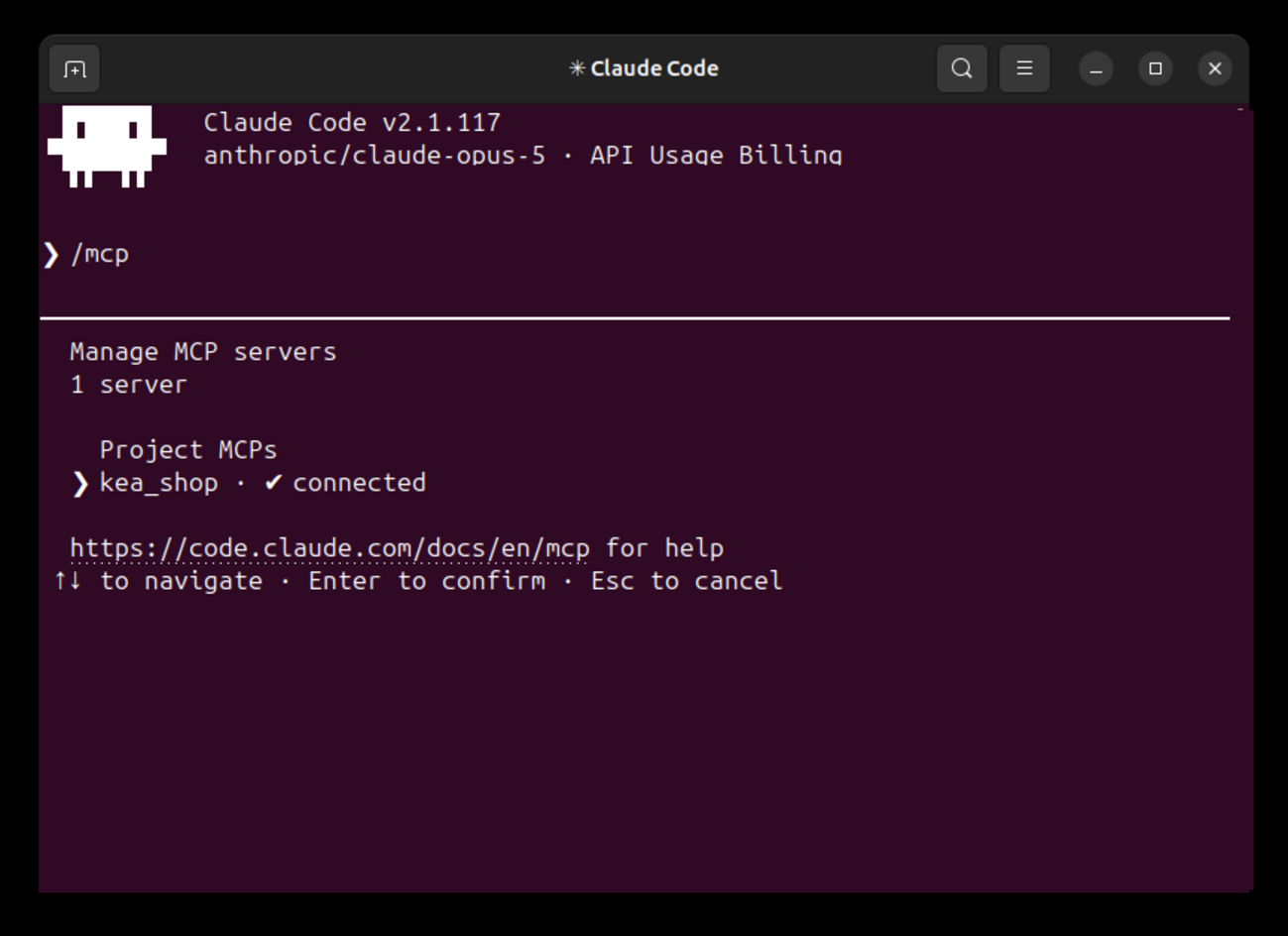
The store MCP connection
Claude Code confirms the store connection before reading or preparing configuration.
Search configuration
Make every proposed setting serve a search goal
The AI starts with the catalog and existing settings. Ask it to explain each change in terms of what a shopper should find: a synonym connects vocabulary, a facet helps a choice, and a merchandising rule expresses a product priority.
- Choose supported searchable fields and their relevance priorities.
- Configure categories, facets, synonyms, and merchandising around store data.
- Use search analytics when enough shopper activity is available.
- Preserve existing manual decisions and explain conflicts before changing them.
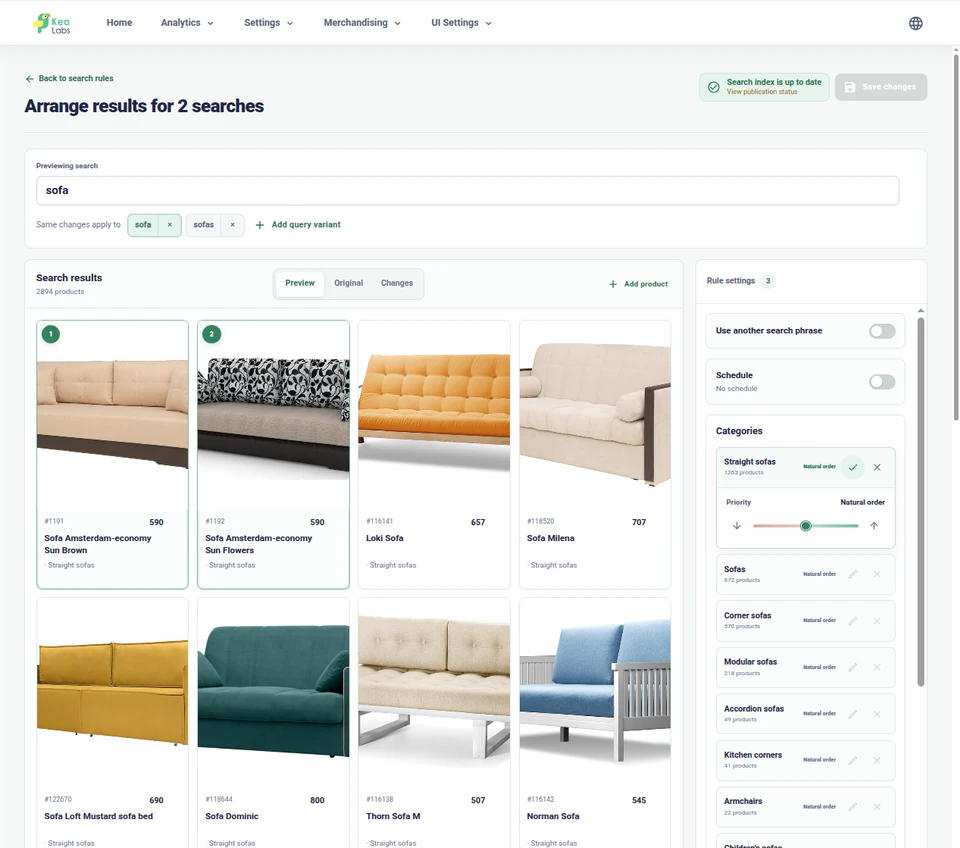
AI-configured storefront
Review the search your AI prepared
Inspect the search layout, product-card template, Preview status, and the store context behind a setup change.
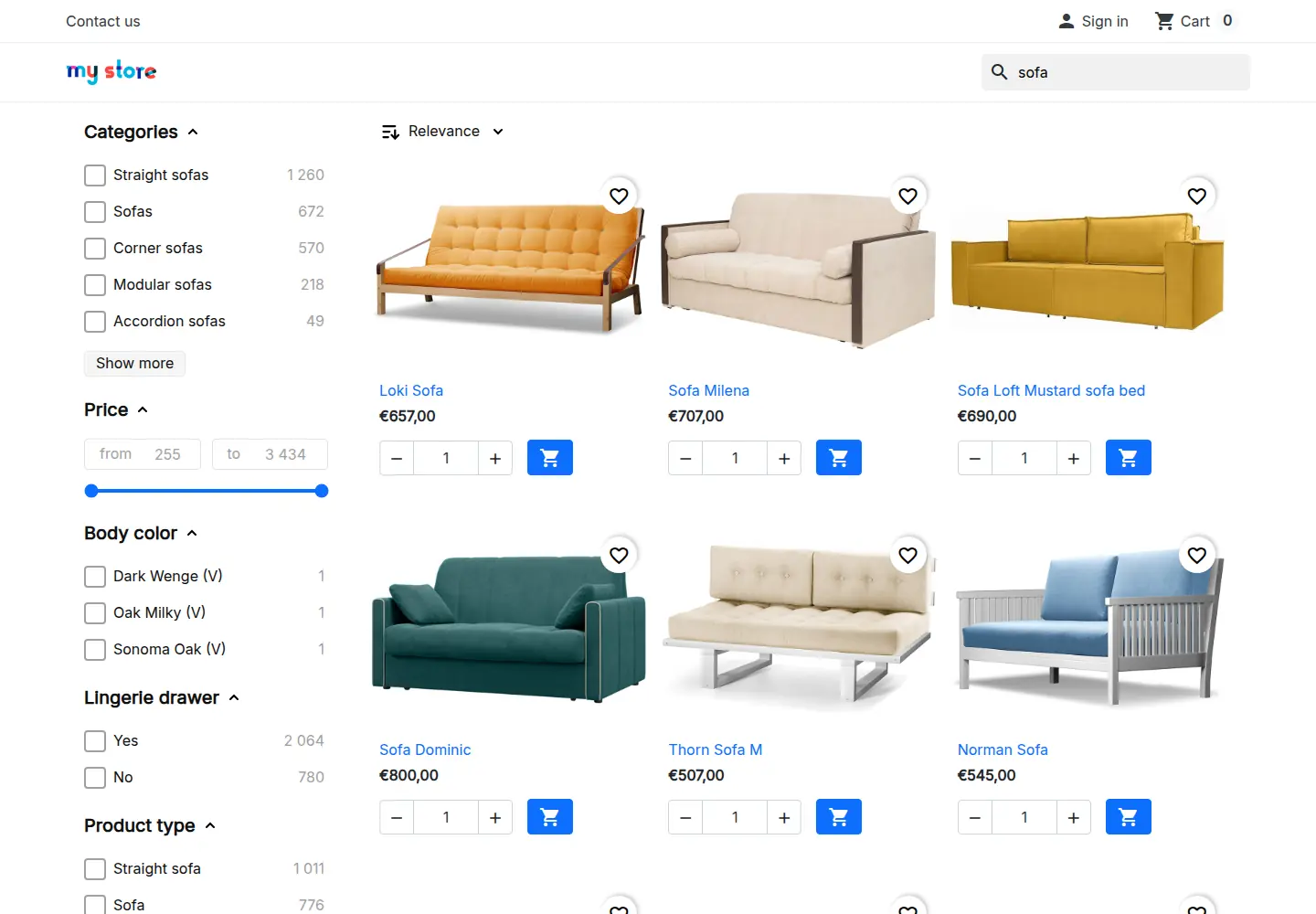
A configured storefront search experience
Review responsive product cards, filters, prices, quantity controls, and the product actions carried through from the store.
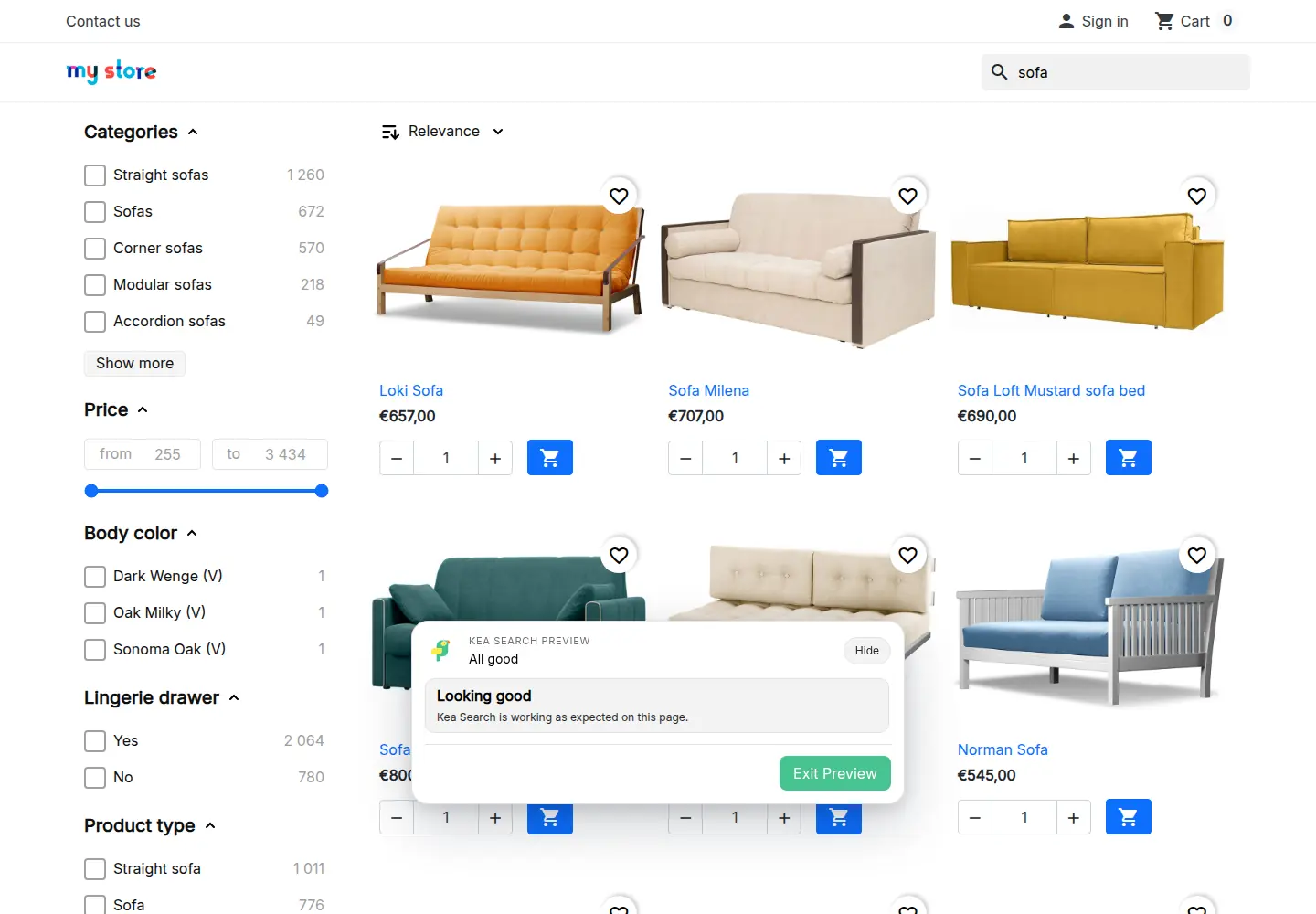
Review the complete storefront in Preview
Check products, filters, prices, responsive layouts, and native store actions while the published storefront remains unchanged.
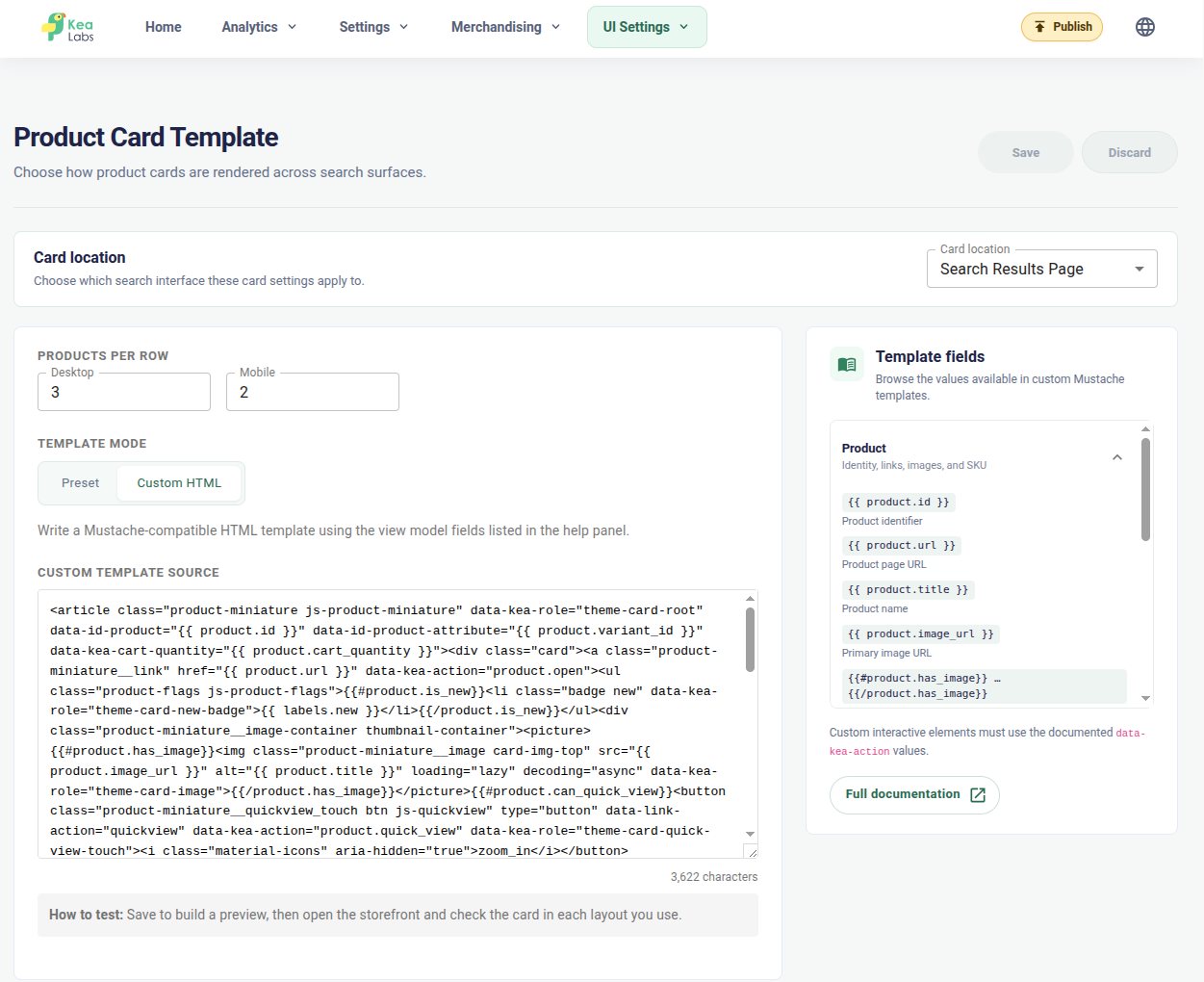
AI-generated product-card template applied
Inspect the custom Mustache-compatible HTML template applied to the results page, including product links and supported product actions.
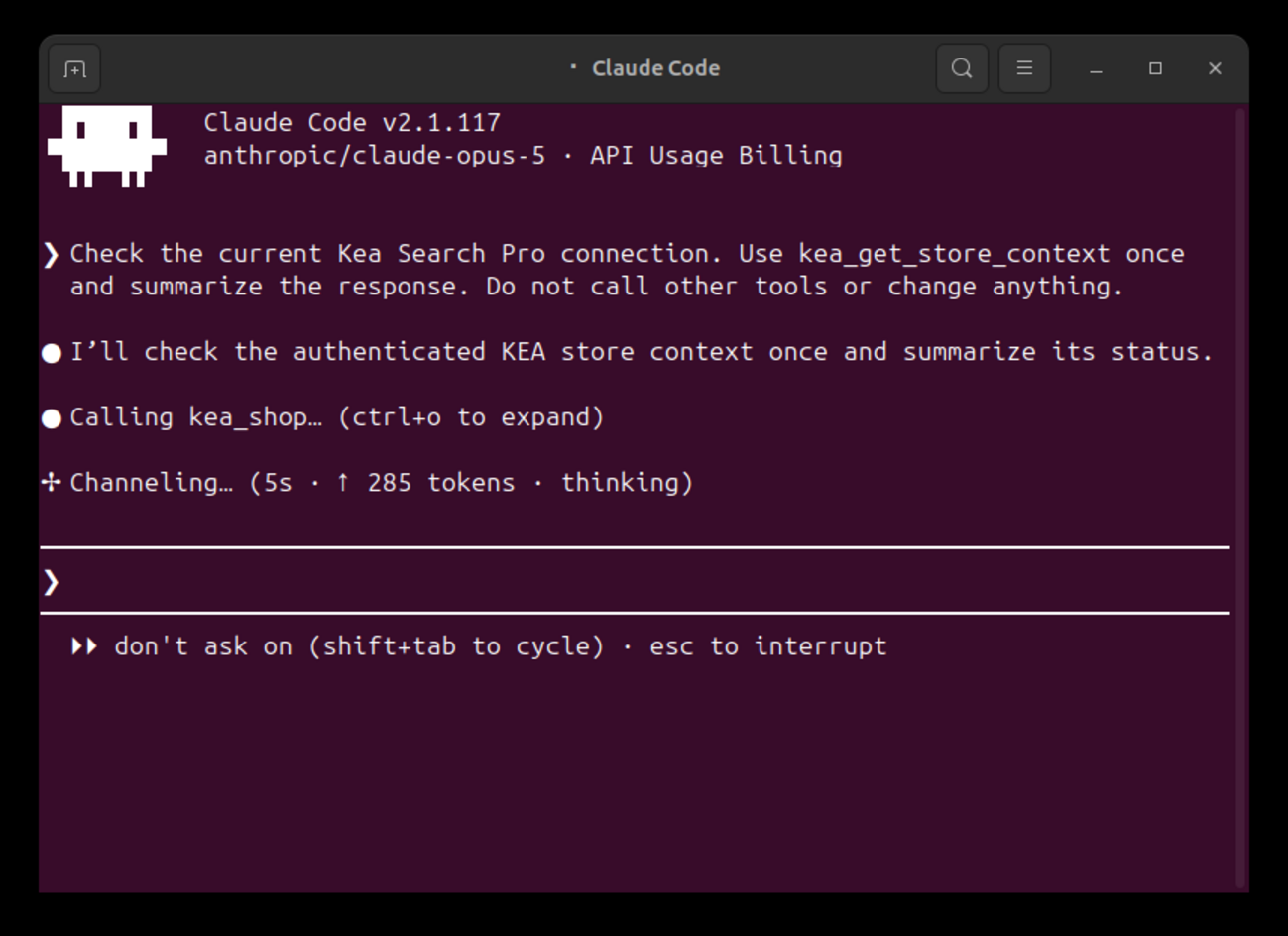
Claude starts from the connected store
Claude Code uses the authenticated Kea Labs Search Pro connection to read the current store context before the setup skill prepares and applies configuration changes.
Storefront adaptation
Match search to the actual WordPress theme
The workflow inspects the storefront before preparing layouts, colors, responsive settings, or product-card HTML. The result should follow the store’s visual language and retain the supported actions shoppers already use.
- Configure the search widget, full results page, or combined layout.
- Adapt responsive grids, filters, and product-card templates.
- Review simple and variable products, prices, badges, images, links, and focus behavior.
- Check supported product actions in the complete shopping journey.

Preview and publication
Keep the decision to publish with your team
Preview holds the proposed experience while your current storefront stays live. Review the whole search journey, approve the changes you want, and verify the published result again.
- Review product results, filters, layouts, and cards in Preview.
- Inspect connection checks and diagnostics before launch.
- Publish only after your explicit approval.
- Verify the live storefront and keep a clear route back to the previous search.

AI-assisted WooCommerce setup FAQ
Is AI assistance required to operate Kea Labs Search Pro?
No. Kea Labs Search Pro provides visible configuration and merchant controls. AI assistance is an additional workflow for supported setup and maintenance tasks.
Does AI assistance include the model account or AI usage?
You bring your own supported AI client and model account. Model access and usage belong to that account; they are separate from the search plugin.
Is this an AI search engine for shoppers?
No. AI assistance helps configure Kea Labs Search Pro. Its search engine uses SQL-backed relevance, indexed catalog data, synonyms, and typo handling. Semantic or image search is a separate requirement.
Can the agency use the same workflow after launch?
Yes. The maintenance workflow supports inspecting current store context, reviewing search signals, and preparing focused changes. The team still reviews and authorizes publication.
Which AI clients can I use?
Use a client that supports the required MCP connection and Kea Labs Search Pro workflow, such as ChatGPT, Claude Code, or Codex. You bring your own client and model account.
Can I review the configuration before it goes live?
Yes. Review the proposed search interface in Preview, including desktop and mobile layouts, product cards, filters, and supported actions. Publication follows your explicit approval and a further check of the live storefront.