
AI-assisted configuration for WordPress agencies
Configure client search with less repetitive work
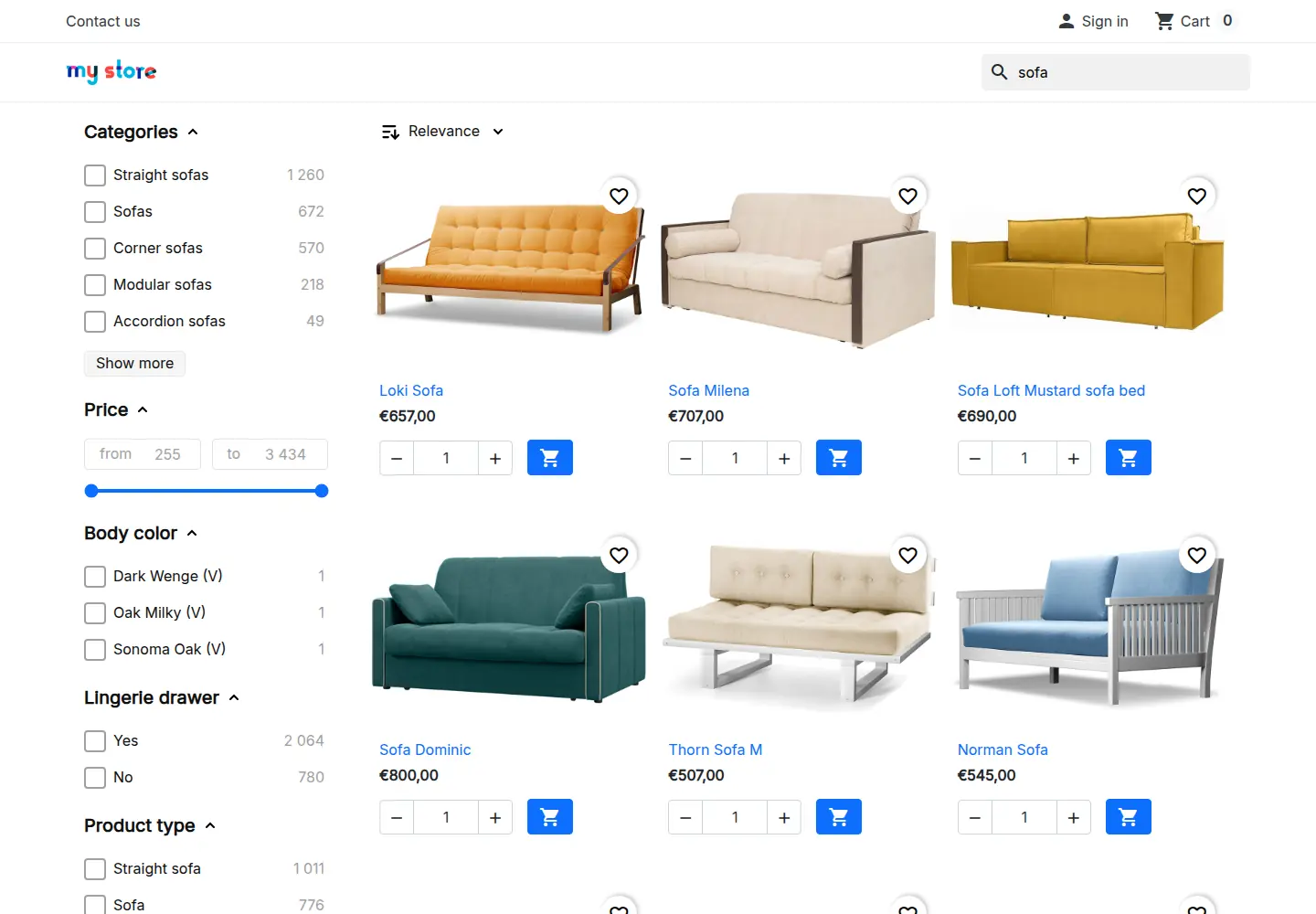
Bring your own AI
Use the AI client and model your agency already works with
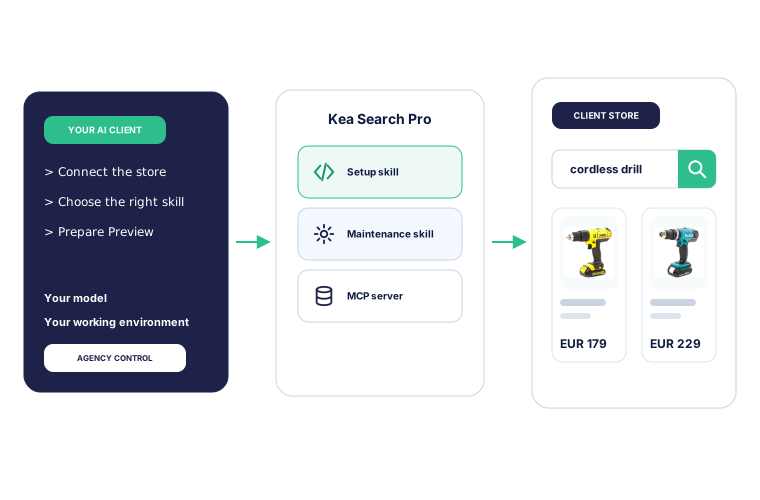
Keep the model and working environment your agency already uses. Kea Labs Search Pro adds setup and maintenance skills plus a dedicated MCP connection for each client store.
Kea Labs Search Pro AI skills
Give your AI the Kea Labs Search Pro context it needs
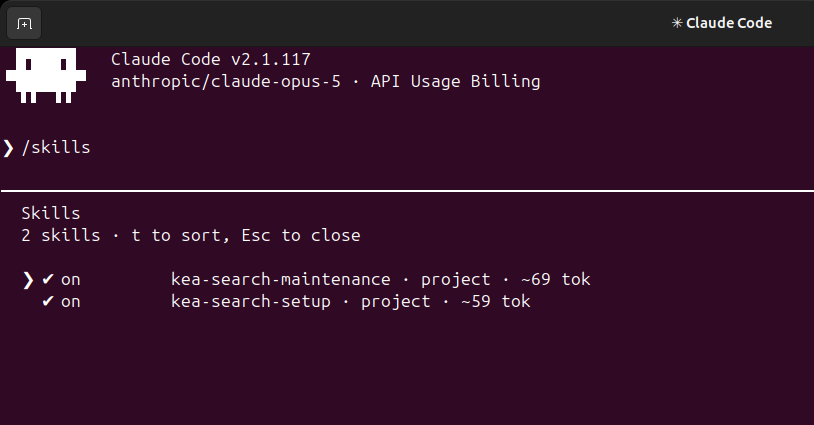
Two project-specific instruction packages, called skills, cover initial setup and ongoing maintenance. They explain what to inspect, how configuration affects shoppers, and where agency judgment is required. Dedicated Kea Labs Search Pro tools keep that work inside documented Kea Labs Search Pro processes.
Context before changes
Inspect the WooCommerce plugin, catalog, language, search state, and existing configuration before proposing work.
Search-domain guidance
Follow supported workflows for relevance, merchandising, storefront configuration, and review.
Preserve existing settings
Keep manual rules intact and ask the agency to resolve unclear priorities.
Clear agency handover
Keep assumptions, Preview checks, and verification results together for review and later maintenance.
Versioned with Kea Labs Search Pro
The instructions and compatibility matrix can evolve with Kea Labs Search Pro without changing the agency's global AI setup.
Kea Labs Search Pro in your AI client
Inspect the store and prepare changes with named tools
Connect to the client store, inspect its catalog and configuration, then prepare supported changes through Kea Labs Search Pro MCP tools.
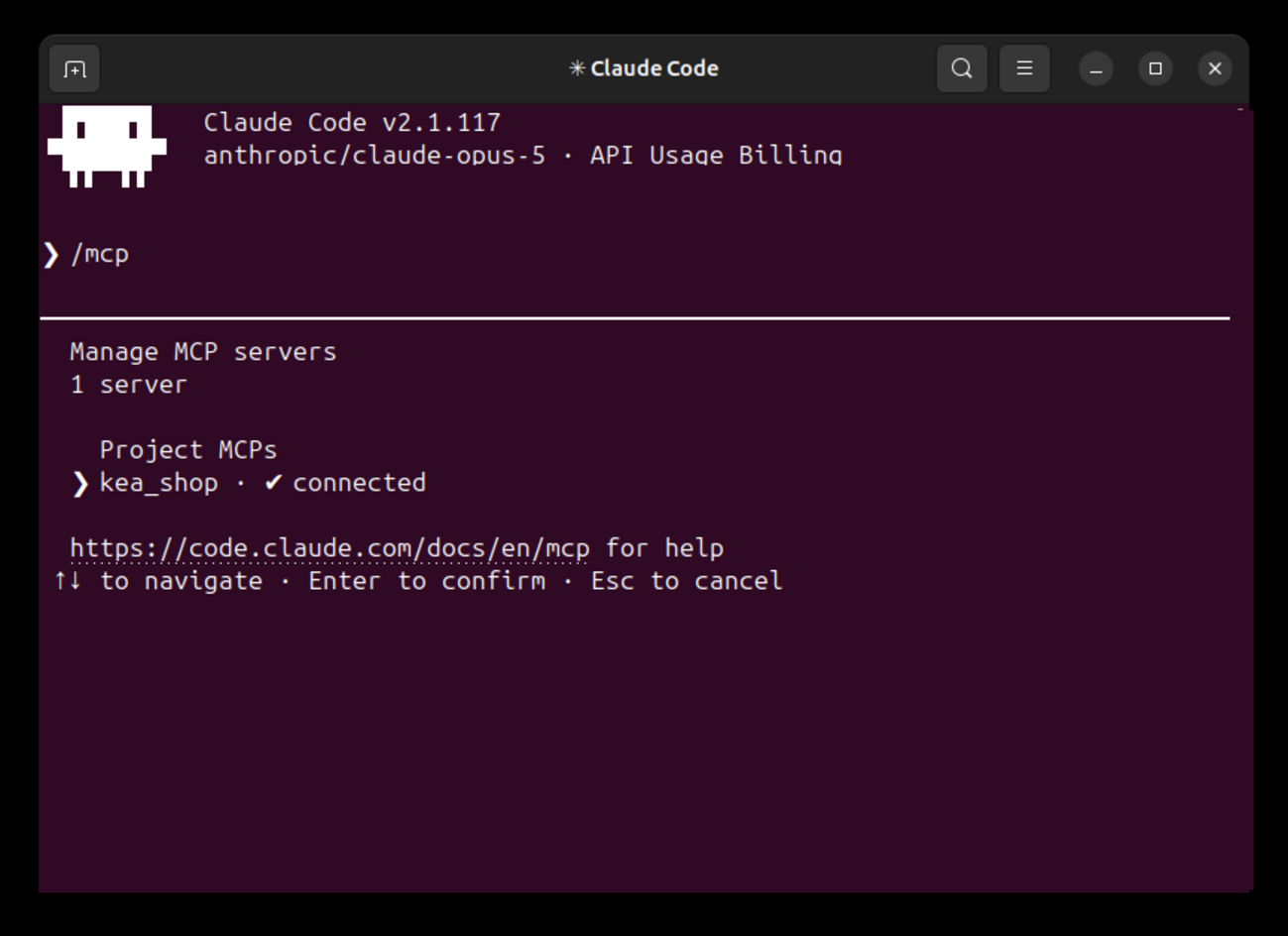
Connect Claude Code to the store
The project connection confirms that the Kea Labs Search Pro MCP server is available before configuration begins.
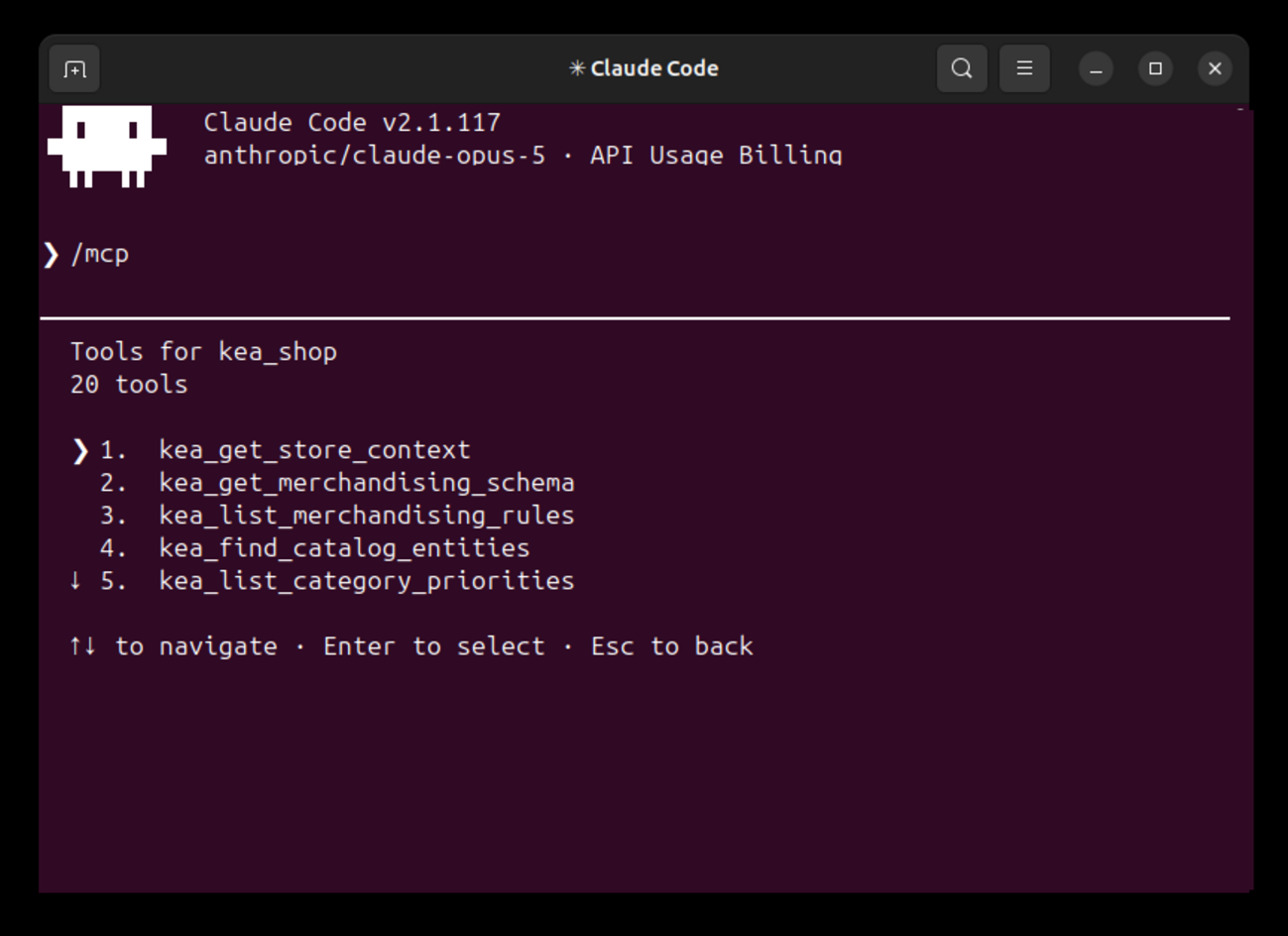
Inspect the store and merchandising configuration
Read store context, merchandising schemas and rules, catalog entities, and category priorities before preparing a change.
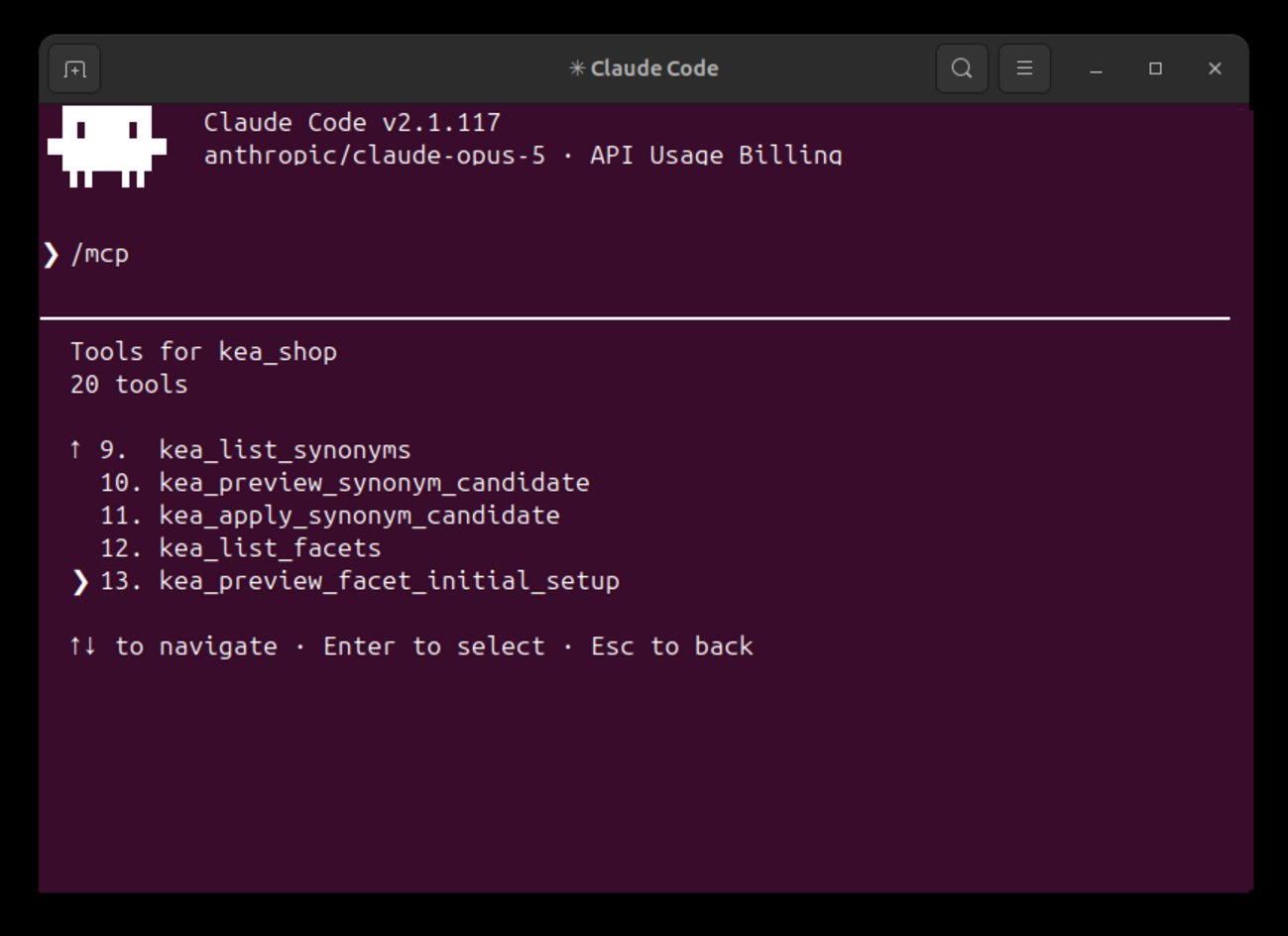
Configure synonyms and catalog filters
List current synonyms and filters, preview proposed changes, and apply reviewed configuration through named Kea Labs Search Pro tools.
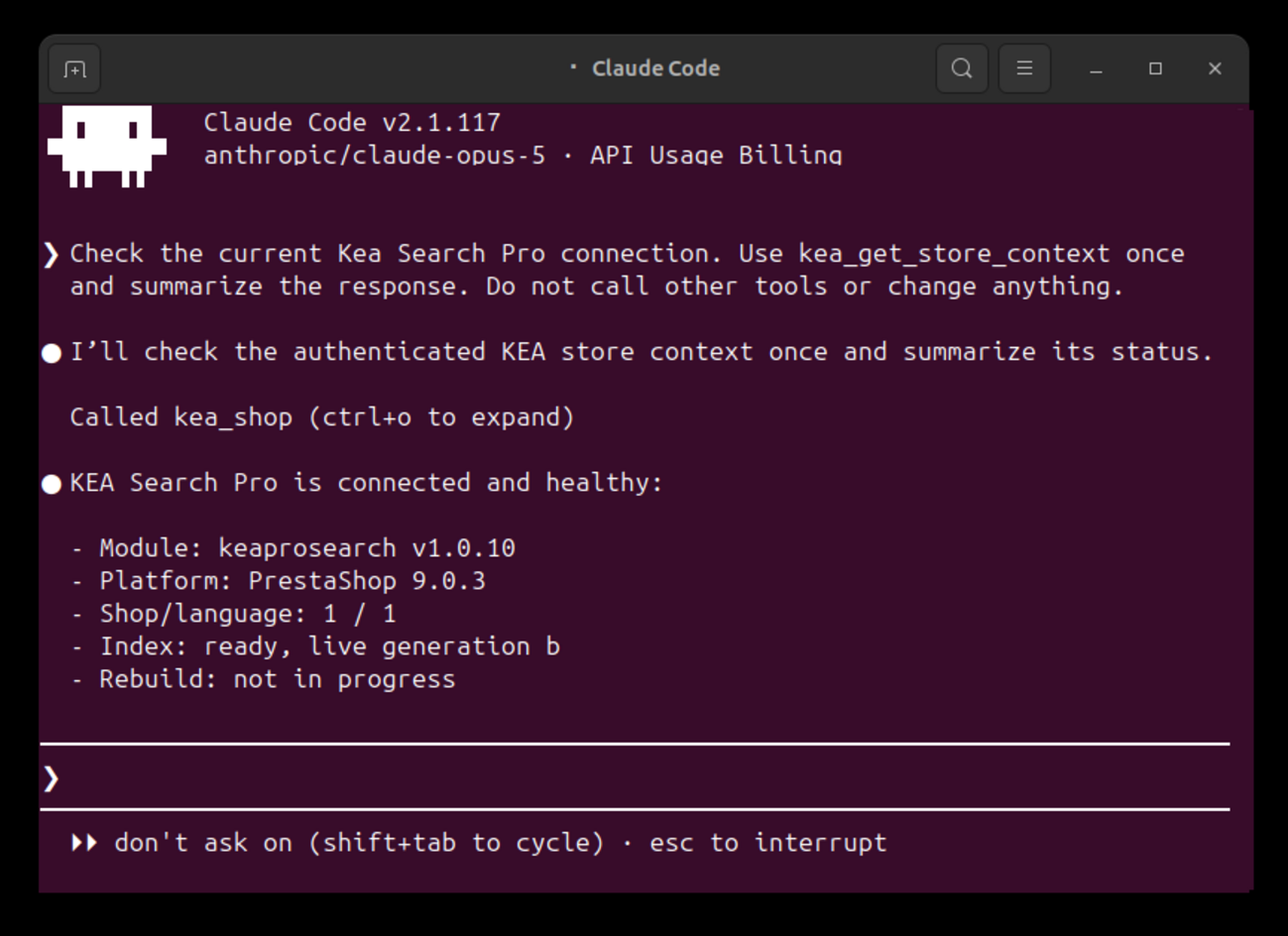
Read the current store state before changing anything
Confirm the Kea Labs Search Pro version, store platform and version, language, search index readiness, and available merchandising capabilities.
Controlled workflow
Inspect, propose, preview, then decide
AI assists with configuration while the agency remains responsible for the client result.
- 01 Connect with dedicated access Add the store endpoint to the supported AI client and keep its credentials outside the project repository.
- 02 Describe the required outcome Provide the store context, shopper problem, commercial priorities, theme expectations, and limits of the assignment.
- 03 Prepare a reviewable configuration Let the AI inspect current state and prepare Kea Labs Search Pro settings in Preview with its assumptions visible.
- 04 Verify and approve Review search and storefront behavior on desktop and mobile, then publish through the normal Kea Labs Search Pro workflow when approved.
Configuration and maintenance
Use the same AI connection from setup to ongoing improvement
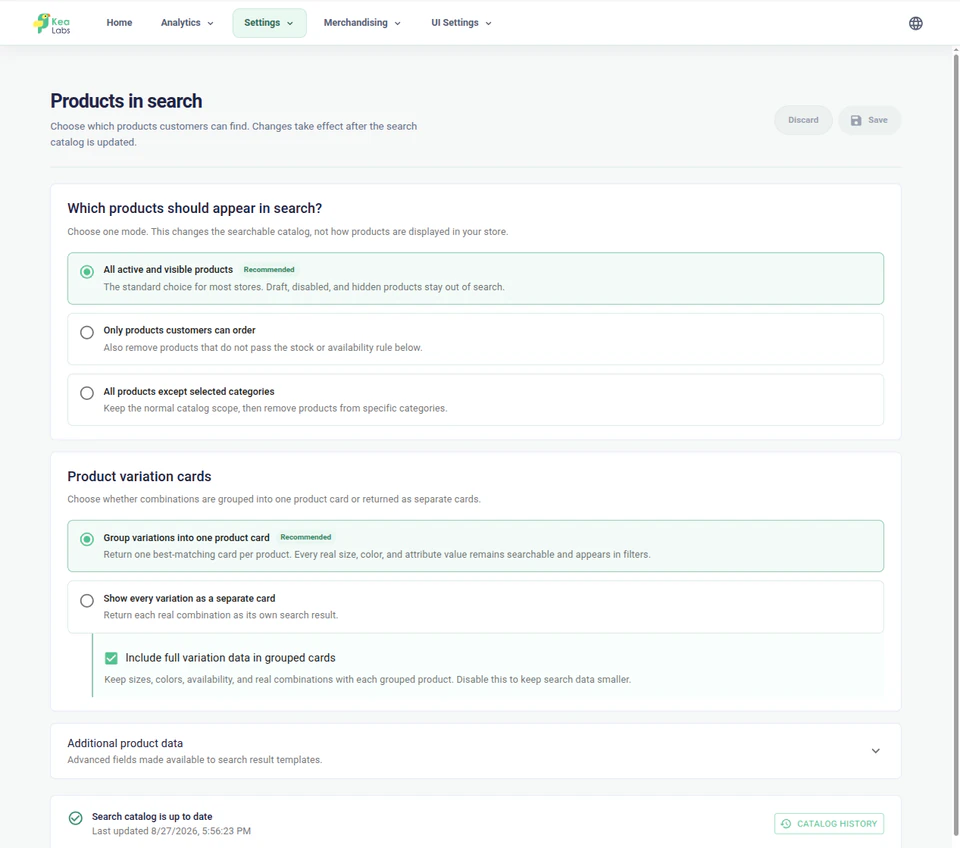
The AI can inspect the current store, prepare configuration in Preview, and return later when search data or storefront requirements change.
- Read the authorized store and catalog context.
- Preserve existing search and merchandising settings.
- Ask for an agency decision when the goal is ambiguous.
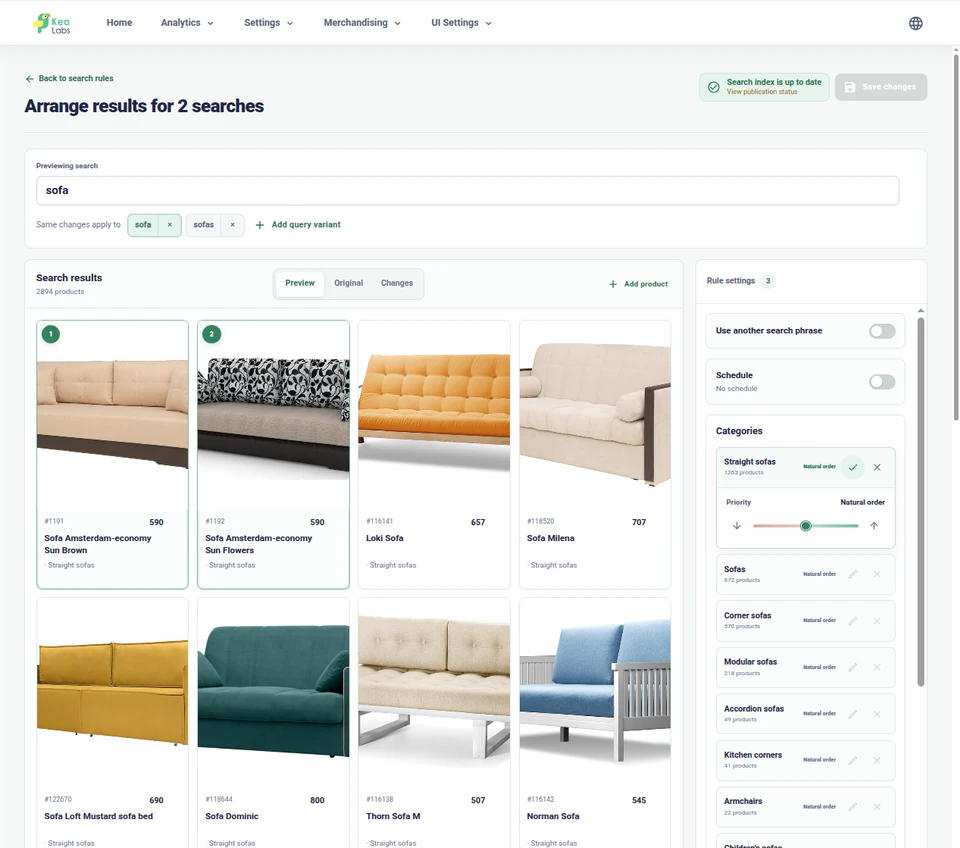
- Resolve the correct catalog entities before preparing a rule.
- Review changes against the current result.
- Check the storefront on desktop and mobile.
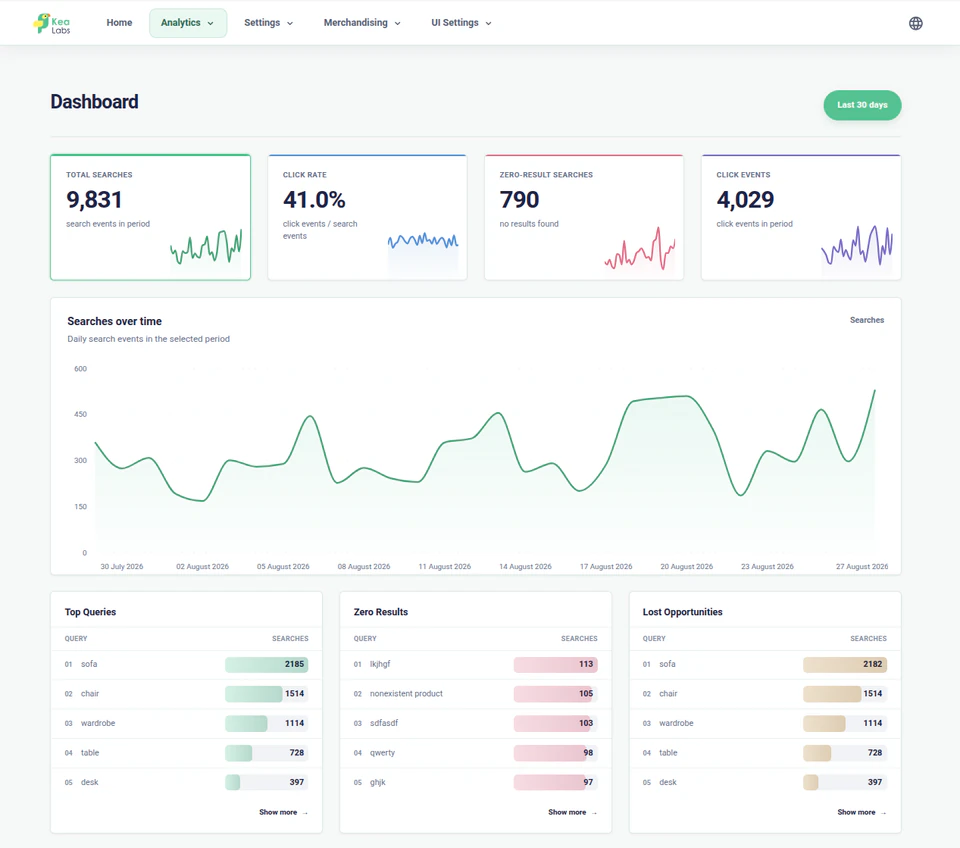
- Investigate important queries and search issues.
- Prepare supported synonyms, filters, rules, or interface changes.
- Keep publication as a human decision.
Understand
Inspect the store before proposing changes
Start with the catalog, language, search index, and existing configuration instead of a generic prompt.
- Read the authorized store and catalog context.
- Preserve existing search and merchandising settings.
- Ask for an agency decision when the goal is ambiguous.
Configure
Prepare search and storefront changes in Preview
Use named tools to prepare merchandising and storefront configuration without changing the live search experience.
- Resolve the correct catalog entities before preparing a rule.
- Review changes against the current result.
- Check the storefront on desktop and mobile.
Maintain
Return to analytics and search health after launch
Use search reports and current store state to prepare another focused, reviewable improvement.
- Investigate important queries and search issues.
- Prepare supported synonyms, filters, rules, or interface changes.
- Keep publication as a human decision.
Review before publication
Review AI-assisted configuration in Kea Labs Search Pro
AI assistance prepares supported settings inside the normal Kea Labs Search Pro workflow, not in a parallel hidden system. Suggestions and Preview configuration remain non-live until an authorized person publishes them.
- Inspect the proposed search and storefront behavior in the normal interface.
- Check desktop and mobile results before shoppers see the change.
- Keep production publication as an explicit human decision.
Agency control
Connect AI without handing over production
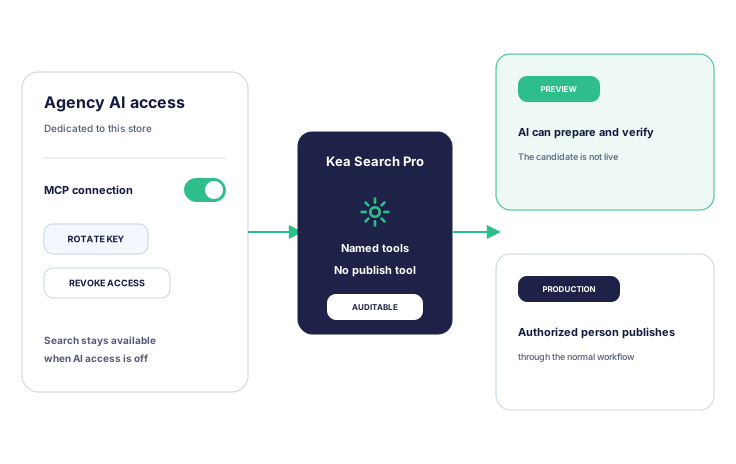
Dedicated credentials keep AI access separate from normal store administration access. The connection reaches named Kea Labs Search Pro operations and Preview, while production publication stays in the normal human-controlled workflow.
- Keep each store connection separate from the agency project and other client stores.
- Keep search available to shoppers and store administrators when agent access is disabled.
- Publish approved work through the normal Kea Labs Search Pro workflow.
Kea Labs Search Pro for WooCommerce
Hand over settings the merchant can manage
A useful handover explains why the configuration exists and how it should change. Give the client clear guidance on routine controls, campaign rules, and when to ask the agency for help.
- Show the important example queries and explain why their results were chosen.
- Walk the merchant through reviewing and changing a campaign rule.
- Identify which reports to review and who acts on recurring problems.
- Agree when to return to the agency for deeper relevance or storefront work.
AI configuration questions for WooCommerce agencies
What the agency supplies, what Kea Labs supplies, and where the safety boundary sits.
Does Kea Labs provide the AI model?
No. This is a bring-your-own-AI workflow. The agency chooses and pays for its AI client or model account. Kea Labs provides the Kea Labs Search Pro MCP tools, skills, tool contracts, and documentation.
Which AI clients can connect?
Use Claude Code or another client listed in the Agent Pack compatibility matrix. The matrix specifies the required transport and authentication.
Can the agent work with a private or local store?
Only when the machine running the AI client can reach the store directly through localhost, a private network, VPN, or forwarding controlled by the agency or store team. Kea Labs does not provide a public tunnel for an otherwise unreachable store.
Can the agent change production without review?
No. The controlled MCP interface has no production publish action. Suggestions and Preview configuration remain non-live; an authorized person publishes through the normal Kea Labs Search Pro process.
Does using an AI agent turn Kea Labs Search Pro into semantic AI search?
No. The agent helps operate supported configuration. Kea Labs Search Pro remains a product search solution that runs inside the store, with configurable relevance. Semantic search, image search, recommendations, and visual discovery are provided by the separate Kea Labs Cloud service.
What does the agency provide beyond the AI workflow?
The client brief, catalog understanding, commercial judgment, storefront review, delivery responsibility, and the decision to publish remain agency work.
Can existing manual decisions be preserved?
Yes. Make existing settings and client priorities part of the input and review any conflict before applying a change. The supported workflow should prepare focused changes rather than replace context with a generic setup.