
WooCommerce integration
Connect search to your WooCommerce store

Install, index, preview, enable
Manage search alongside the WooCommerce catalog in WordPress. Configure the engine and storefront before replacing the search experience visitors currently use.
Guided manual installation
From installation to Preview mode
Prepare the catalog and connect the theme before activation. The setup flow takes you from the WordPress plugin to an experience your team can inspect.
- 01 Install the WooCommerce plugin Open Kea Search in WordPress administration and prepare the catalog and storefront configuration.
- 02 Configure and connect Prepare the searchable catalog data, select the storefront mode, and connect the theme entry points.
- 03 Build and preview Build the index and inspect product results, filters, prices, and supported actions in Preview.
- 04 Enable after review Approve the storefront when checks pass, then verify the live search and store behavior.
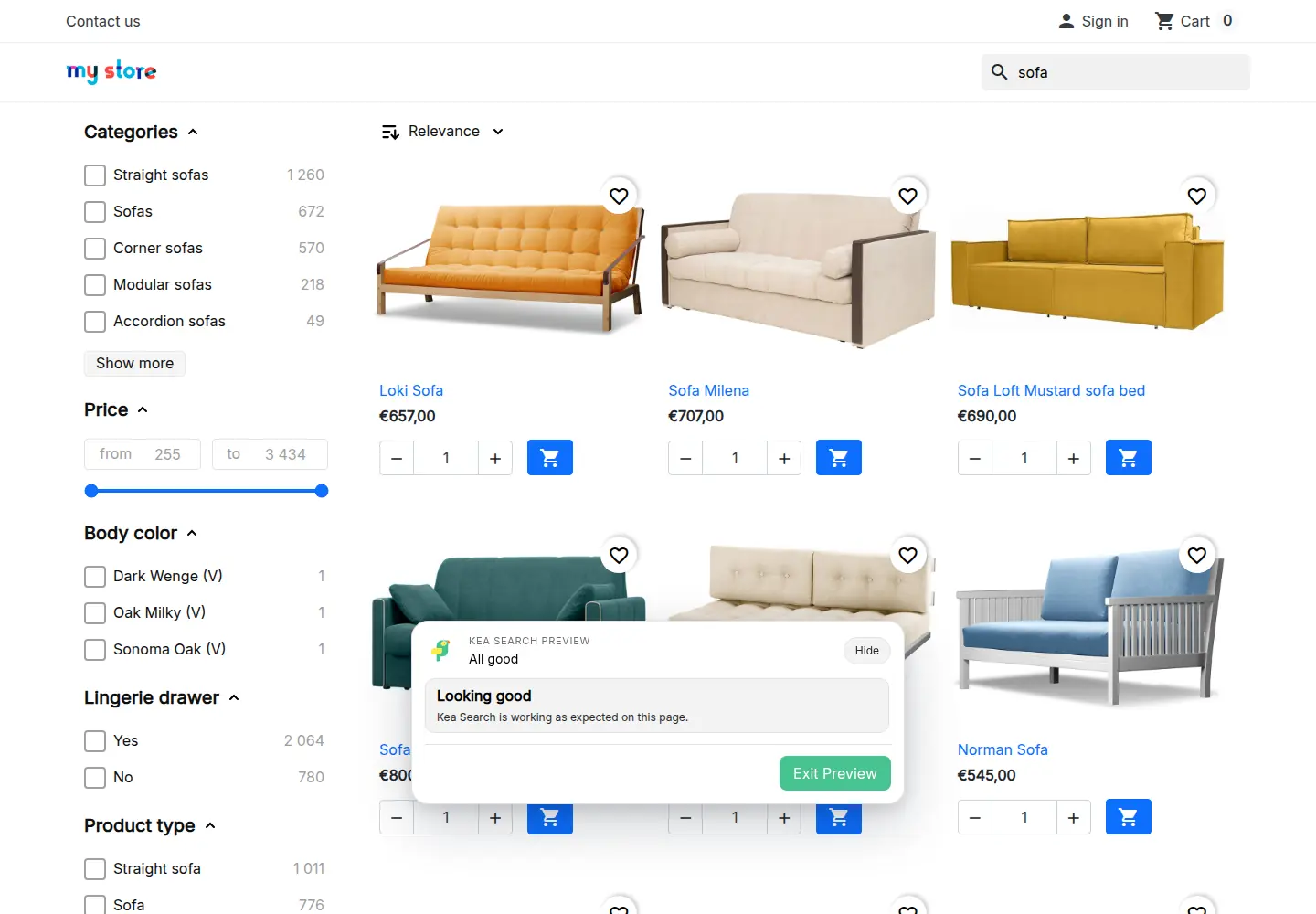
Live store data
Keep search connected to product changes
Kea Labs Search Pro builds its index from the WooCommerce catalog and updates product data automatically in real time. Price, stock, availability, and variations stay part of the native store workflow, with reindex controls available when you need to rebuild.
- Build the initial search index from products already in the catalog.
- Apply product changes automatically in real time.
- Choose the supported grouped or separate presentation of product variations.
- Rebuild the index when needed without exporting an external catalog feed.

Inside Kea Labs Search Pro
Inspect the catalog and search connection
Review indexed data, processing history, and diagnostics from the Kea Labs Search Pro workspace.
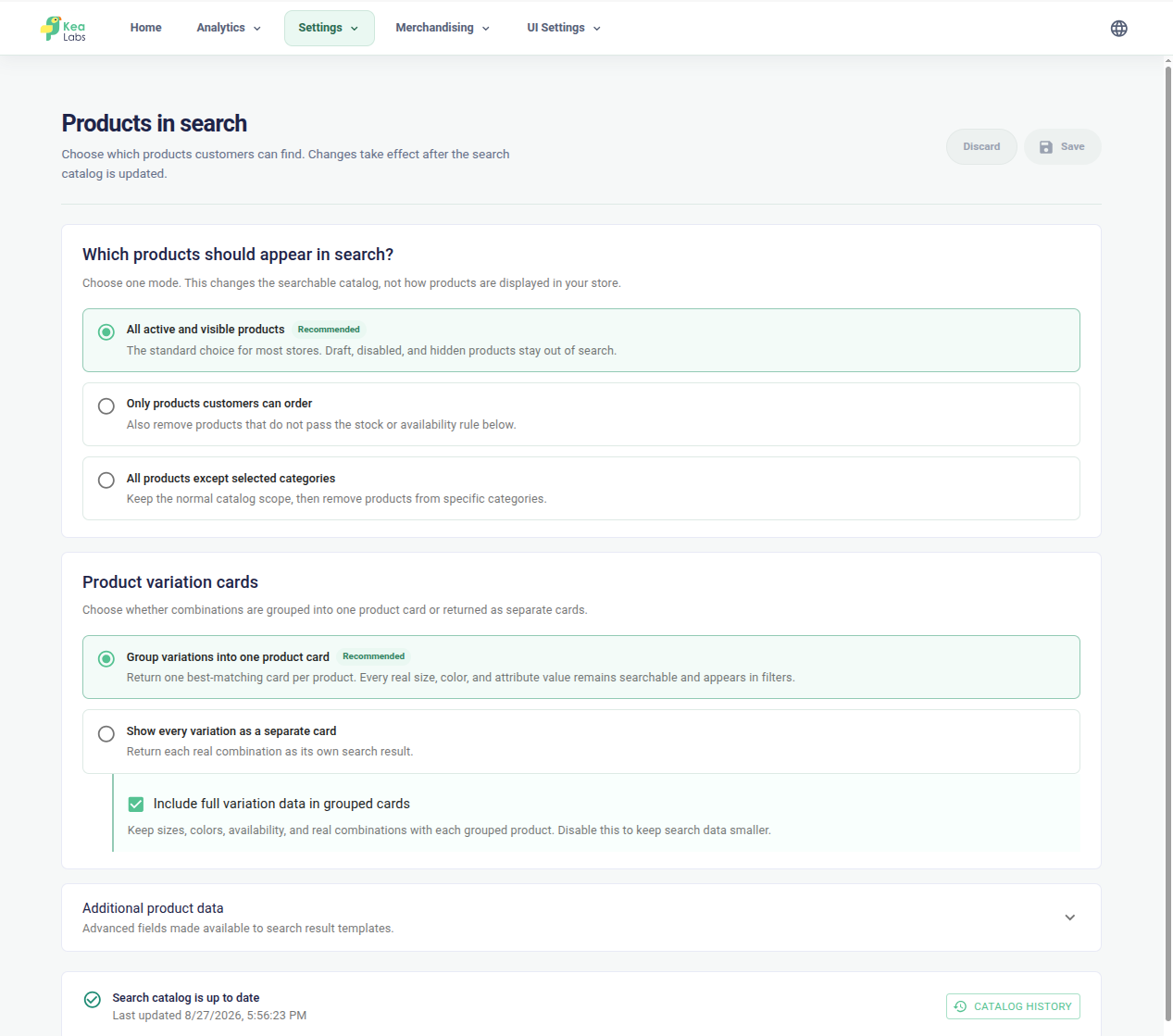
Choose the catalog data search uses
Review the product data included in indexing and the controls for keeping it current.
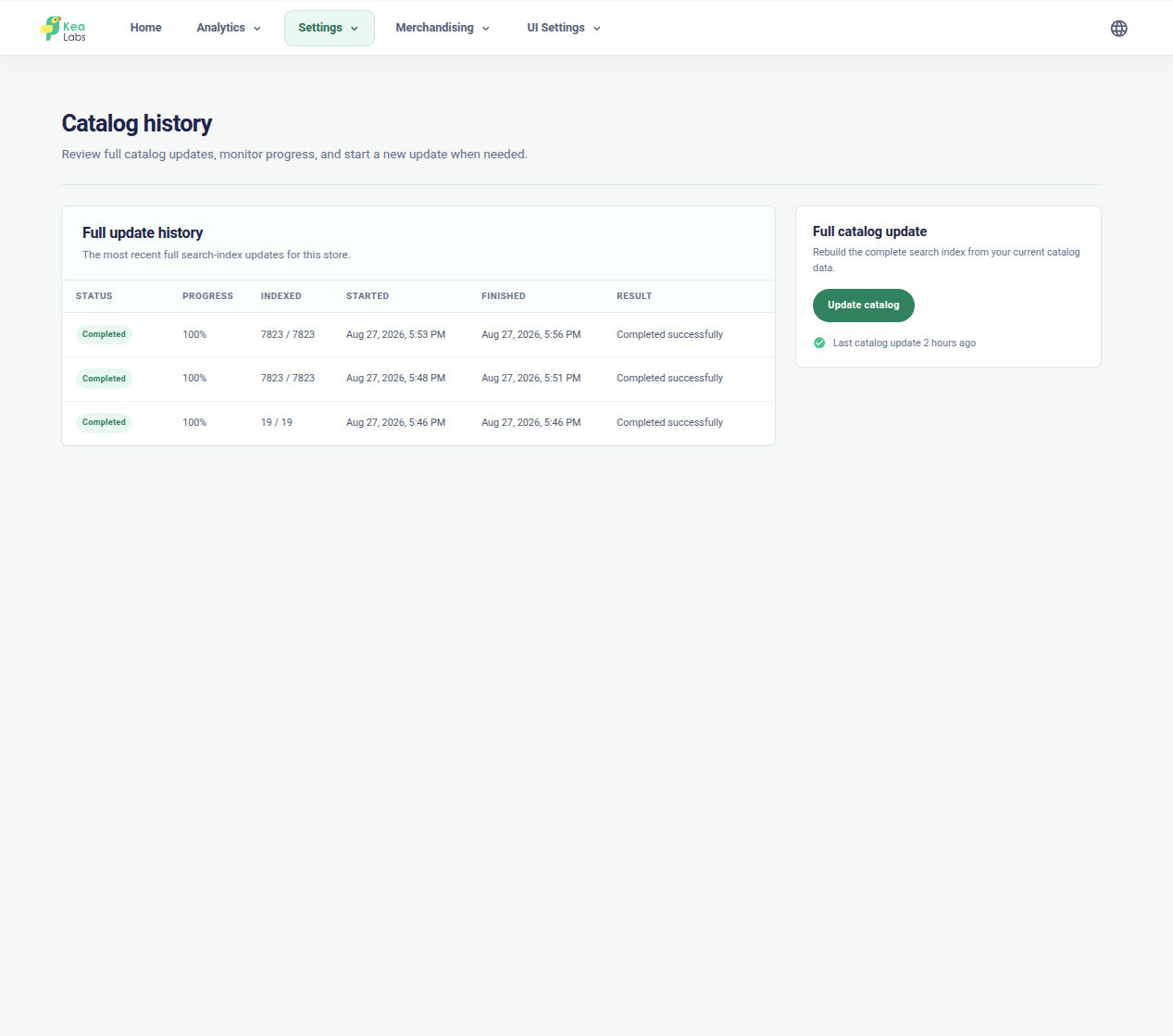
Follow catalog processing
Inspect processing history when catalog changes or a rebuild need a closer look.
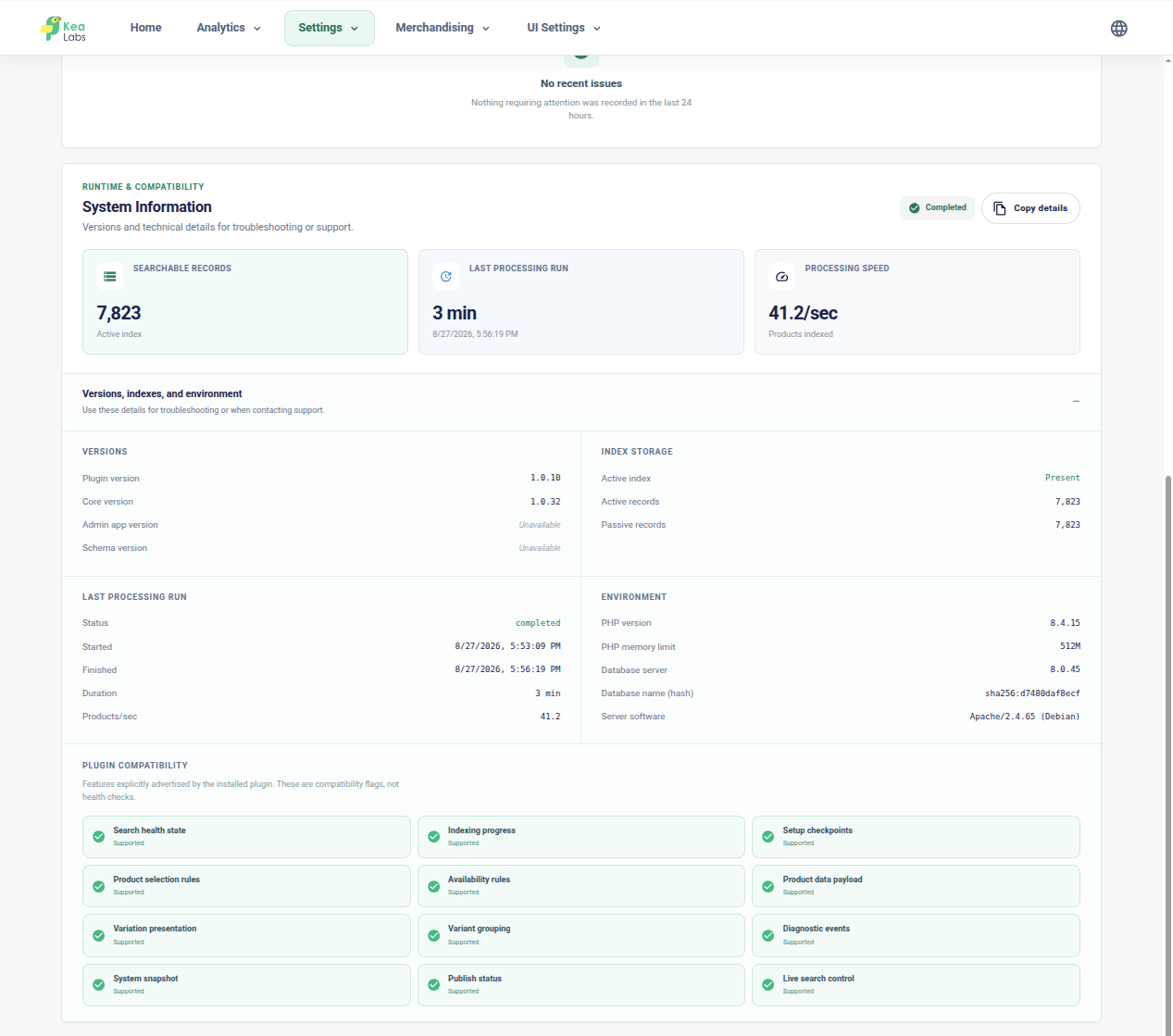
Inspect storefront connection checks
Review integration details and recovery actions alongside the search diagnostics.
AI-assisted setup
Let your own AI help with the setup
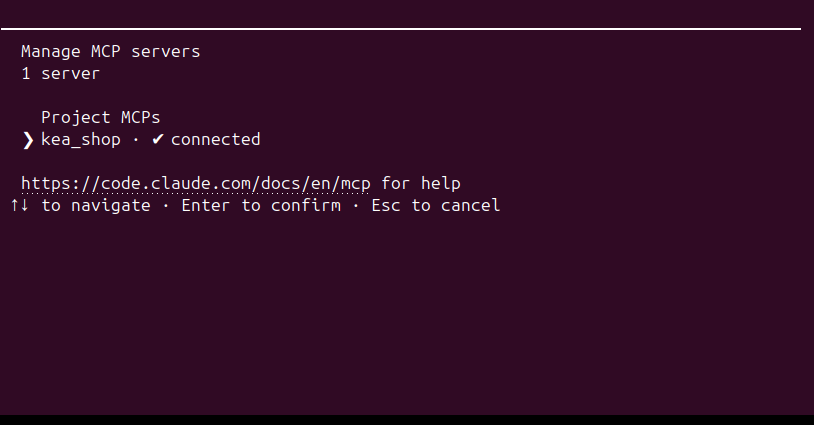
Use Kea Labs Search Pro skills and authorized MCP tools with your supported AI client. The agent can inspect the store, prepare search settings, and adapt supported layouts while your team reviews the result in Preview.
- Use your own supported AI client and model account.
- Prepare searchable fields, facets, synonyms, and merchandising for the store.
- Review supported layouts and product-card templates in Preview.
- Publish only after the store team has approved the result.
After launch
See when search needs attention
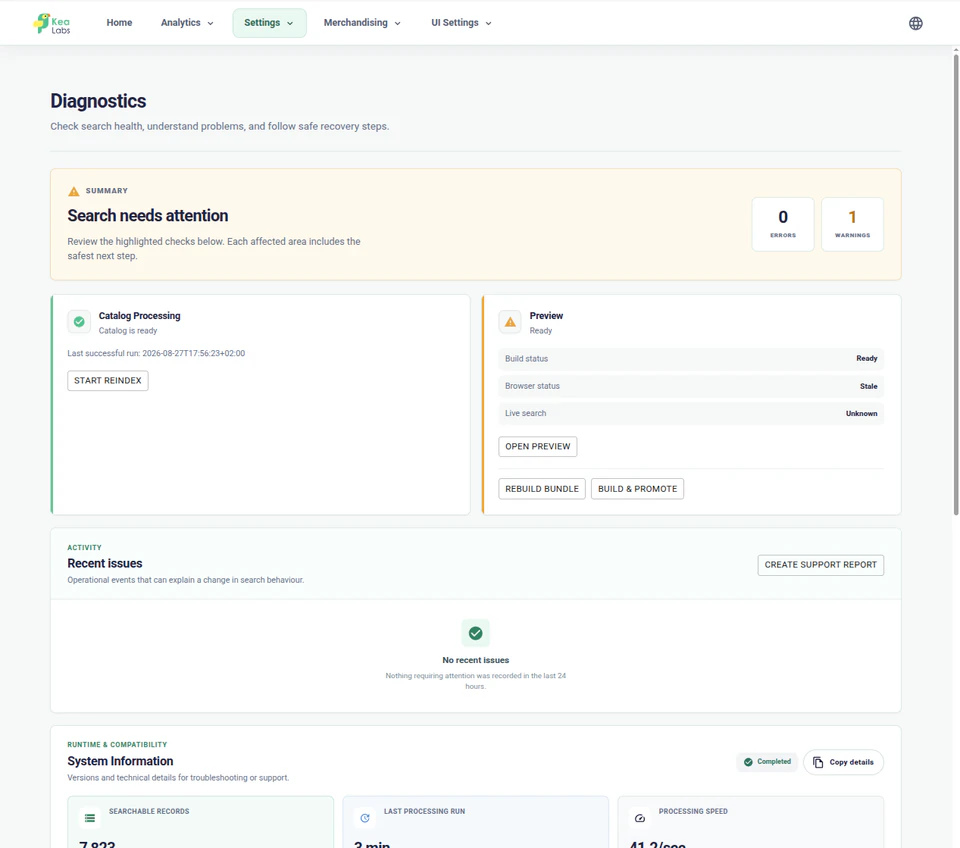
The store administration brings search status, indexing, Preview, and storefront connection checks together. Use diagnostics to understand a warning and choose the next recovery action.
- See whether search is live, in Preview, or off.
- Check catalog processing and the state of the search index.
- Inspect storefront connection and Preview warnings.
- Open diagnostics, rebuild controls, or a support report from the same workspace.
In your WooCommerce store
Connect the search your theme already exposes
Treat installation, catalog updates, and the complete shopper journey as one rollout.
- 01 Find the search entry points Connect the header search, mobile search, and results page used by your WordPress theme.
- 02 Choose the catalog presentation Review simple and variable products, attributes, category structure, visibility, prices, and stock updates.
- 03 Preview, enable, and verify Check the journey from query to product, enable the approved experience, and verify the live result and return path.
WooCommerce integration FAQ
Is Kea Labs Search Pro a native WordPress plugin for WooCommerce?
Yes. The WooCommerce edition is a native WordPress plugin using the same Kea Labs Search Pro functionality and operating approach as the native PrestaShop edition.
Does it require a separate search server or external product feed?
No. Kea Labs Search Pro uses its custom SQL-backed search engine within the store stack and builds its search index from the store catalog. No Elasticsearch or hosted search service is required. The store still needs suitable application and database resources.
Can I choose when the new storefront search becomes live?
Yes. Configure and inspect the proposed experience in Preview while visitors keep the current storefront. Enable Kea Labs Search Pro after review, then verify the live journey.
How are WooCommerce catalog changes reflected in search?
Kea Labs Search Pro updates product data automatically in real time through its native store integration. Reindex controls are available when the catalog needs a rebuild.