
WooCommerce search experience
A faster route to the right product

One search journey, three ways to explore
Autocomplete, a rich search widget, and a classic product results page use the same search engine. Choose the experience that fits how people shop your store.
Storefront layouts
How shoppers search the catalog
Start with fast suggestions, use a full page for considered browsing, or connect both into one shopping journey.

For fast product discovery
Search widget
Show suggestions while the shopper types, with products, categories, and filters in one responsive overlay.

For familiar store navigation
Classic results page
Open a full results page with product cards, sorting, and filters that fits an established storefront theme.

For catalogs that need both
Widget + results page
Let shoppers discover products quickly in the widget, then continue on the full page for deeper browsing.
One search engine behind the interface
Keep the same search behind every layout
A shopper can start in the widget and continue on the results page. Your team maintains one set of relevance settings, filters, and merchandising rules behind both experiences.
- Use the same SQL-backed relevance engine for suggestions and full results.
- Carry synonyms, typo handling, and field priorities across every mode.
- Connect filters, merchandising, and analytics to the same catalog.
- Change the storefront layout without rebuilding the search configuration.

Responsive storefront
Designed for desktop and mobile

Desktop
More room to explore the catalog
Keep product results, sorting, and filters visible so shoppers can compare options and refine the catalog without losing their place.

Mobile
Fast, focused search on mobile
Use compact suggestions, touch-friendly filters, and responsive product grids designed for browsing on a phone.
Inside Kea Labs Search Pro
See the layouts you can configure
Review the widget, desktop results, and mobile layout in the visual editor. Open a screen for a closer look.
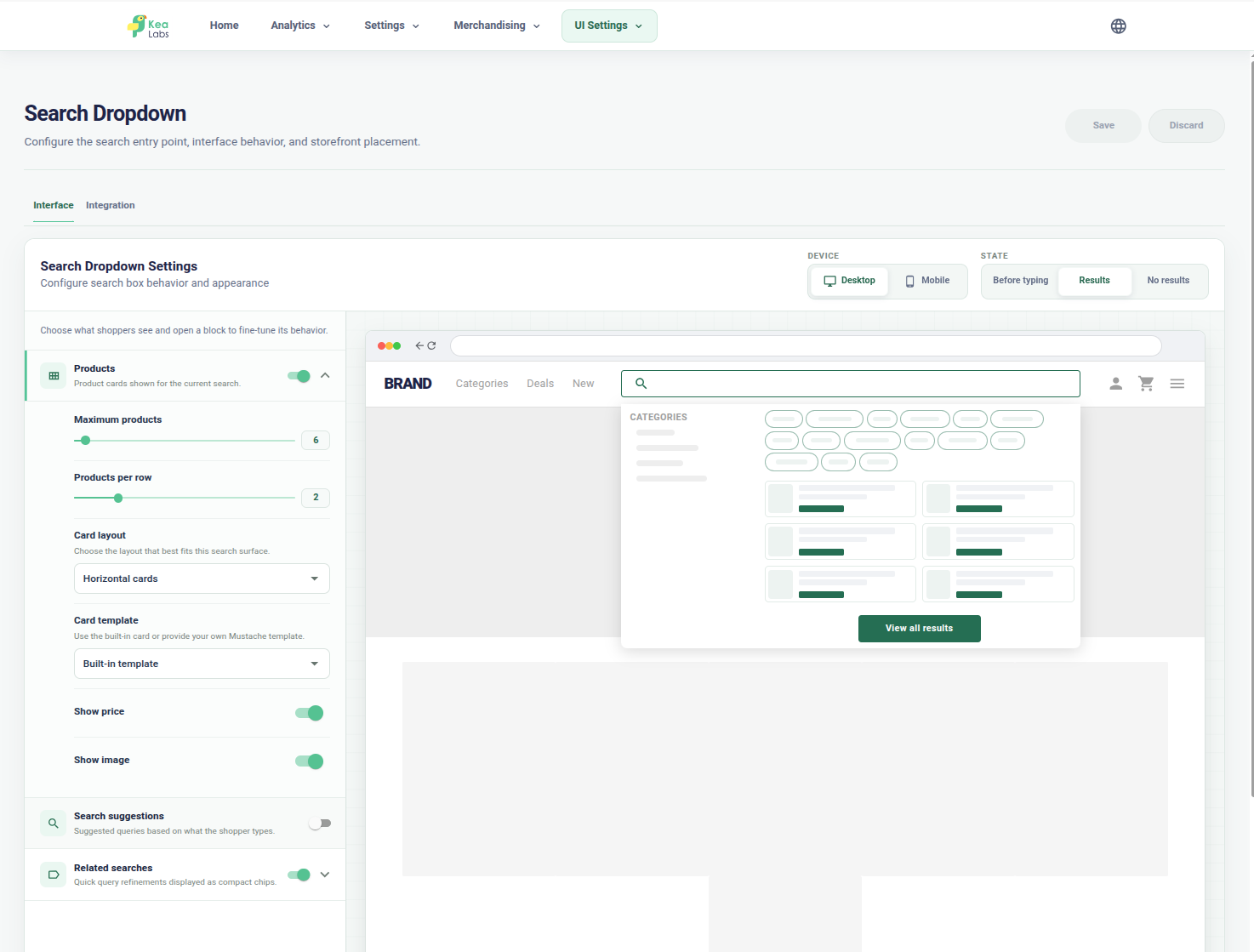
Autocomplete and product suggestions
Configure products, suggestions, categories, and filters around the search widget.
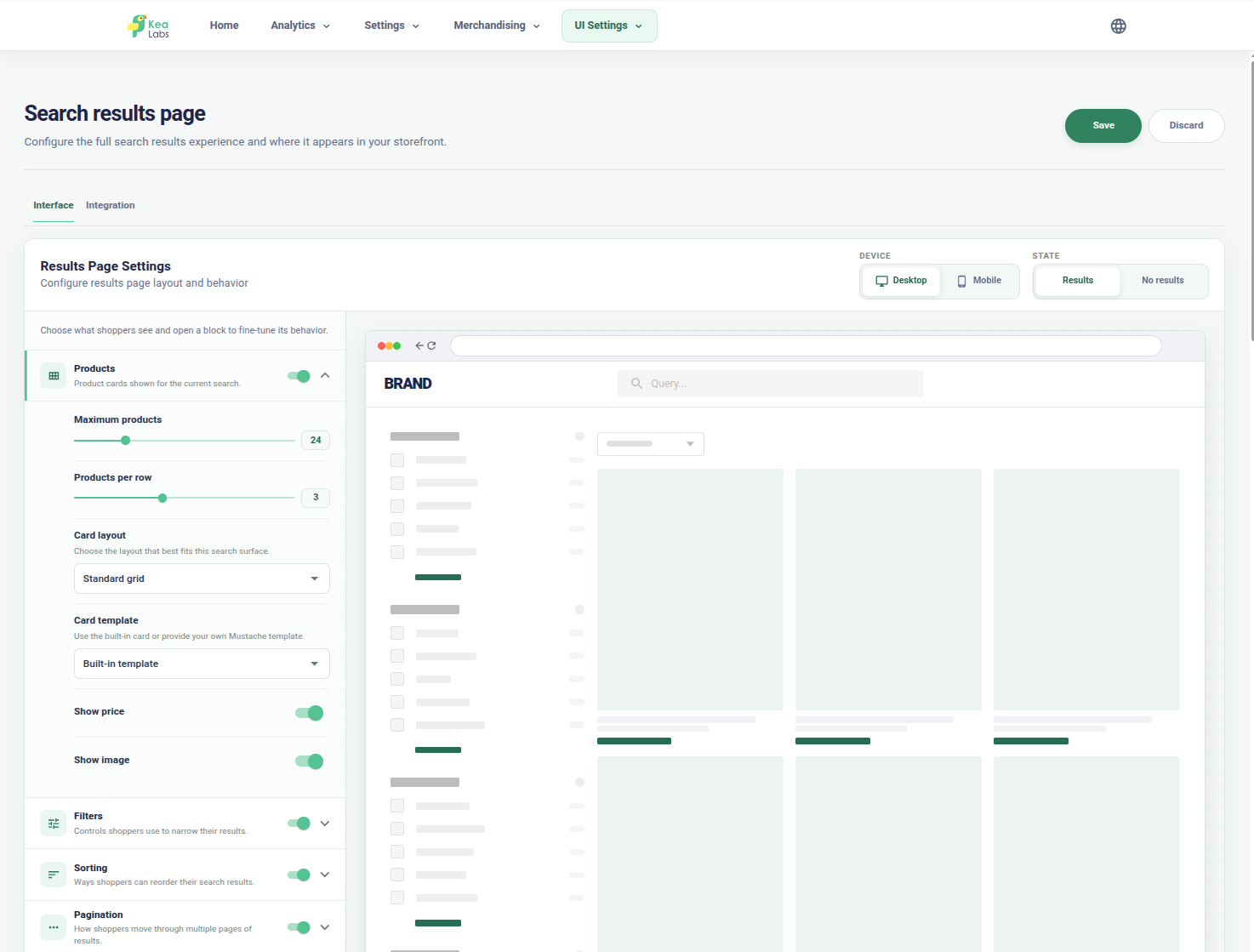
A complete desktop results page
Review product cards, filters, sorting, and the grid together.
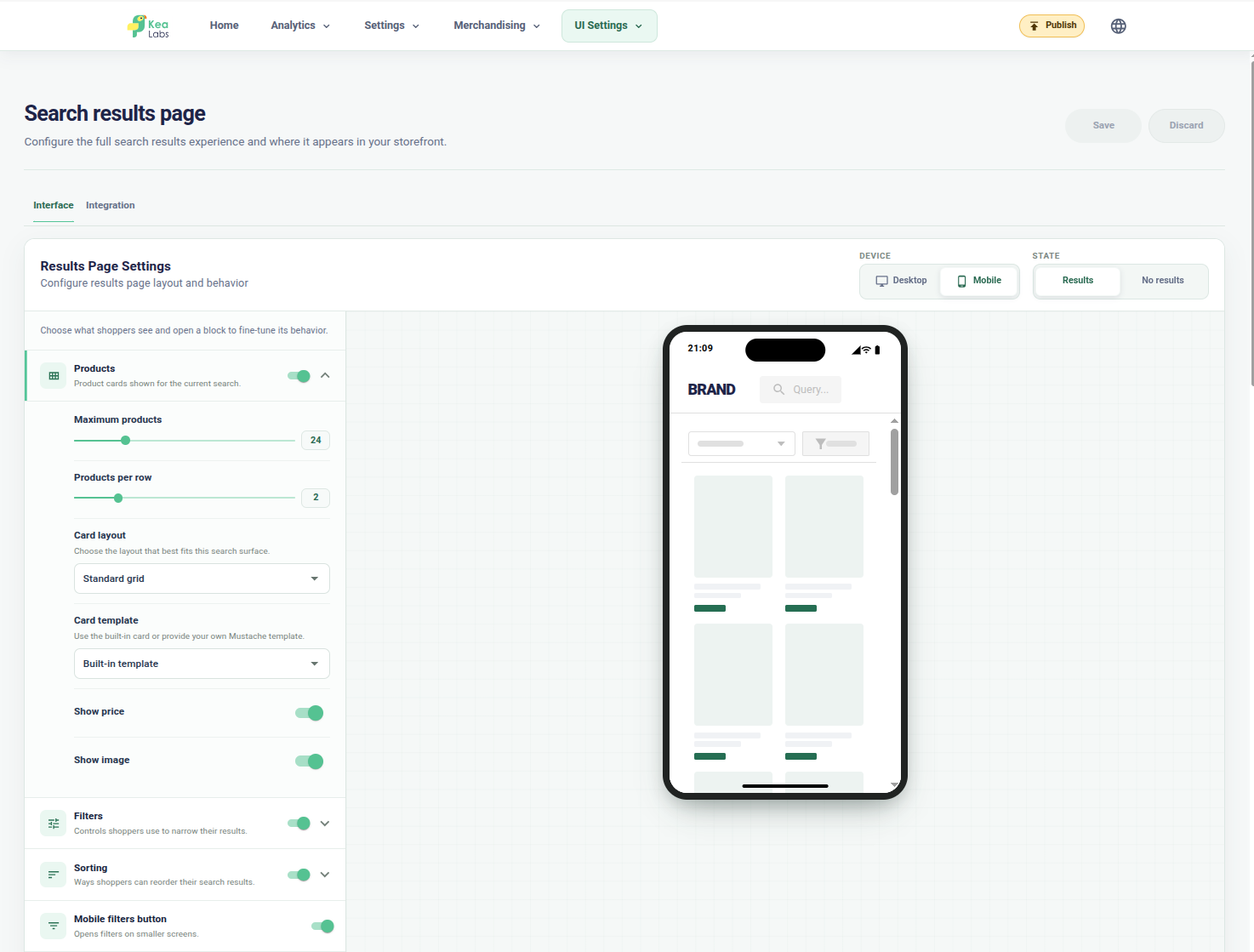
The same journey on a phone
Check the mobile grid, product-card controls, sorting, and filter entry point.
Preview mode
Try the complete experience before it goes live
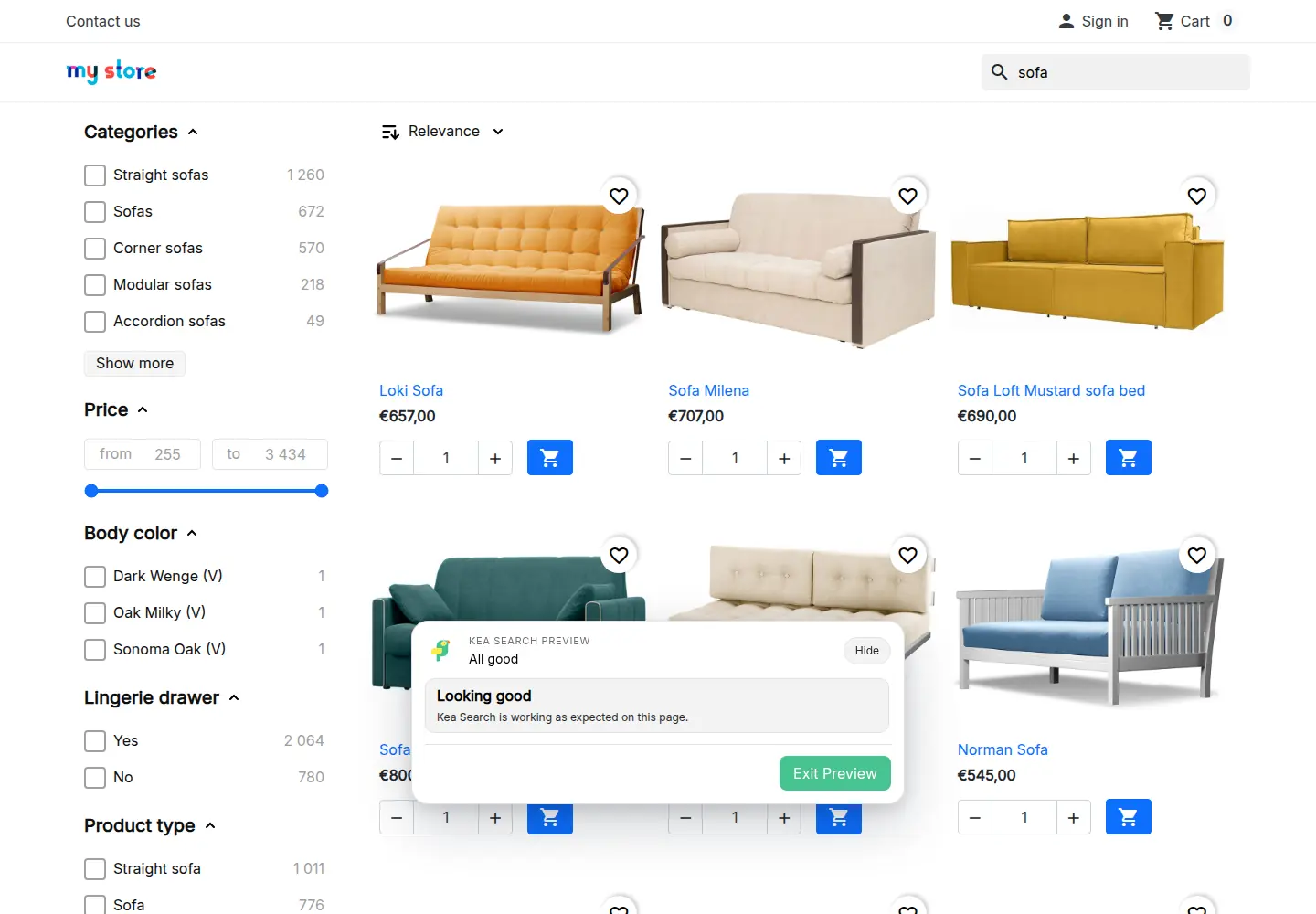
Connect search to the places shoppers already use: the header, mobile navigation, and results page. Preview the new experience while visitors keep the current storefront.
- Try an exact product name, a broad category query, and a reference from your catalog.
- Follow a suggestion into full results and refine it with filters.
- Check product images, prices, links, and the actions your theme exposes.
- Resolve connection warnings, then enable the reviewed experience.
WooCommerce search experience FAQ
Can WooCommerce use autocomplete and a full search results page together?
Yes. Kea Labs Search Pro supports a search widget, a classic results page, or a combined experience. The same search engine, filters, and merchandising support each layout.
Will the plugin replace every search box in my WordPress theme?
The storefront connection must be configured and checked for the actual theme. Identify header, mobile, and other search entry points during integration instead of assuming that every custom search form is connected.
Can I review the layout before shoppers see it?
Yes. Preview lets the team inspect the proposed experience before enabling it. Include desktop and mobile search, filters, product cards, and the journey to a product page in your trial plan.