
WooCommerce interface customization
Make search fit your WooCommerce theme
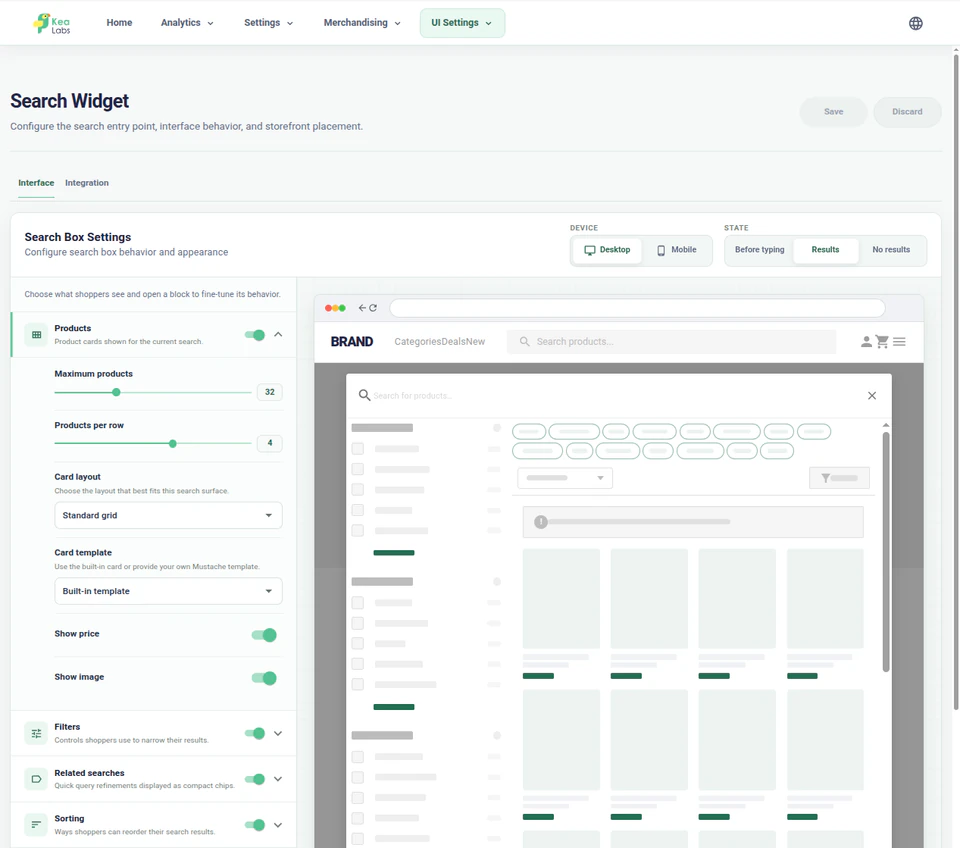
From visual settings to your own templates
Start with merchant controls, then use a documented customization surface when the theme needs more. Ranking, filters, and merchandising remain connected as the interface changes.
Store administration settings
Shape the interface with visual settings
Choose a preset and adjust the sections, product details, labels, and responsive behavior in WordPress. The visual editor keeps the storefront beside the settings you change.
- Choose presets for the search widget and full results page.
- Show or hide suggestions, categories, products, and facet summaries.
- Choose brand, prices, badges, CTA visibility, and product-card field order.
- Adjust supported labels and no-results helper text.
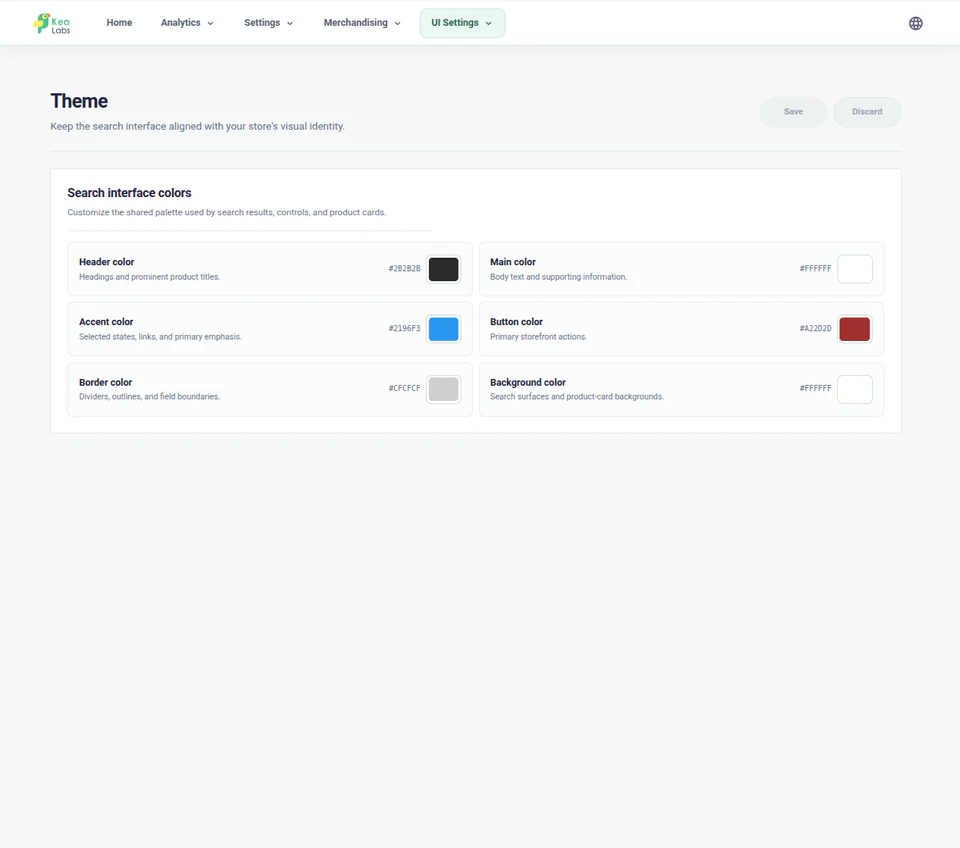
Product card customization
Choose a product card or build your own
Start with a standard or horizontal template. For complete control, use a custom HTML template with your own product data, styling, and supported interactions.
Packaged card templates
Choose a standard or horizontal product card for different storefront contexts.
Choose the product details to show
Show, hide, and order supported fields such as brand, current price, original price, badges, and CTA.

Advanced HTML template
Build a custom ProductCard with a safe Mustache-compatible HTML template and documented product data.
Extra fields and actions
Use registered extra field slots and data-kea-action markers for supported product interactions.
Interface settings
See the complete customization workspace
Open the editor, template controls, and desktop or mobile previews to inspect the details.
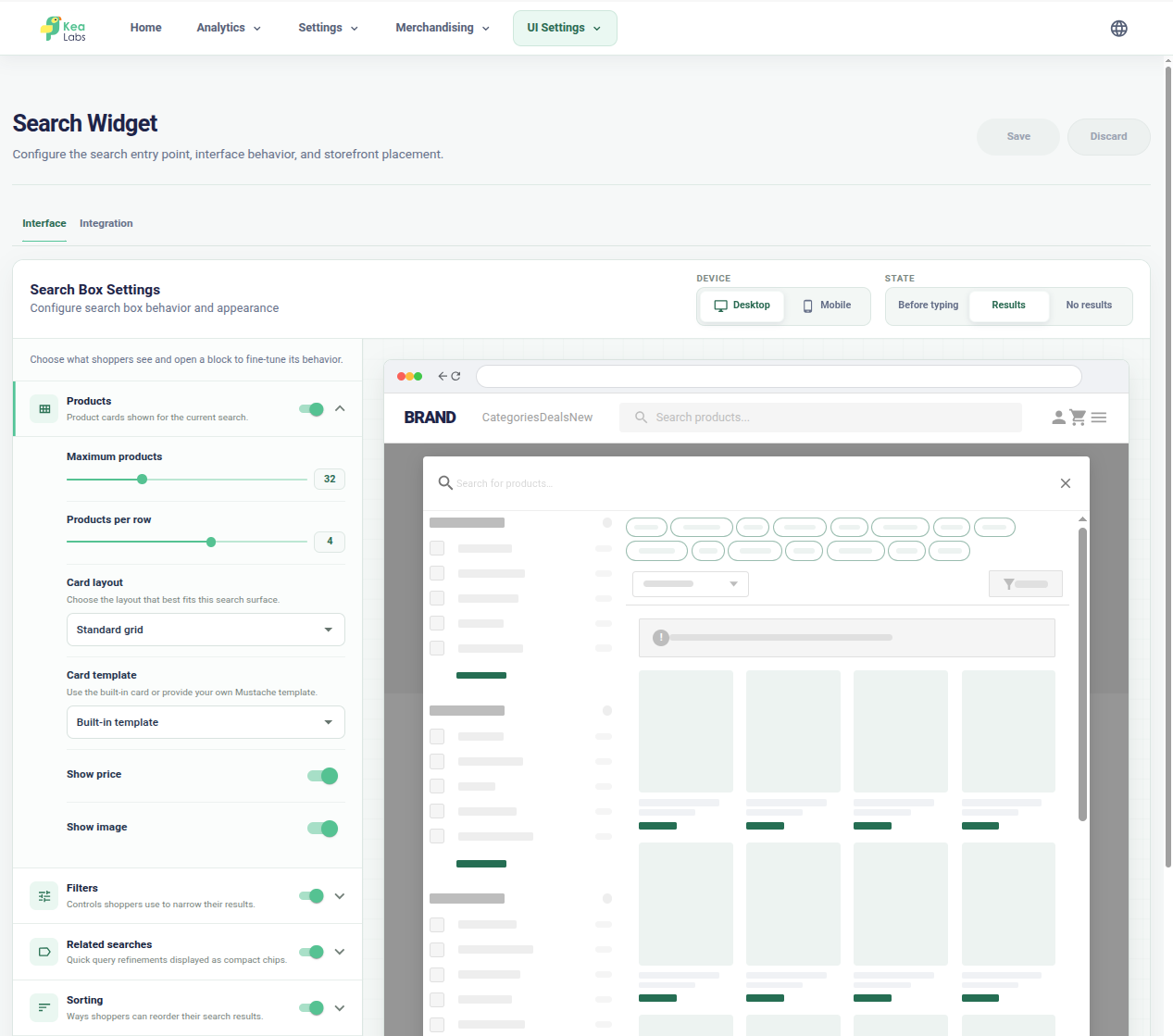
Edit beside the storefront preview
Configure sections, product details, layout, and behavior while the storefront result remains visible.
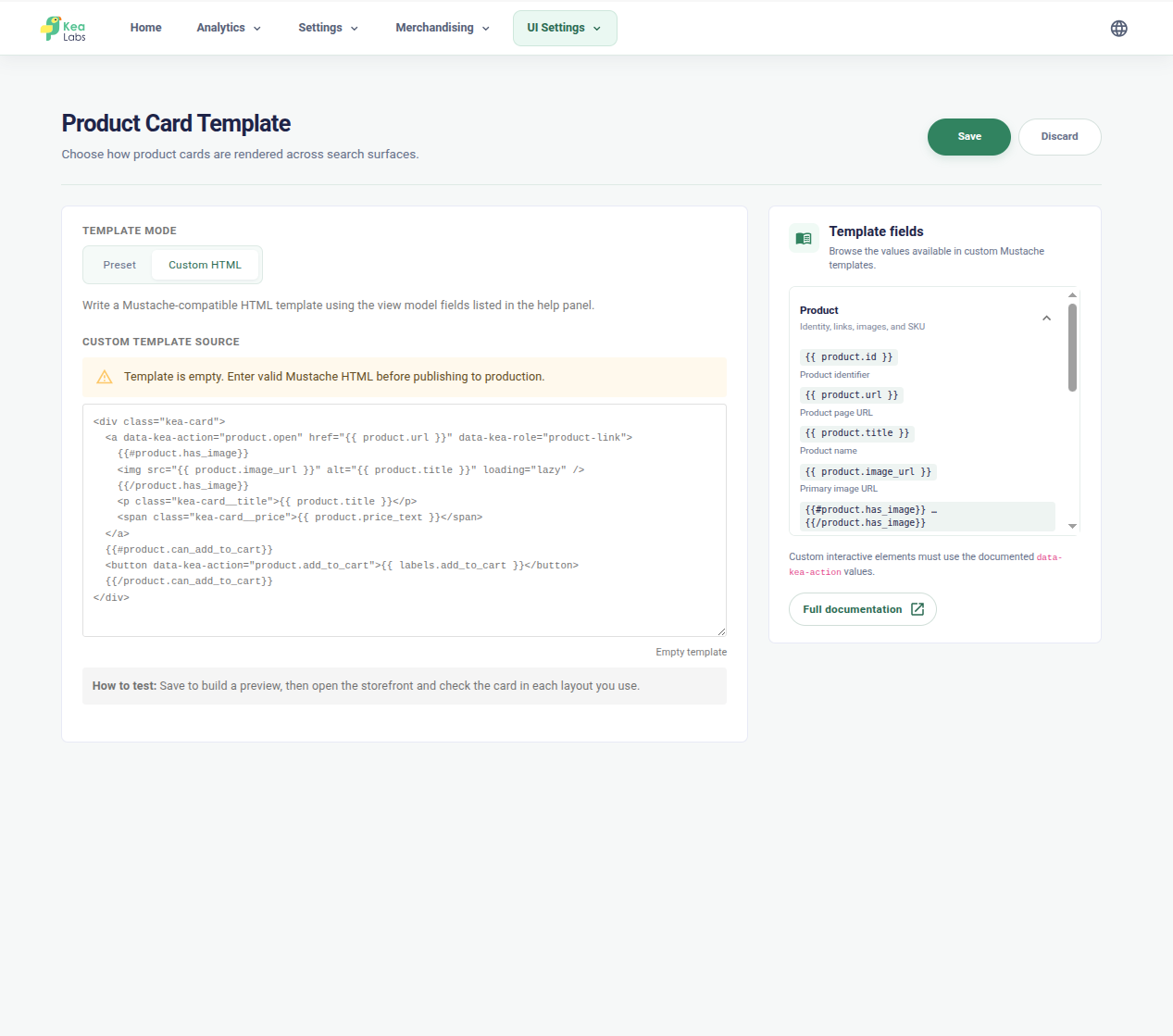
Customize product-card HTML
Use documented product fields and immediate validation when the packaged templates are not enough.
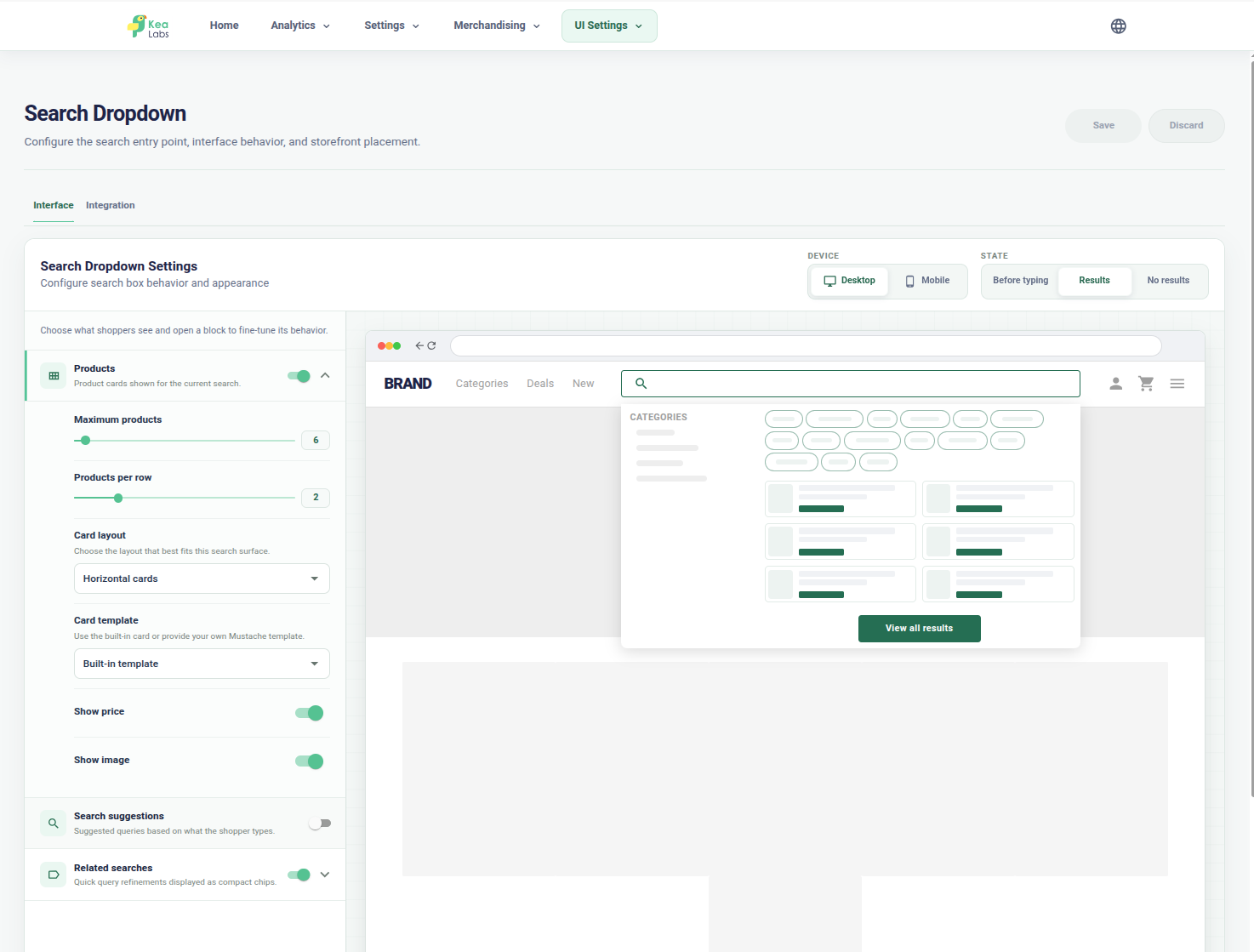
Preview the desktop dropdown
Check products, categories, suggestions, filters, and layout in the search dropdown before publication.
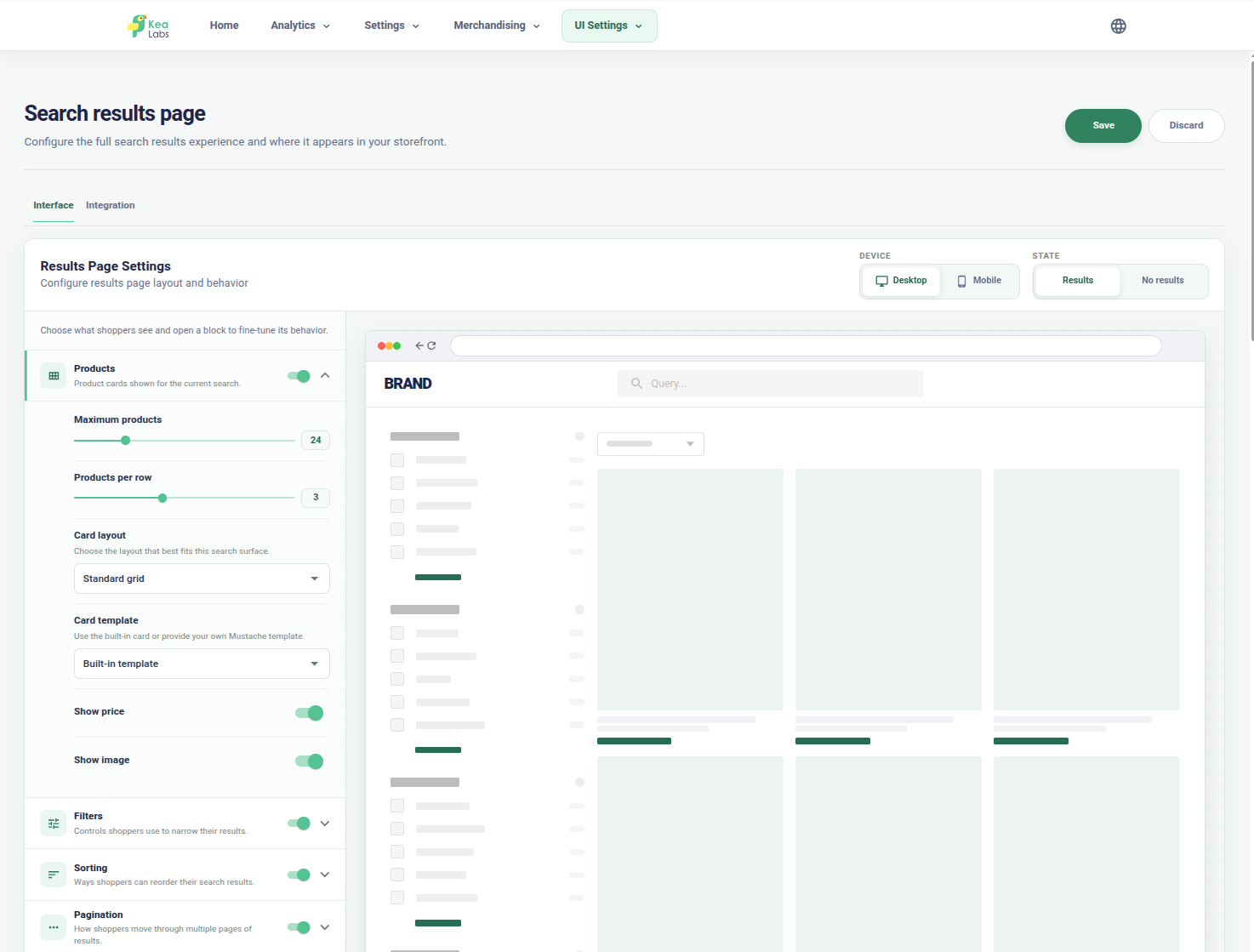
Preview the desktop results page
Configure the product grid, filters, pagination, product-card fields, and results-page layout together.
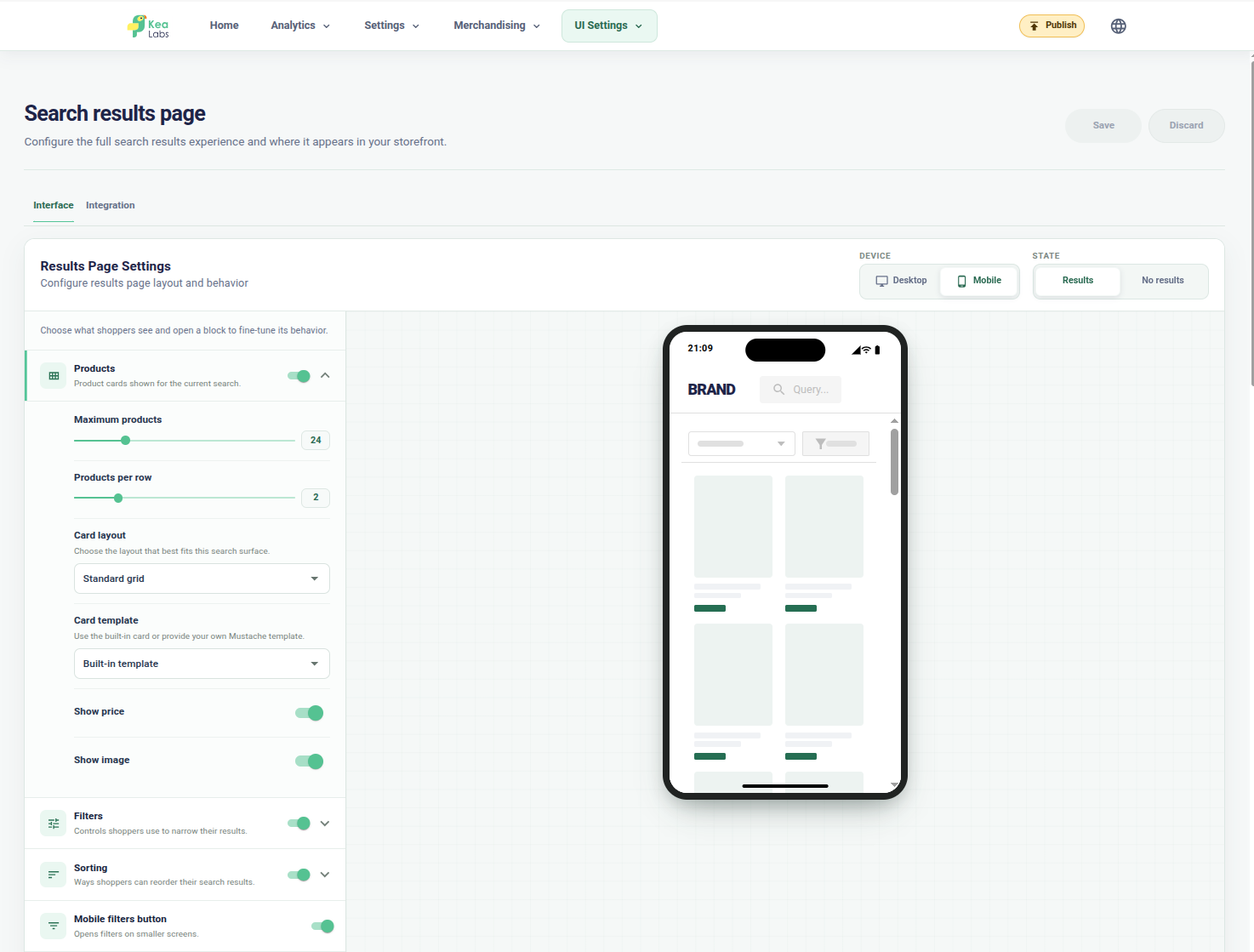
Check the mobile results page
Review the mobile product grid, filters, sorting, and product-card controls in the phone preview.
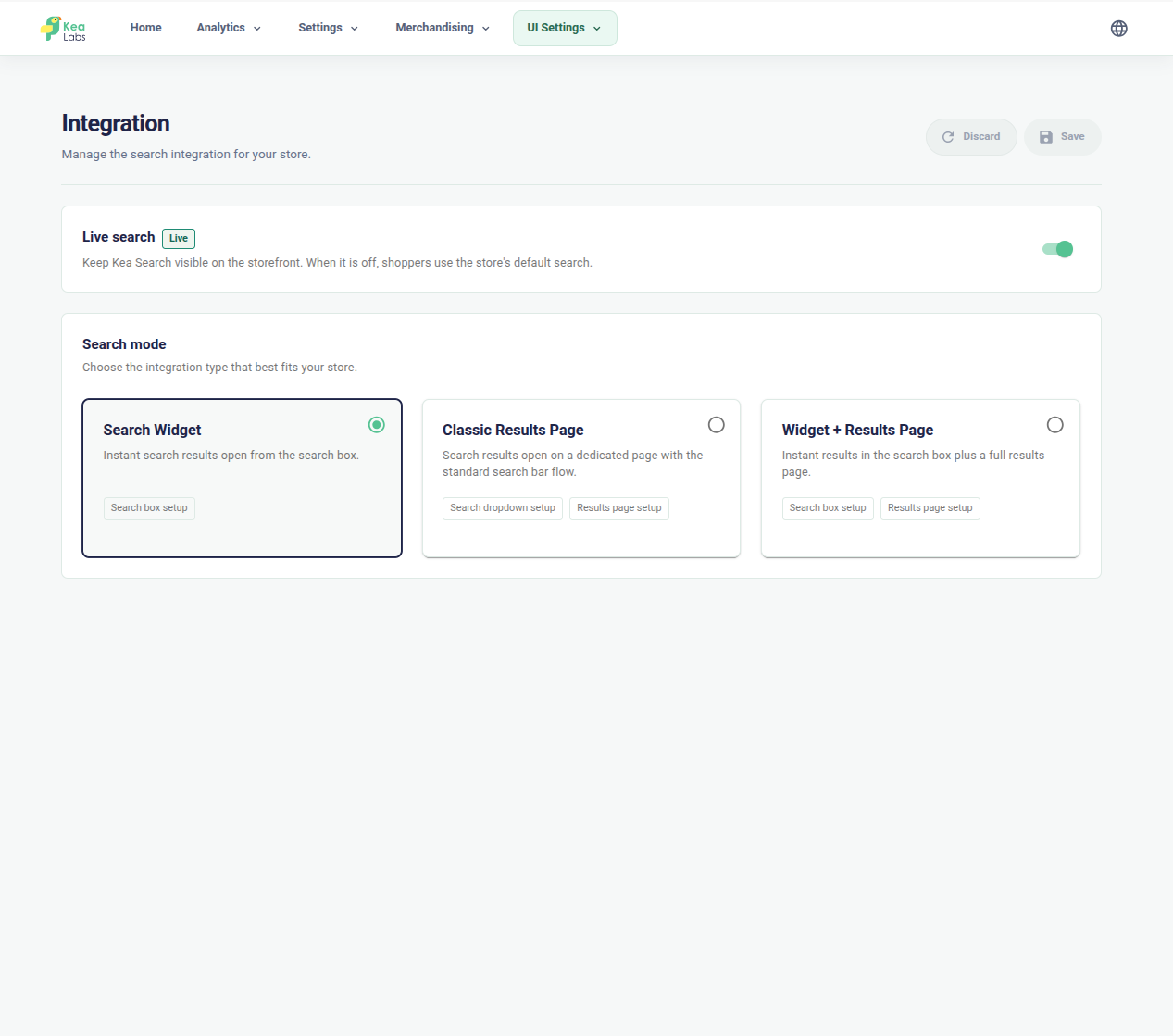
Choose a search layout
Use a search widget, a classic results page, or a combined widget and results-page experience.
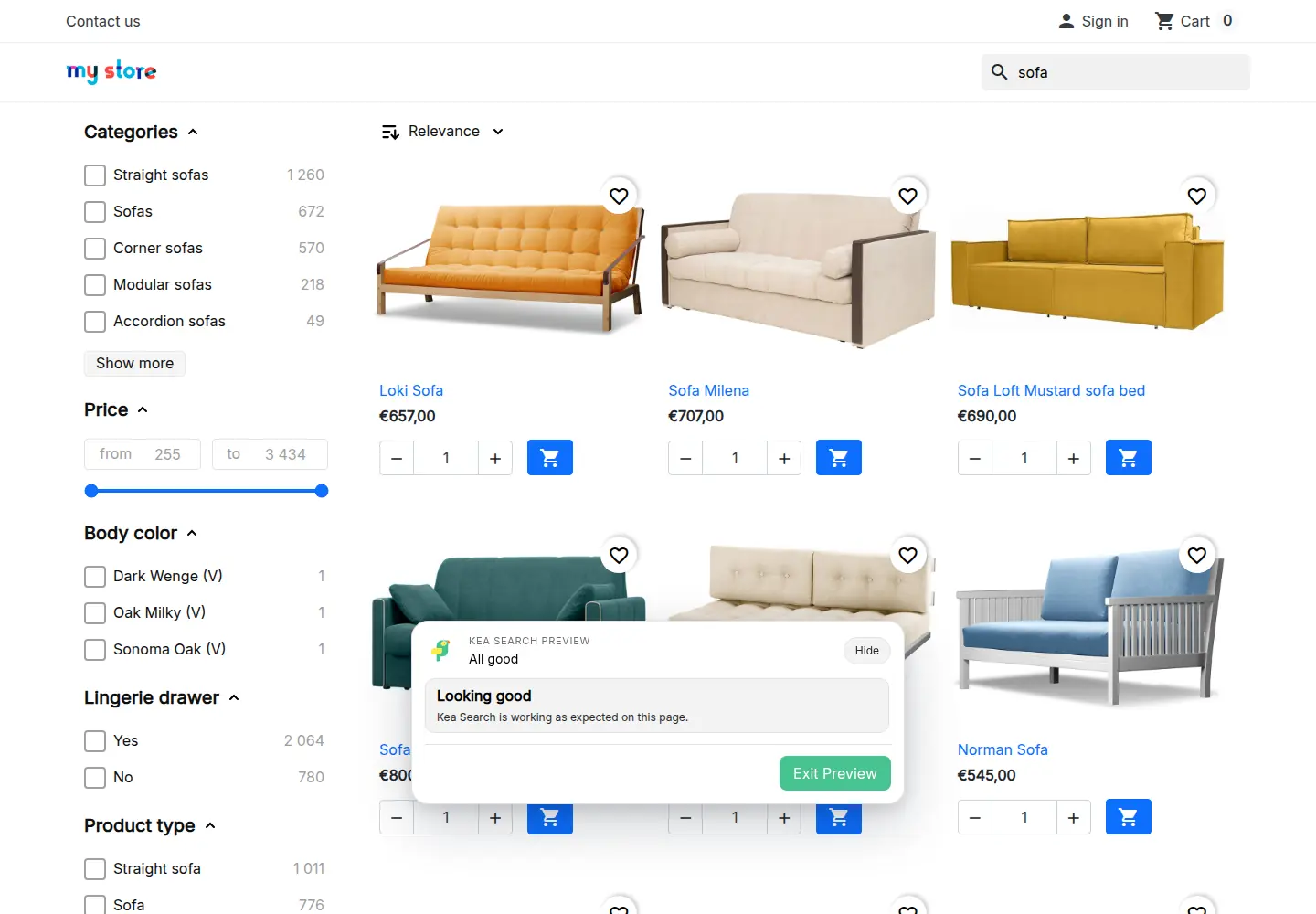
Preview mode
Judge the complete storefront before publishing
A product card can look right on its own and still miss a detail in the shopping journey. Use Preview to check the layout, filters, cards, and theme actions together before activation.
- Compare the current storefront with the preview you are editing.
- Check suggestions, results, filters, product cards, and responsive layouts.
- Fix integration or template warnings before activation.
- Apply or discard preview changes when the new experience is ready.
Developer customization
A documented surface for deeper theme work
Developers can adapt styling and product interactions through public classes, theme tokens, and supported hooks, then maintain that work as the store evolves.
kea-* public classes
Semantic styling
Documented classes address search, results, product cards, filters, and their semantic elements.
--kea-* theme tokens
Theme controls
Theme tokens control colors, typography, spacing, borders, grid gaps, and layout proportions.
data-kea-* markers
States and interactions
Mode, view, screen, breakpoint, roles, and supported actions are exposed through documented markers and hooks.
Generated framework classes are implementation details. Public classes, tokens, markers, and events are the supported customization controls.
In your WooCommerce store
Build a product card shoppers can compare
Start with the decision the shopper needs to make before opening a product.
- 01 Choose the information Show the product details, price, badges, and next action that help customers compare the result.
- 02 Adapt the presentation Use packaged cards, field controls, or a custom Mustache-compatible HTML template with documented product data.
- 03 Check real catalog cases Review simple and variable products, long names, missing values, image shapes, links, focus, and supported actions on desktop and mobile.
WooCommerce interface customization FAQ
Can I customize WooCommerce search without writing code?
Yes. Use layout presets and visual settings to choose sections, product-card fields, labels, and responsive behavior.
Can an agency use custom product-card HTML and CSS?
Yes. Kea Labs Search Pro provides documented CSS tokens, hooks, and custom HTML product-card templates. Agencies can adapt product information, styling, and supported interactions, then review the result in Preview.