
Kea Search Pro for agencies
Deliver better ecommerce search for your clients
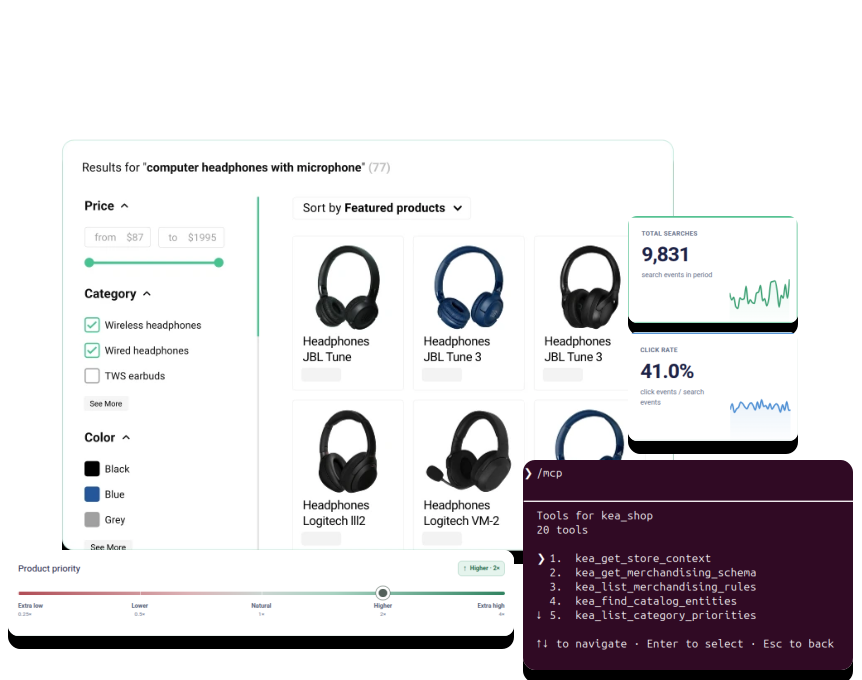
Client value
Give clients search that fits their store
Deliver relevant results, useful filters, controls for the store team, and a storefront implementation adapted to the client's theme.
Autocomplete and results
Help shoppers reach the right products from the search box or a complete results page.
Relevance and merchandising
Let the merchant shape important searches without replacing the search implementation.
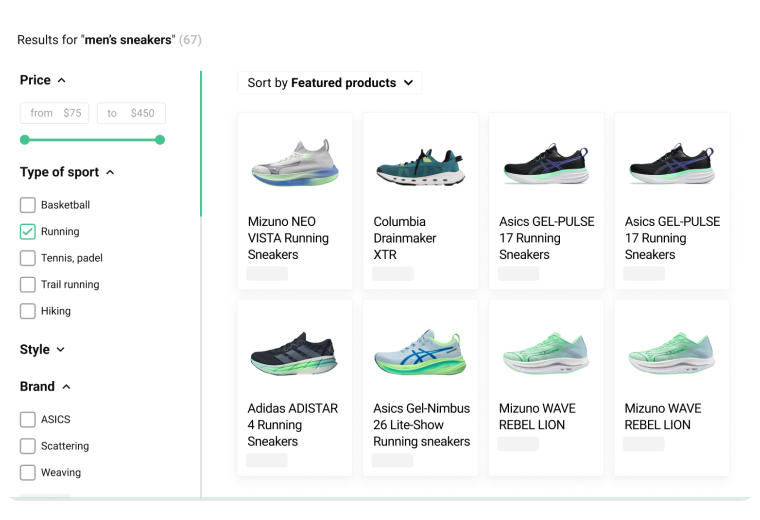
Storefront fit
Adapt filters, layouts, product cards, styling, and responsive behavior to the client store.
Search analytics
Show the store team what shoppers search for, where search fails, and what to improve next.
One module to configure, launch, and operate
Search runs with the PrestaShop store, without a separate search server or mandatory monthly search-service subscription.
AI-assisted delivery
Configure Kea Search Pro with MCP tools and AI skills
Connect Claude Code or another MCP-compatible client listed as supported for the current Agent Pack through the store's MCP server. The setup and maintenance skills give the agent Search Pro guidance for configuration, merchandising, storefront work, and review.
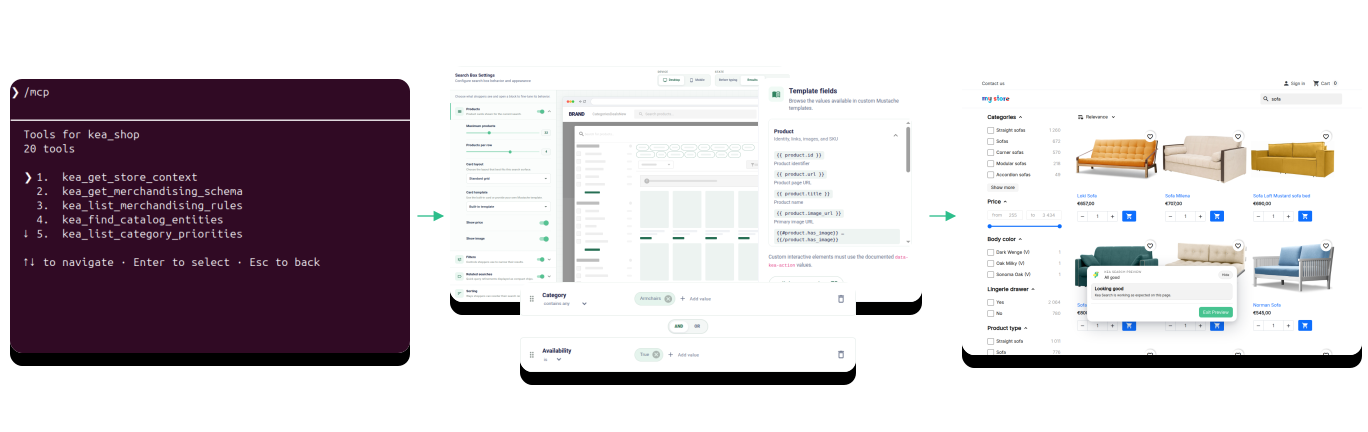
Search configuration with AI
Use AI to configure search and merchandising
Give the agent the catalog, shopper language, important searches, and commercial priorities. Kea Search Pro skills provide the operating guidance, while authorized MCP tools inspect supported store state and prepare reviewable configuration.
- Prepare inactive merchandising suggestions for the correct products and categories.
- Support category priorities and important search decisions without overwriting existing manual adjustments.
- Preview the effect before an authorized person publishes it.
Interface customization with AI
Adapt the search interface and templates with AI
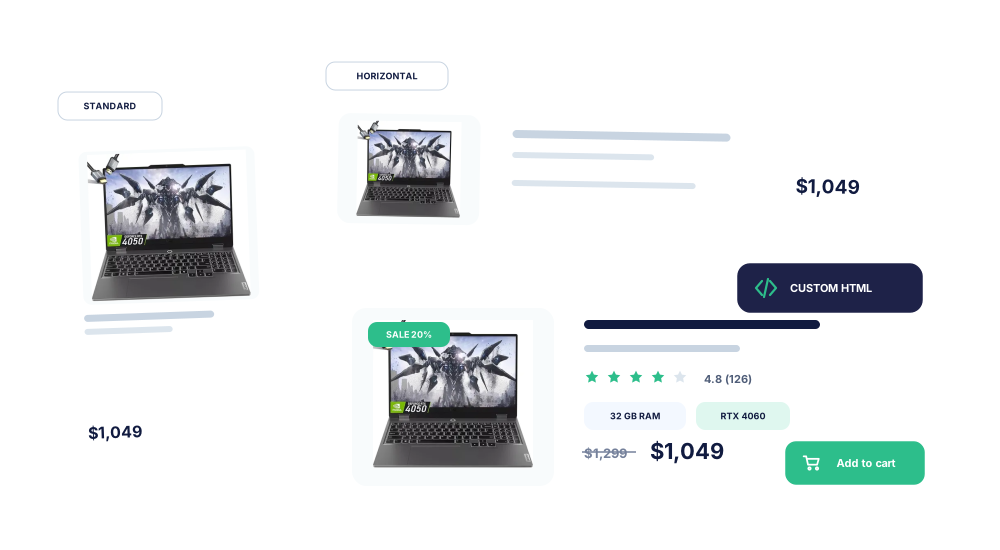
Prepare supported layouts, filters, product cards, theme settings, and responsive behavior in Preview mode. Developers still have documented CSS tokens, hooks, and custom HTML templates when the client needs deeper control.
- Start with packaged layouts and product-card templates.
- Adapt the storefront to the client's theme and product data.
- Review desktop and mobile behavior before anything reaches shoppers.
Inside the Back Office
See the Kea Search Pro Back Office
Open the screenshots to inspect the interface agencies use for merchandising, storefront facets, and search-result customization.
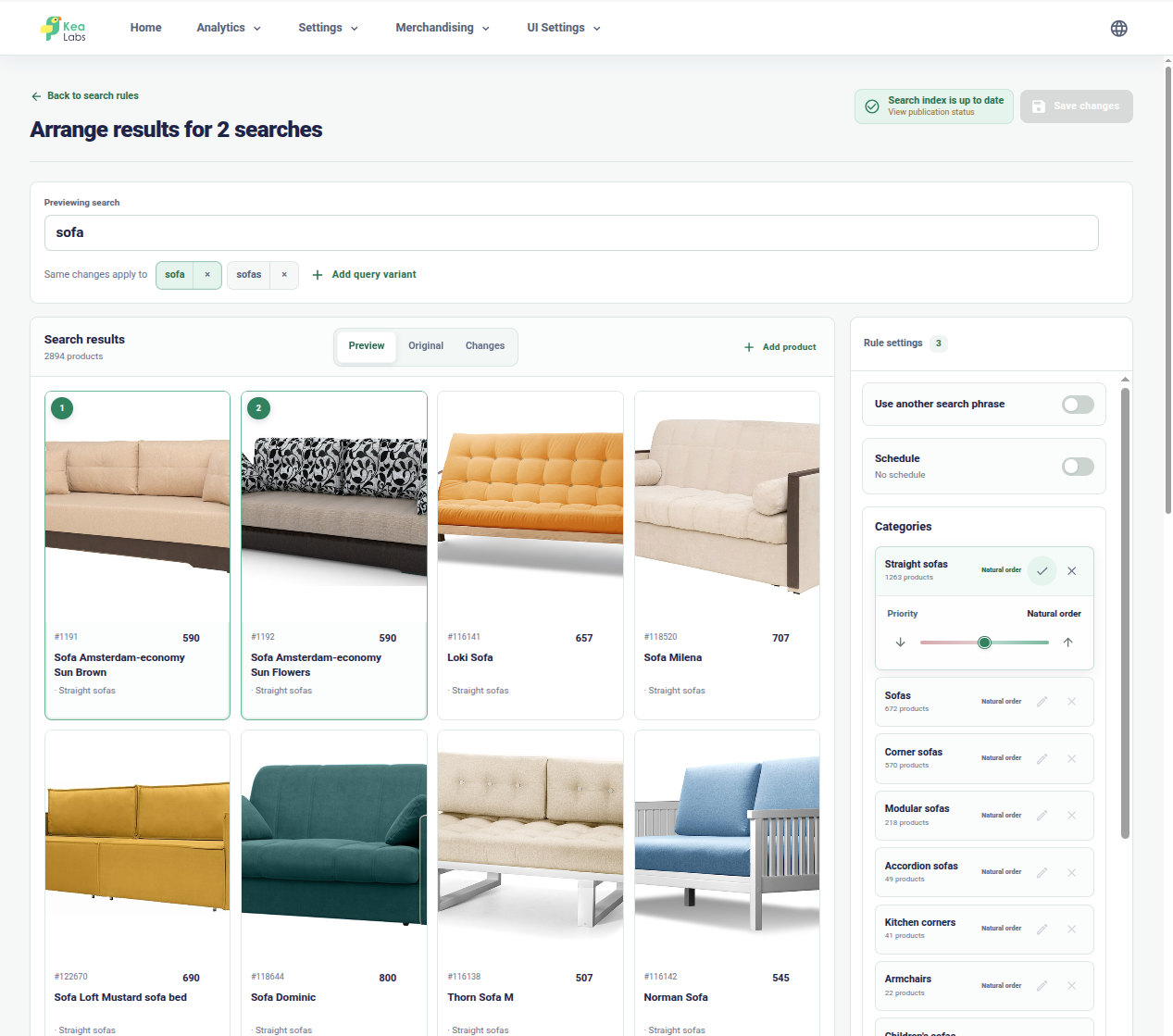
Control merchandising for important searches
Arrange products and category priorities while comparing the adjusted result with the original ranking.

Configure storefront facets
Choose visible filters, their data types, and the order shoppers see them in the search interface.
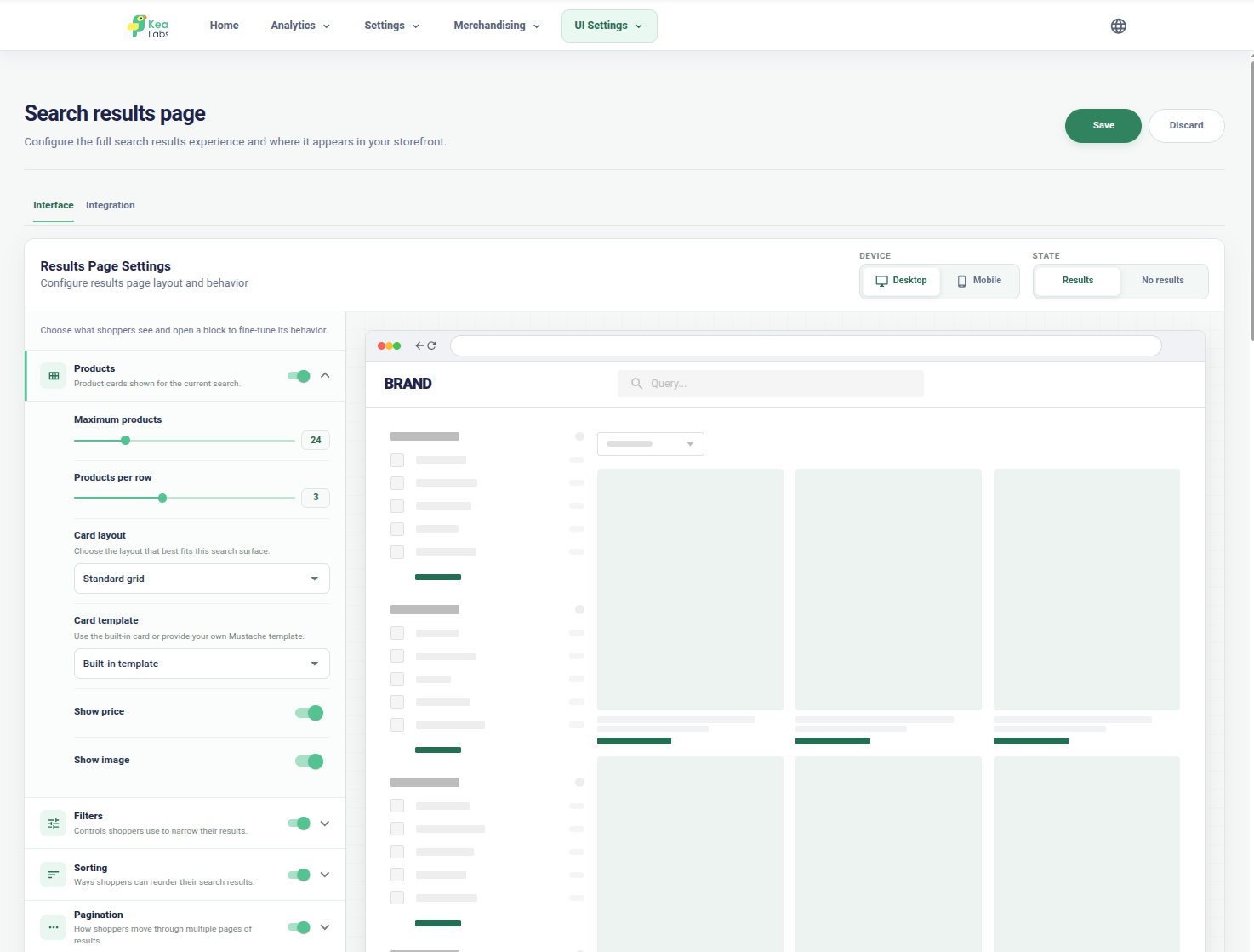
Adapt results and product cards
Configure result-page layouts, filters, grid density, responsive modes, and supported product-card templates.
AI-assisted maintenance
Keep client search improving with less maintenance work
Use the maintenance skill to inspect reports, prepare focused changes, and update each store without repeating the original setup.
Search analytics with AI
Find the next search improvement faster
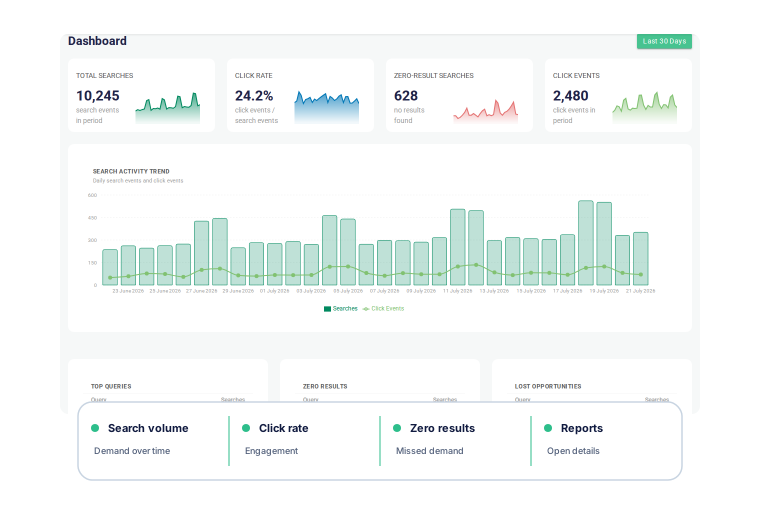
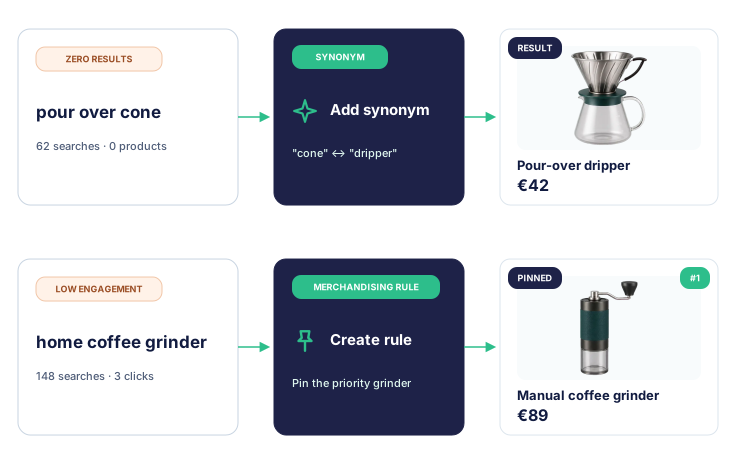
Kea Search Pro shows the searches that matter, the searches that return nothing, and the results shoppers see but do not click. AI helps the agency inspect the context and identify a useful next action without manually working through every report.
- Review top queries, zero results, and searches without clicks.
- Separate a catalog problem from a relevance or storefront problem.
- Document the reason for the next change instead of guessing.
Easy changes with AI
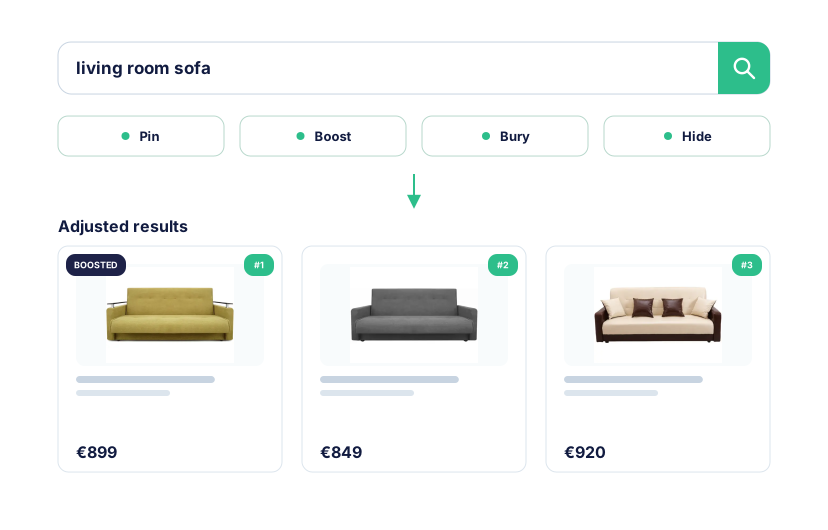
Turn an insight into a reviewed merchandising change
AI can prepare inactive rules for important searches, products, and categories, then show the adjusted result in Preview. The agency reviews the proposed change and decides whether to activate it.
- Pin, boost, bury, or hide products for a defined search goal.
- Preserve the base ranking and existing rules.
- Review the exact result before activation.
Simple ongoing maintenance
Maintain client search without repeating the setup
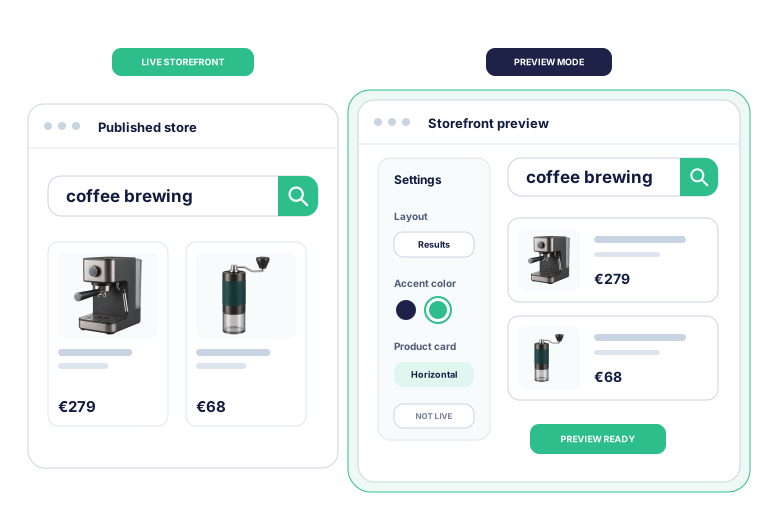
When the catalog, theme, campaigns, or client priorities change, the maintenance skill can inspect the current store and prepare a focused update. Preview keeps the live storefront unchanged while the agency checks the result.
- Check indexing, storefront connection, and self-diagnostics in Back Office.
- Test search configuration and interface changes on desktop and mobile in Preview mode.
- Publish an approved change through the normal review and publication process.
When requirements grow
Choose Kea Labs Cloud for larger or more advanced search projects
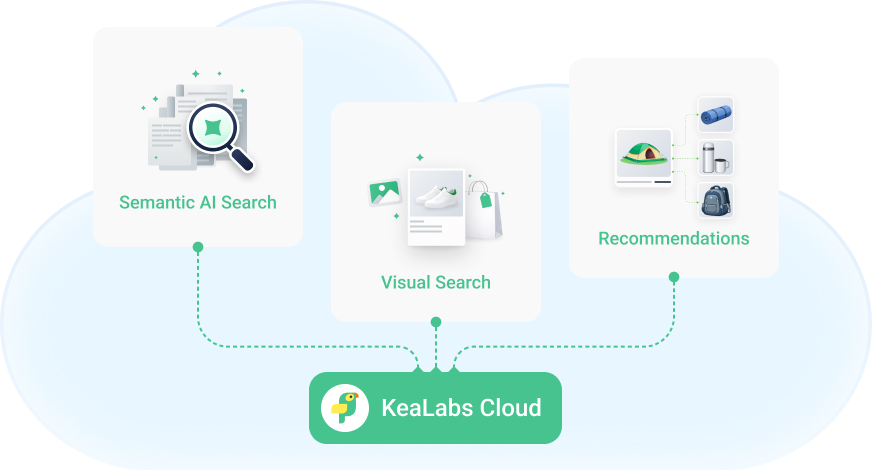
Kea Search Pro covers professional store-native search. Choose a separate Kea Labs Cloud deployment when the client needs scalable cloud infrastructure, operations managed by the provider, contractual service levels, semantic or image search, recommendations, or visual discovery.
- Scalable cloud infrastructure for larger catalogs and more demanding traffic.
- Semantic search, image search, recommendations, and visual discovery.
- Operations managed by the provider and contractual service levels.
Discuss a client search project
Tell us about the store, the search problem, and the delivery model your agency needs. We will reply with a practical next step.
Kea Search Pro agency FAQ
Implementation, AI-assisted configuration, client handover, ongoing improvement, and choosing the right option.
What can an agency deliver with Kea Search Pro?
The agency can own discovery, installation, search configuration, merchandising, theme adaptation, desktop and mobile validation, launch, client training, and post-launch improvement. Kea Search Pro provides the module workflow and controls; the agency supplies the client context and delivery responsibility.
Does AI replace the agency's search work?
No. AI assistance reduces repeatable inspection and configuration work. The agency still decides what the client needs, resolves ambiguity, reviews the storefront, manages the project, approves production changes, and stands behind the result.
Can AI help configure the storefront interface?
Yes, within the supported workflow. The agent can prepare supported layout, product-card, theme, and responsive settings in Preview mode. Developers can use the documented CSS tokens, hooks, and custom HTML product-card templates for deeper customization. The agency reviews the result before publication.
How can the agency improve search after launch?
Use search analytics to find top queries, zero results, and searches without clicks, then inspect the cause and prepare a relevance, merchandising, catalog, or storefront improvement. AI can assist with supported inspection and reviewable configuration, while production publication remains a human decision.
Can the client operate Kea Search Pro after handover?
Yes. Kea Search Pro remains available through the PrestaShop Back Office with visible settings, merchandising controls, analytics, Preview mode, status, and diagnostics. The agency can document the agreed operating model and return for more advanced work when needed.
When should an agency choose Kea Search Pro or Kea Labs Cloud?
Choose Kea Search Pro when the client needs professional store-native search, filters, relevance controls, merchandising, customization, and analytics without a mandatory search-service subscription. Choose the separate managed Kea Labs Cloud service when the requirements include semantic or image search, recommendations, visual discovery, scalable cloud infrastructure, operations managed by the provider, or contractual service levels.
Is Kea Labs Cloud an automatic Kea Search Pro upgrade?
No. Kea Labs Cloud is a separate managed deployment for a different level of search and operational requirements. The agency can plan it when the client needs scalable cloud infrastructure, semantic or image search, recommendations, visual discovery, operations managed by the provider, or contractual service levels.