
FAQ
Answers before installation
Module basics
What is Kea Search Pro?
Kea Search Pro is a premium search module for ecommerce stores. It includes autocomplete, product results, filters, relevance controls, storefront customization, setup, search analytics, and rule-based product visibility.
Is Search Pro an AI search service?
Search Pro is focused on store-native search: relevance scoring, field priorities, synonyms, typo tolerance, fuzzy matching, product data, filters, and analytics. Kea Labs Cloud is the managed service for semantic search, image search, recommendations, visual discovery, hosted infrastructure, and larger AI discovery work.
Is Search Pro a subscription?
The PrestaShop module uses a one-time module purchase. It does not require a separate monthly search-service subscription for its included search, filters, and rule-based product visibility. The Marketplace purchase includes 12 months of PrestaShop Business Care for updates and support. Annual renewal is optional and costs 40% of the product price; the module remains usable after it ends while it stays compatible with the store.
Does Search Pro require Elasticsearch?
Search Pro for PrestaShop does not require Elasticsearch. It uses a custom SQL-backed search engine with relevance ranking inside the store stack instead of an external search server.
PrestaShop compatibility
Which PrestaShop versions are supported?
Search Pro supports PrestaShop 1.7.6.0+, 8.x, and 9.x. Check the Marketplace compatibility selector for the exact store version before purchase.
Does it work with custom themes?
Search Pro supports storefront customization for search layouts, product cards, styling, CSS, and theme integration. Custom themes should still be checked before launch.
Does it support multistore and languages?
Search Pro is designed with PrestaShop shop and language context. Complex multistore or multilingual stores should be checked before launch; send Kea Labs the store setup if this is a purchase blocker.
Installation and setup
How is Search Pro installed?
Search Pro is installed as a PrestaShop module and configured from the PrestaShop Back Office.
Does search go live immediately after installation?
The setup flow lets the team configure search, build the index, check the storefront, and enable Search Pro when the team is ready. Module search can be turned off if the team needs to return to the previous search.
Can a store try Search Pro before replacing its existing search?
Yes. The safer path is to install the module, configure search, build the index, check the storefront behavior, and only then decide whether Search Pro should handle production search.
How does indexing work?
Search Pro builds a search index from store product data. The module includes initial indexing, product update handling, and reindex controls.
Catalog size and server sizing
What catalog sizes have been tested?
We benchmarked Kea Search Pro with 10,000, 30,000, and 50,000 products using a one-language, feature-light test catalog and a moderate mixed search workload. The tested starting configuration used 2 vCPU and 2 GB RAM for MySQL through 30,000 products. The 50,000-product run used 4 vCPU and 4 GB RAM for MySQL. These are planning baselines, not capacity guarantees: languages, combinations, indexed fields, filters, query patterns, and concurrent traffic can change the result.
What server resources should I plan?
Use the measured application, MySQL, and free-disk allocations as starting points, not as complete production-server requirements. The host also needs resources for the operating system, the main store database, PHP workers, logs, backups, temporary files, and other modules. Allow additional free disk while Search Pro builds a replacement index and keeps the current index available.
When should I allocate more database CPU?
Additional MySQL CPU helped most in the 50,000-product test when multiple searches ran concurrently. It helped less with an individual broad query that required more database work. More CPU can improve parallel capacity, but it does not make every query proportionally faster; broad queries, filters, and catalog structure still need representative testing.
Can the storefront layout affect search load?
Yes. Search-as-you-type layouts may send several requests during one typing session, including requests that calculate available filter values and result counts. A classic search box sends its main request after submit, which can reduce request frequency when traffic is a concern. It does not make an individual query cheaper or replace proper server sizing. Check the layout in Preview for storefront behavior, then test expected traffic in a staging or equivalent environment.
Search merchandising
Does Search Pro include merchandising rules?
Search Pro includes search merchandising controls for product visibility: exact-query rules, product and category rules, pinning, boosting, burying, hiding, category priorities, preview, and explain views.
What can merchants use merchandising for?
Store teams can use merchandising to promote seasonal products, support campaigns, give strategic brands or higher-margin products more visibility, reduce visibility for products that should not lead, or hide products from specific search results.
Does merchandising require a cloud subscription?
Search Pro's rule-based merchandising is part of the store-native module and does not require a mandatory monthly search subscription.
Do merchandising rules override relevance completely?
Merchandising works as a controlled business layer on top of search behavior. Shopper filters, product eligibility, store context, and rule boundaries still matter.
Do merchandising changes require reindexing?
Some query-level merchandising can be handled at search time. Product-score, category-priority, or index-time changes may require an index refresh, so the team can check the rule before relying on it.
What merchandising should move to Cloud or custom work?
Search Pro merchandising focuses on search result control. Banners, behavioral personalization, A/B testing, broad contains-style query triggers, and visual drag-and-drop category-page grids belong to a different solution or custom scope.
Features and customization
What search features are included?
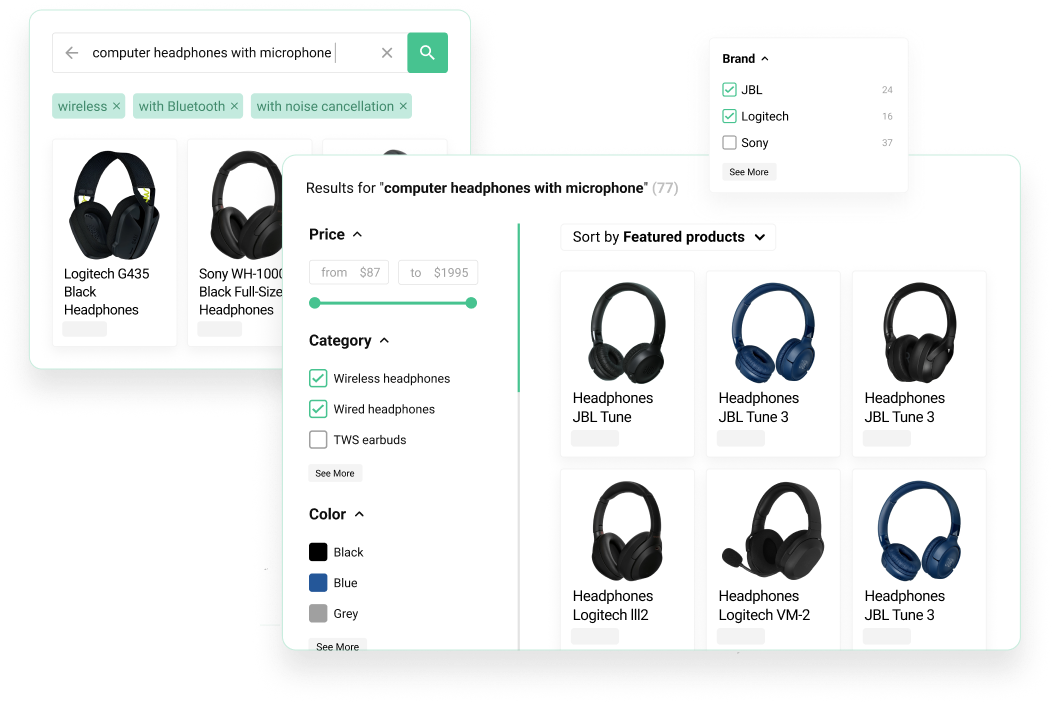
Search Pro includes autocomplete, product suggestions, result pages, faceted filters, relevance controls, synonyms, typo tolerance, fuzzy matching, search merchandising, interface customization, setup, indexing, and analytics.
How deep are the filter controls?
Search Pro includes filter visibility, filter ordering, searchable facet settings, and feature-value mapping for bool and color feature facets. This helps stores turn messy catalog data into clearer shopper-facing filters.
Can the search interface be customized?
Search Pro supports layout adaptation, product-card presentation, styling, CSS customization, and deeper theme integration by a developer, agency, or Kea Labs.
What analytics are available?
Search Pro analytics include popular queries, zero-result queries, clicked products, and search activity signals that help merchants improve product data, synonyms, filters, merchandising, and content.
Availability, contact, and Cloud
Where do customers buy it?
Customers buy the module from the official PrestaShop Marketplace listing. Check the displayed price, compatibility, and current Marketplace terms before purchase.
What support, updates, and refund terms apply?
The Marketplace purchase includes 12 months of PrestaShop Business Care for updates and support. Annual renewal is optional and costs 40% of the product price; the module remains usable after it ends while it stays compatible with the store. After download, refunds are generally unavailable because PrestaShop treats the digital product as consumed, subject to its listed exceptional and technical-malfunction cases. Check PrestaShop's current policy before purchase.
Can an agency install it for a client?
Search Pro fits agency projects around search setup, relevance tuning, merchandising rules, filter configuration, storefront customization, theme work, launch help, and analytics checks. Agencies can contact Kea Labs with the client store, catalog shape, theme, and search goals.
When is Kea Labs Cloud the better choice?
Use Kea Labs Cloud when the store needs semantic search, image search, recommendations, visual discovery, API-first integration, scalable cloud infrastructure, operations managed by the provider, or contractual service levels.