
PrestaShop search module comparison
Kea Search Pro vs Joli Search + Amazzing Filter
- Real relevance scoring instead of basic database matching
- Search, results, filters, and product cards in one interface
- A modern search box, results page, and filters
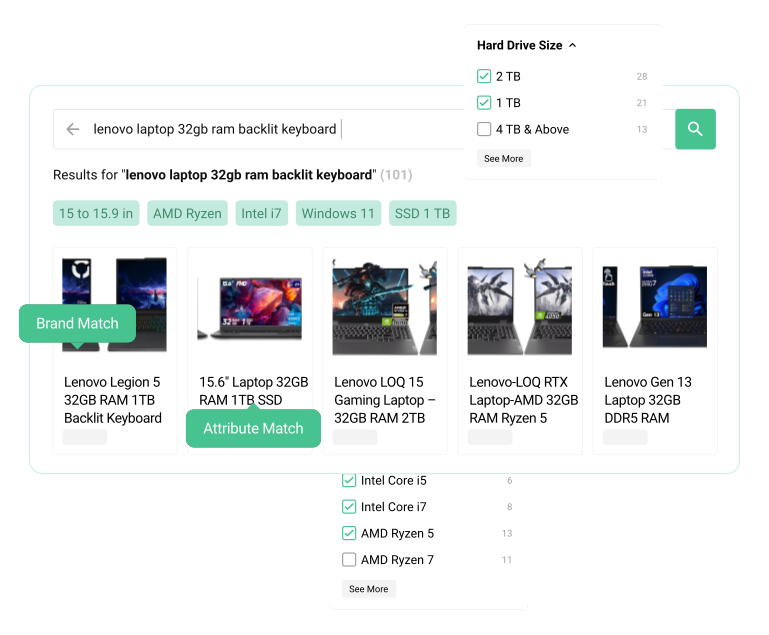
Search relevance
Real relevance, not only database matches
Joli Search provides useful instant results. Kea adds a full relevance system that scores every result instead of relying only on database matching and fixed ordering.
- Choose which names, references, categories, attributes, and features are searchable.
- Set field priorities, synonyms, and typo handling in the Back Office.
- Preview the result before changing live search.
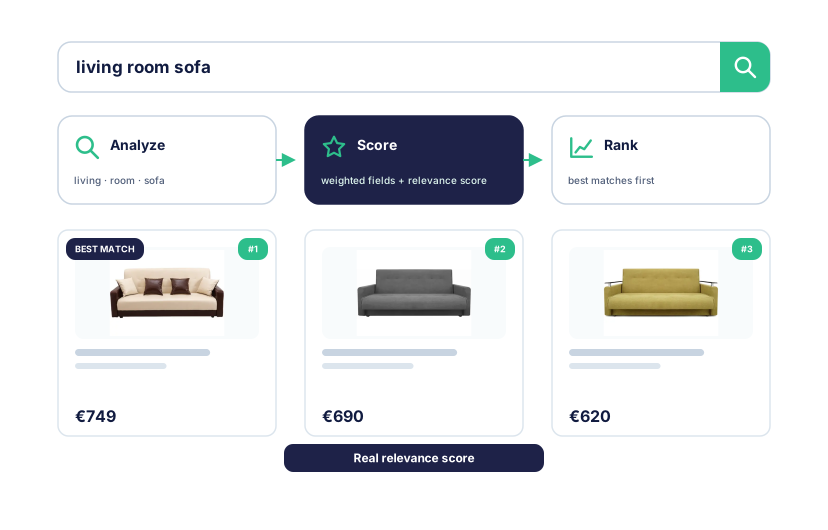
One storefront
Search, results, and filters in one module
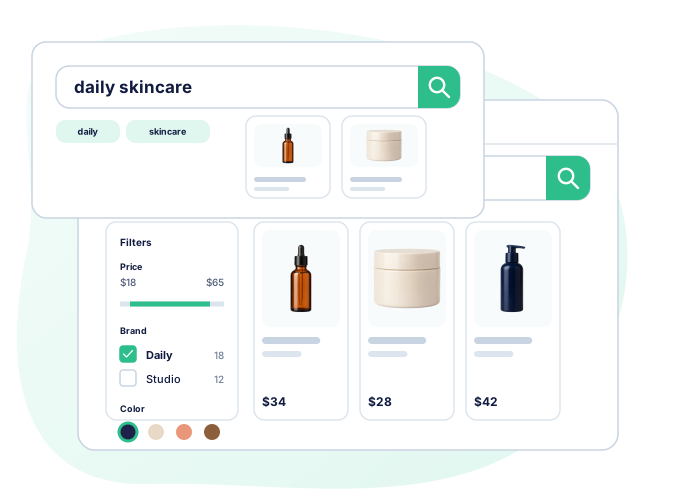
Joli Search and Amazzing Filter cover the basic storefront jobs well. Kea puts autocomplete, the results page, filters, and product cards in one interface.
- One search box, results page, filter system, and product-card design.
- Customize layouts, colors, templates, and selectors.
- Test storefront changes in Preview before enabling them.
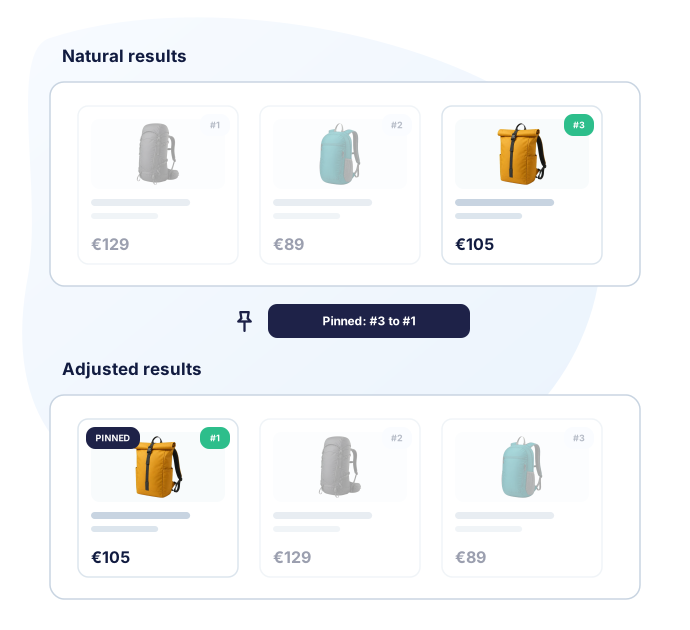
Merchandising
Turn search results into a sales tool
Kea lets the merchant control which products win for important searches and categories.
- Pin products for exact searches.
- Boost, lower, or hide products and categories.
- Review every rule in Preview before publishing.
Full comparison
Kea Search Pro vs a Joli Search + Amazzing Filter setup
Joli Search and Amazzing Filter cover basic instant search and faceted navigation. Kea adds real relevance scoring, merchandising, analytics, and a complete search experience.
How strong is the search and relevance? Kea uses configurable BM25 scoring. The module setup uses more basic database-query matching and ordering. Kea Search Pro Configurable ranking Weighted searchable fields, language processing, typo handling, synonyms, and BM25 scoring. Joli Search + Amazzing Filter Basic database matching Joli Search adds visual instant results, typo handling, letter-inversion handling, and AND queries without the same field-weighted BM25 workflow.
What search and filters does the shopper get? Both paths provide instant search and filters. Kea connects them to one ranked result experience. Kea Search Pro One module Search box, autocomplete, results page, filters, product cards, and ranking use one index and configuration workflow. Joli Search + Amazzing Filter Basic search + specialist filters Joli Search provides visual instant search and Amazzing Filter provides deep faceted navigation.
Can the storefront be customized? Both paths offer storefront controls; Kea keeps the complete search experience in one publishing workflow. Kea Search Pro One Preview workflow Layouts, product cards, colors, selectors, templates, and CSS can be reviewed before launch. Joli Search + Amazzing Filter Theme and module controls Joli Search provides visual results and Amazzing Filter provides filter templates; deeper changes depend on each module and the theme.
Can merchants control which products win? Kea includes query and category merchandising; an equivalent shared workflow is not documented for the two-module setup. Kea Search Pro Included Pin, boost, lower, or hide products and categories, then review the result in Preview. Joli Search + Amazzing Filter Not included The current module documentation does not include a shared search-merchandising workflow.
Can search data guide the next change? Kea includes query and product reports; one combined analytics workflow is not documented for the two-module setup. Kea Search Pro Included Dashboard KPIs, Top Queries, Zero Results, Lost Opportunities, and Popular Products. Joli Search + Amazzing Filter Basic or separate statistics The setup does not include the same unified query, opportunity, and product reporting workflow.
How are data, purchase, and operations handled? Both paths are store modules with one-time Marketplace purchases. Kea covers the wider search workflow in one module. Kea Search Pro One module One index, Back Office area, storefront release, and Marketplace purchase for one domain. Joli Search + Amazzing Filter Store modules Both products run with PrestaShop and use their current Marketplace purchase and PrestaShop Business Care terms.
Are AI discovery features included? These are store modules for keyword search and filters, not semantic-AI discovery services. Kea Search Pro Available in Kea Labs Cloud AI discovery is not included in Search Pro. Kea Labs Cloud is the separate AI option. Joli Search + Amazzing Filter Not included The current Joli Search and Amazzing Filter material does not include semantic AI, visual search, personalization, or recommendations.
Kea Search Pro, Joli Search, and Amazzing Filter FAQ
Can Joli Search and Amazzing Filter work together?
What is the main difference in search relevance?
Does Kea Search Pro replace every Amazzing Filter use case?
Does Kea Search Pro include search analytics?
Can I manage promoted products in Kea Search Pro?
Should I uninstall both modules before trying Kea?
Evidence
Sources and review methodology
-
J1
Joli Search: advanced visual search
Marketplace listing
PrestaShop Marketplace
Supports: The current module identity and Marketplace purchase context for Joli Search.
-
J2
The search engine, a strategic feature of your e-shop
Official platform article
PrestaShop
Supports: Joli Search visual instant search, typo and letter-inversion handling, category and manufacturer coverage, and AND-query behavior described by PrestaShop.
-
A1
Amazzing Filter
Marketplace listing
PrestaShop Marketplace
Supports: The current module identity and Marketplace purchase context for Amazzing Filter.
-
A2
Amazzing Filter module readme
Product documentation mirror
Amazzing Filter module documentation mirror
Supports: Filter templates, available catalog criteria, page placement, AJAX behavior, indexing, counters, and configuration documented in the module readme.
-
P3
Modules Selection
Official vendor documentation
PrestaShop
Supports: PrestaShop module and service categories, installation model, and native-module context.
-
K1
Kea Search Pro on PrestaShop Addons
Marketplace listing
Kea Labs
Supports: Current marketplace listing and platform-specific commercial terms.
-
K2
Search fields and priorities
Public documentation
Kea Labs
Supports: Back Office field priorities, searchable fields, autocomplete controls, and how ranking changes reach the storefront.
-
K3
Filters in the PrestaShop Back Office
Public documentation
Kea Labs
Supports: Filter types, ordering, visibility, value mappings, indexing behavior, and the exact Back Office workflow.
-
K4
Kea Search Pro Back Office demo
Live Back Office demo
Kea Labs
Supports: The merchandising controls available to merchants, including rule creation and result review.
-
K5
Search Analytics in PrestaShop
Public documentation
Kea Labs
Supports: Dashboard KPIs, Top Queries, Zero Results, Lost Opportunities, Popular Products, and report workflows.
-
K6
Catalog indexing in PrestaShop
Public documentation
Kea Labs
Supports: Initial indexing, incremental product updates, full reindex, status checks, and recovery steps.
-
K7
Verify search in Preview
Public documentation
Kea Labs
Supports: The store-specific Preview checklist used before enabling search for visitors.
-
K8
Advanced Customization for PrestaShop
Public documentation
Kea Labs
Supports: Dashboard settings, CSS variables, selectors, templates, product-card markup, and publishing workflow.