Search analytics
Search data that leads to action
Analytics dashboard
See search activity at a glance
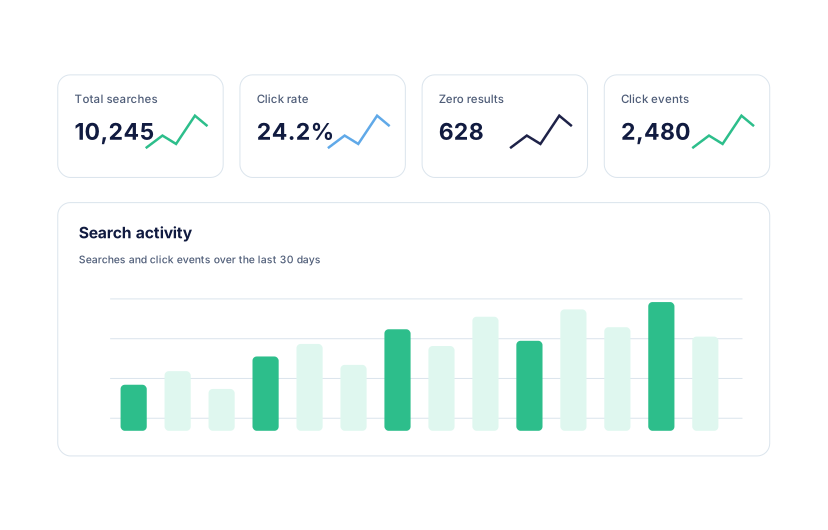
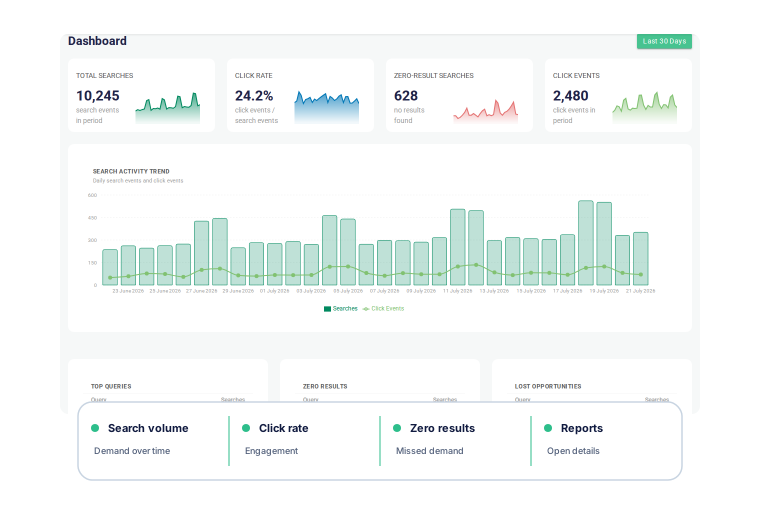
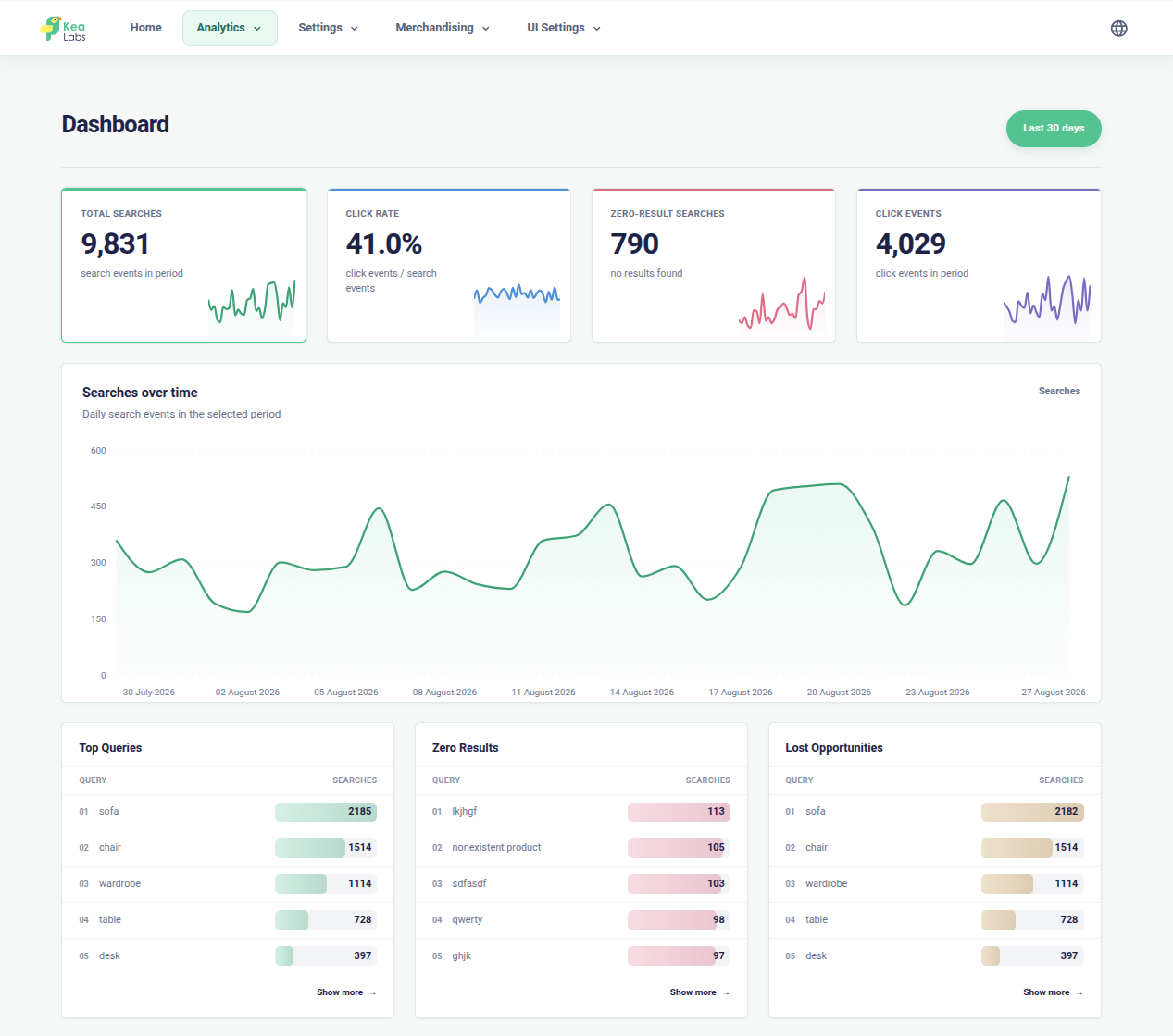
Start with the dashboard to understand how shoppers use search during the selected reporting period. It brings the main signals together before you open a detailed report.
- Track total searches and search activity over the selected period.
- Compare click events with searches through the click rate.
- See how often search returns no products.
- Open the relevant report when a signal needs attention.
Search reports
Each report leads to a different action
See demand, find search failures, catch weak engagement, and identify popular products. Each report leads to a concrete action.
- See exact shopper queries ranked by search volume.
- Check whether top queries lead to useful products and filters.
- Go from a query directly to a merchandising rule draft.
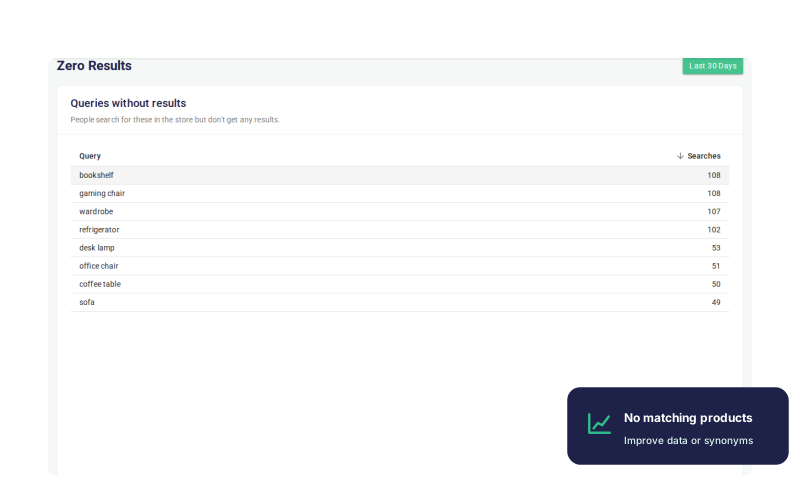
- See which queries returned zero products.
- Add synonyms, improve product data, or adjust searchable fields.
- Confirm whether the catalog genuinely lacks the requested products.
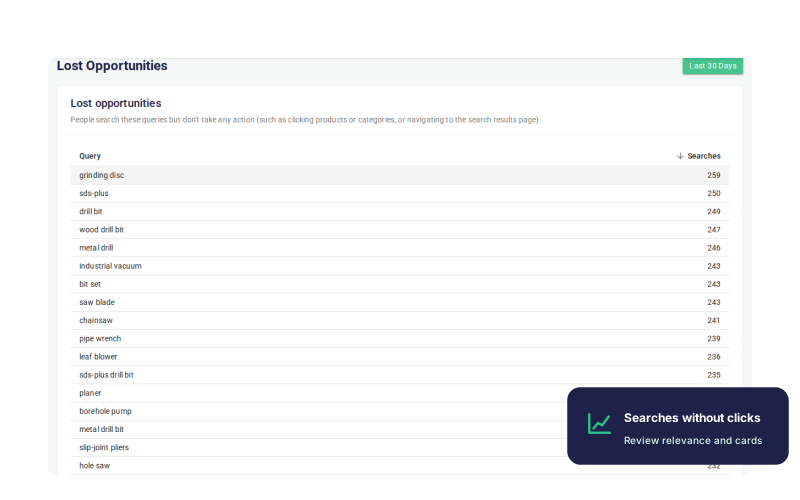
- See queries where products were shown but not clicked.
- Review relevance, product cards, and merchandising for weak queries.
- Identify where a merchandising rule can improve the results.
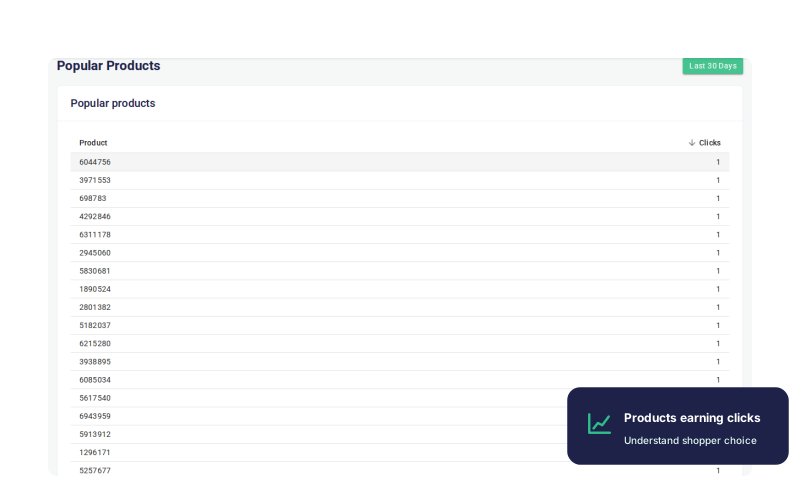
- Identify products that consistently attract shopper attention.
- Check that strong products remain visible for important searches.
- Use search-driven clicks to understand which demand the store already captures.
Top Queries
What shoppers search for most
Review ranking, filters, and merchandising for the searches that matter most.
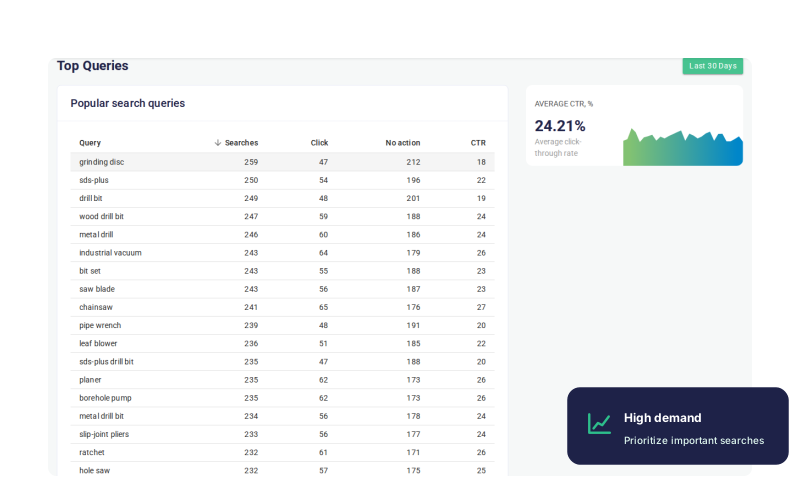
- See exact shopper queries ranked by search volume.
- Check whether top queries lead to useful products and filters.
- Go from a query directly to a merchandising rule draft.
Zero Results
Where search returned nothing
Find searches that returned no products and take action on missed demand.
- See which queries returned zero products.
- Add synonyms, improve product data, or adjust searchable fields.
- Confirm whether the catalog genuinely lacks the requested products.
Lost Opportunities
Results that did not earn clicks
Find searches that returned products but led to little or no shopper action.
- See queries where products were shown but not clicked.
- Review relevance, product cards, and merchandising for weak queries.
- Identify where a merchandising rule can improve the results.
Popular Products
Products that attract search clicks
See which products receive the most search-driven clicks and which demand the search experience already captures.
- Identify products that consistently attract shopper attention.
- Check that strong products remain visible for important searches.
- Use search-driven clicks to understand which demand the store already captures.
Search reports
See what search analytics shows
Move from the overall trend to the exact queries and products behind it.
Search activity over time
Review search volume, click rate, zero-result searches, click events, and report summaries from one dashboard.
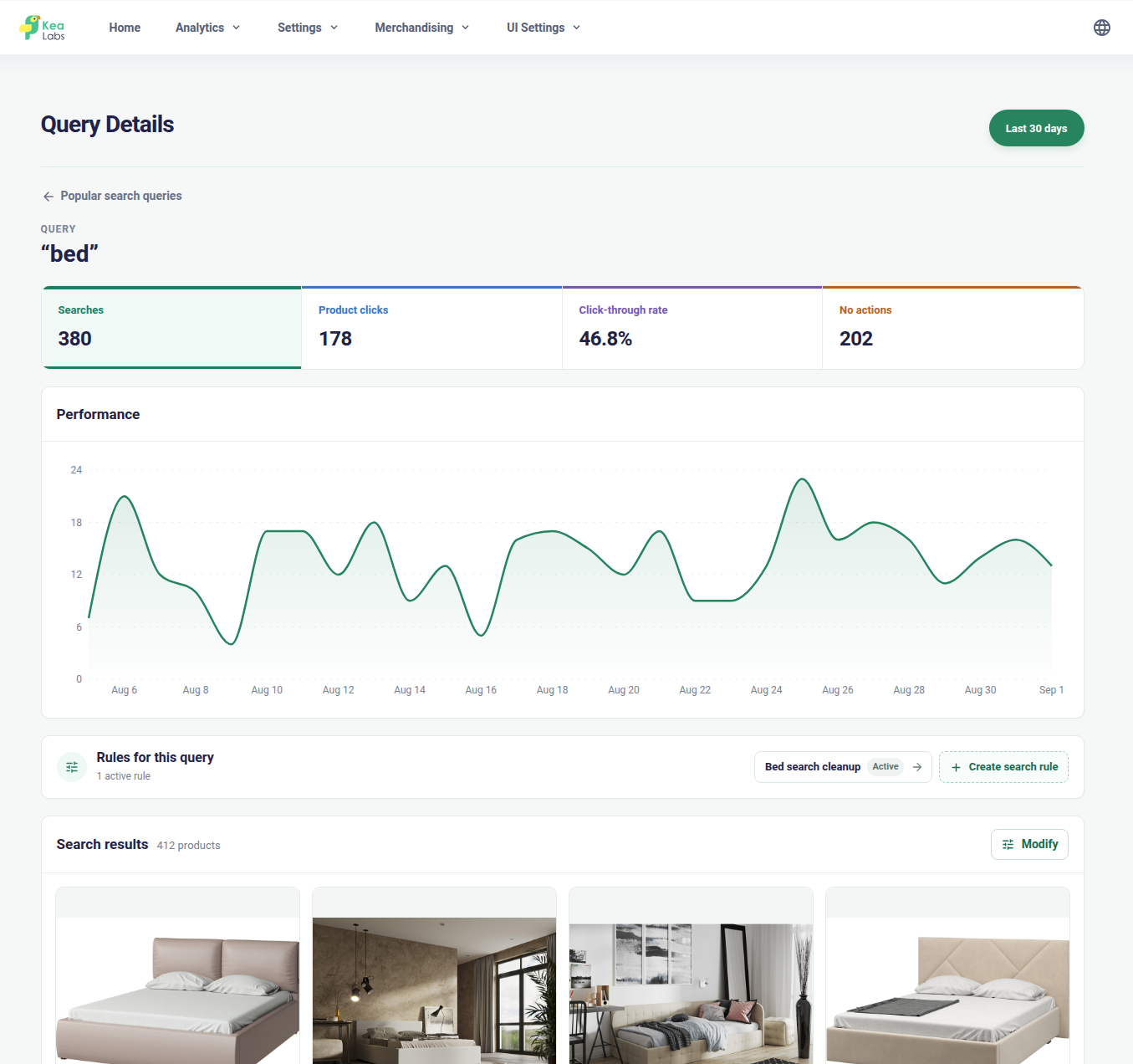
Performance of each search query
Review each query's searches, product clicks, click-through rate, trend, active rules, and returned products.
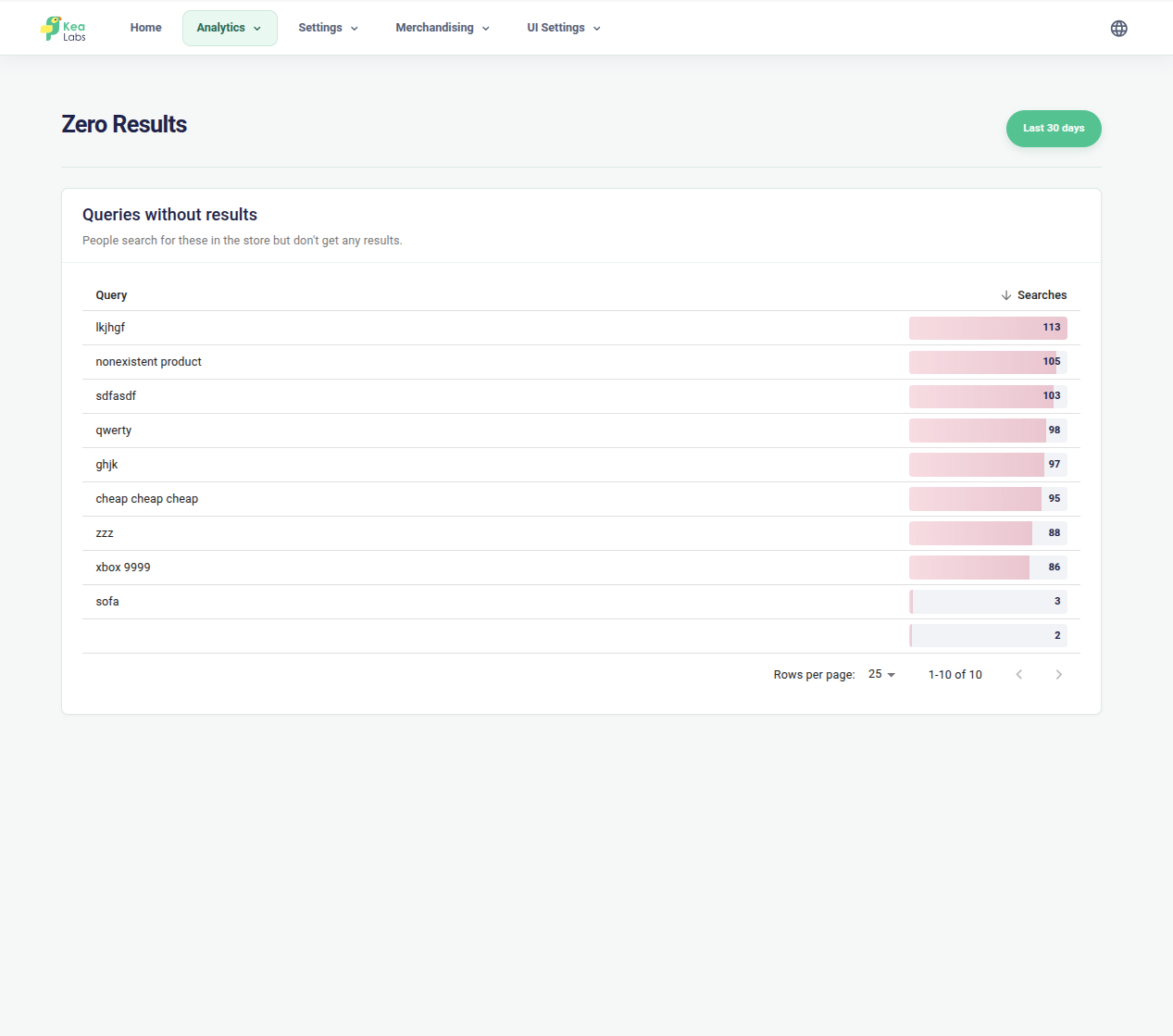
Zero-result searches
Find the exact queries that returned no products and prioritize them by search volume.
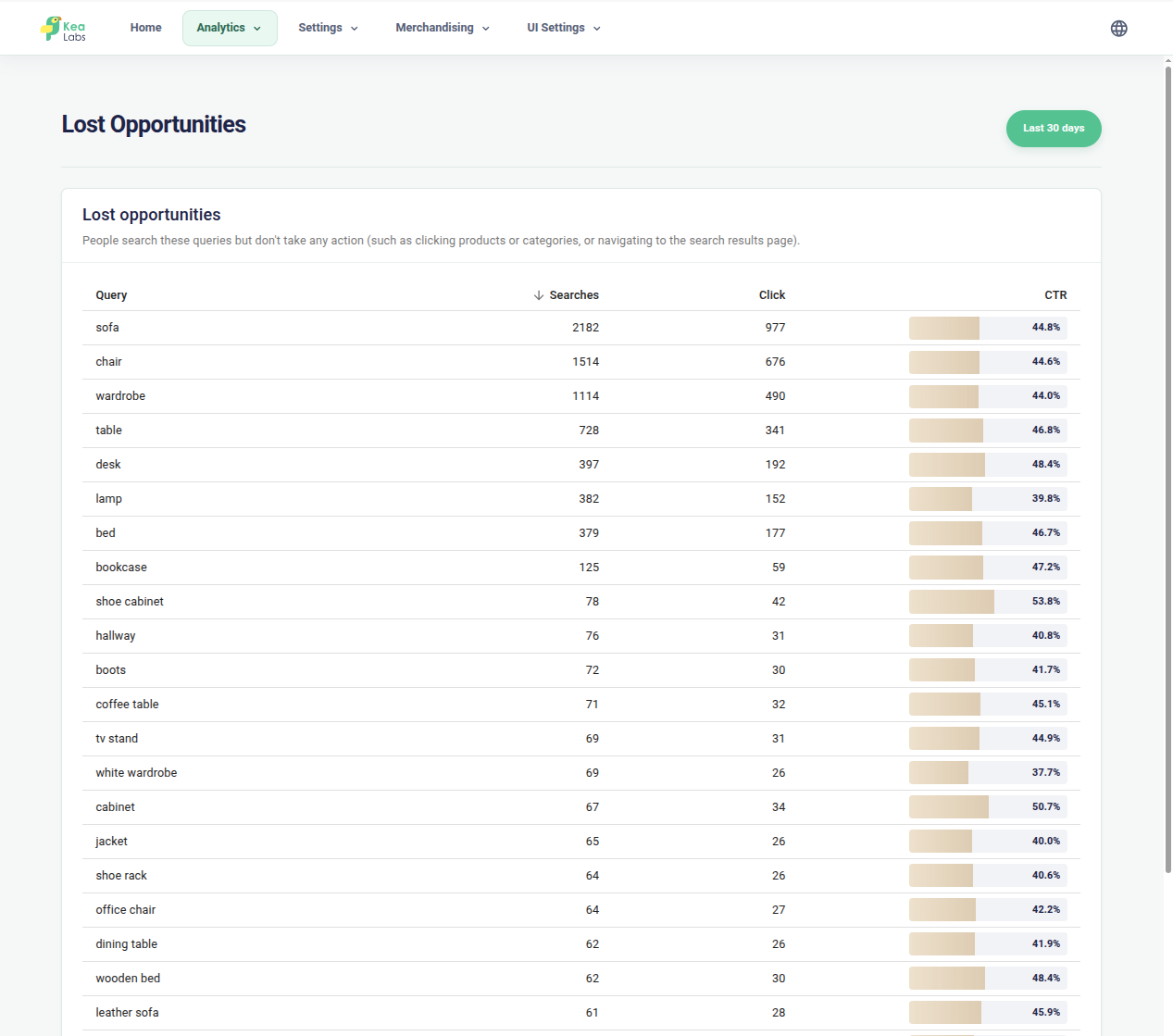
Lost search opportunities
Identify searches that returned products but earned weak engagement by comparing searches, clicks, and click-through rate.
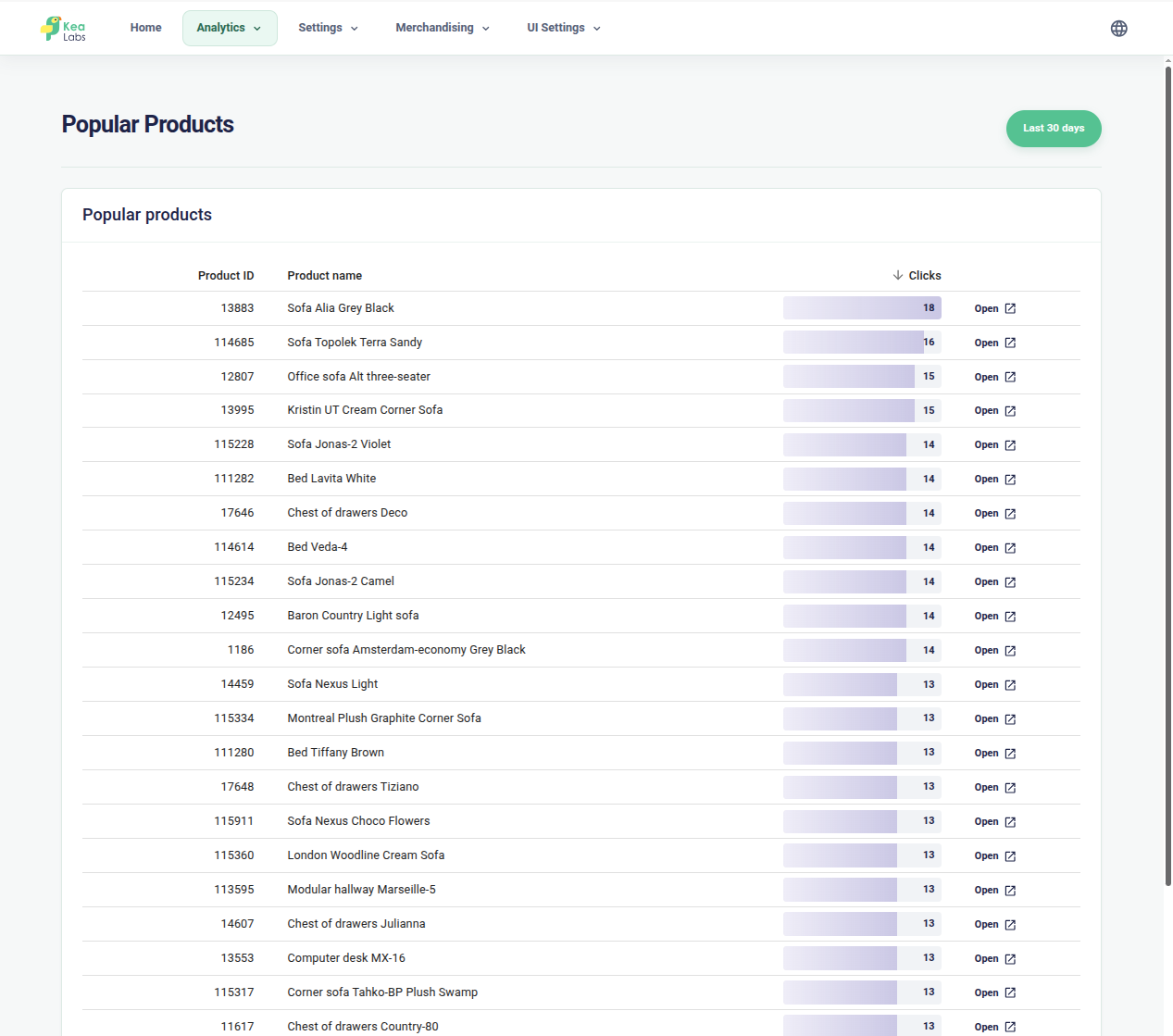
Popular products from search
See which products shoppers open from search results and compare their search-driven click volume.
From signal to action
Turn search signals into action
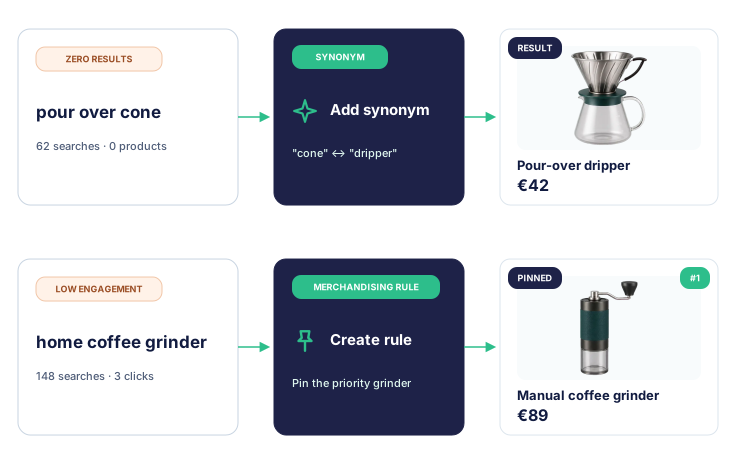
Different search problems need different fixes. Zero-result queries can lead to synonyms or better product data, while important low-engagement searches can become merchandising rules.
- Add a synonym when shoppers use wording the catalog does not contain.
- Improve searchable product data when the catalog has the right product but search cannot identify it.
- Create a merchandising rule when an important query needs a different product priority.
- Preview rule changes before publishing them.