
Filters and navigation
Powerful filters from your catalog
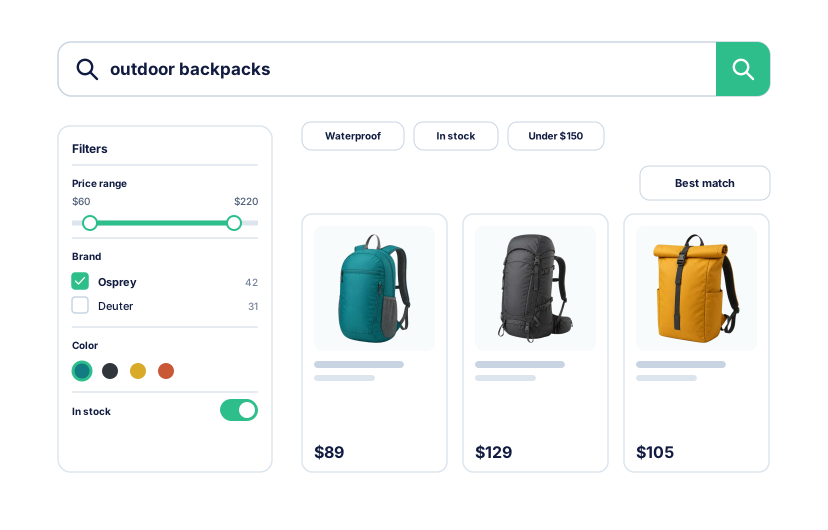
Filter types
Turn catalog data into useful controls
Choose the right control for each kind of product data, without creating every filter one by one.
Lists for product details
Show categories, brands, attributes, and features as checkbox lists, with product counts before selection.
Color swatches from catalog data
Map catalog color values to visual swatches so shoppers can recognize colors at a glance.
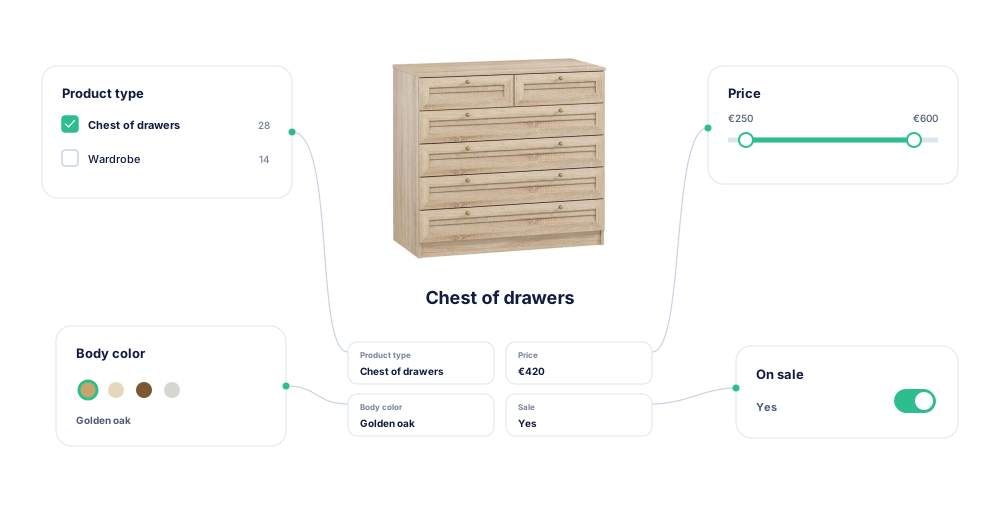
Range sliders for numbers
Present price and other numeric properties as ranges that shoppers can narrow directly.
Clear yes or no toggles
Turn boolean product features into simple controls after mapping the catalog's source values.
Searchable filter values
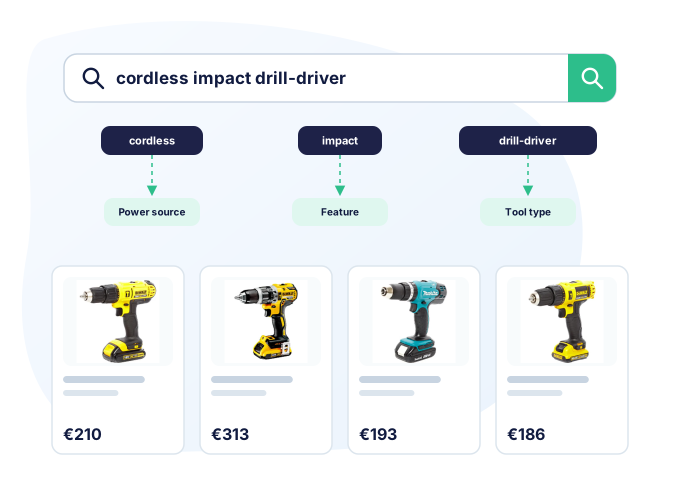
Shoppers can search by product details
A query such as “cordless impact drill-driver” can match power source, impact capability, and tool category, not only words in the product name.
- Make selected filter values searchable as product data.
- Combine product names and catalog properties in one query.
- Carry the query into filtered results without starting over.
- Keep ranking, merchandising, and filters connected to the same products.
Flexible refinement
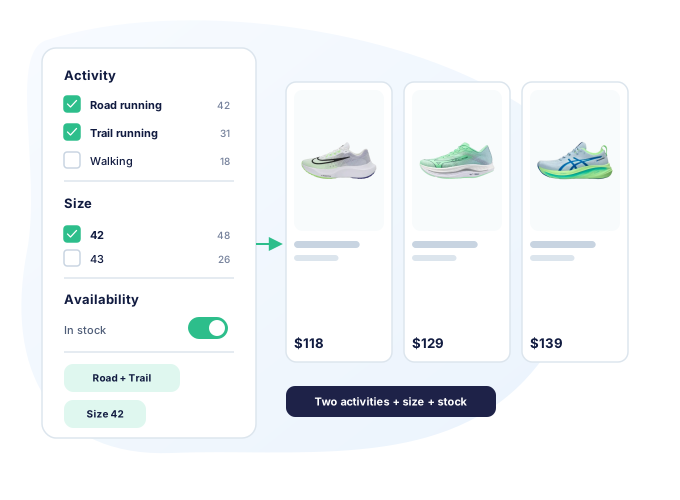
Selecting one value does not hide the others
Shoppers can combine several values while the remaining choices and product counts stay visible. They can refine the catalog without being pushed into a dead end.
- Select several values within one filter, such as more than one brand.
- See product counts before and after each selection.
Back Office control
Filters appear automatically. You control what shoppers see.
Kea Search Pro discovers filterable data from the PrestaShop catalog. Choose which filters appear, how they are presented, and which ones matter most.
- Show or hide filters and edit their storefront labels.
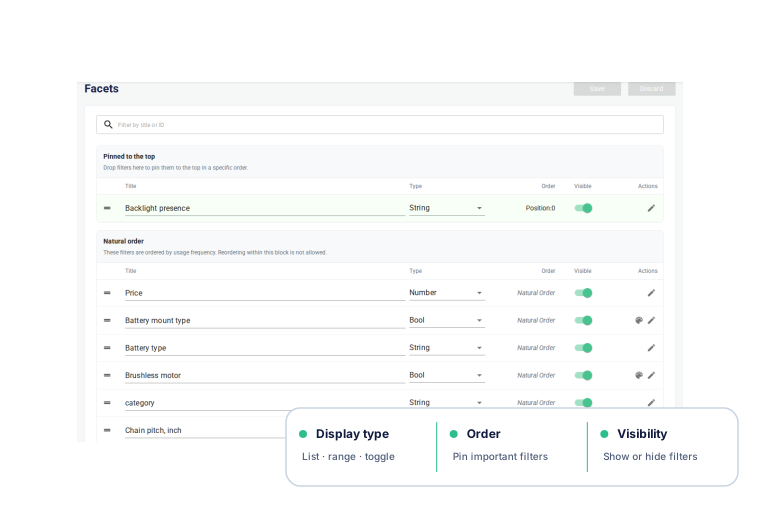
- Keep natural filter order or pin important filters to the top.
- Assign lists, numeric ranges, yes or no toggles, or color swatches.
- Map raw boolean values to consistent yes or no controls.
- Map catalog color values to visual swatches.
- Sort values alphabetically or by matching product count.
Filter configuration
See how filters are configured
Choose the storefront control, map catalog values, set their order, and validate the result in the Back Office.

Storefront filter configuration
Review active filters, display types, value counts, ordering, and storefront visibility from one list.
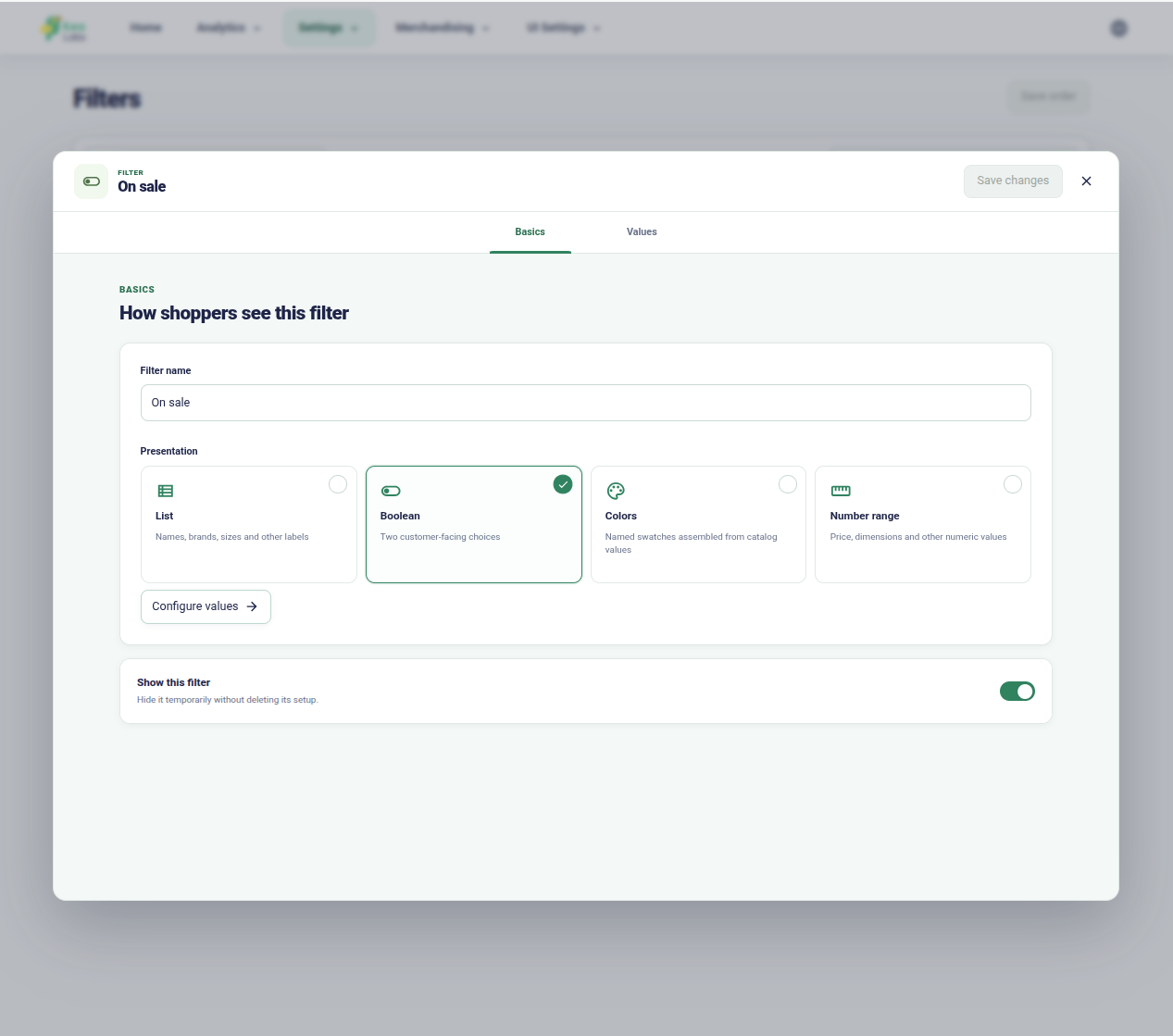
Choose the right filter control
Select a list, range, color, or boolean presentation and decide whether shoppers can use it.

Map catalog colors to swatches
Inspect the source values assigned to each visual color group and adjust them when the catalog uses several names.

Set the order of filter values
Choose which values shoppers notice first instead of relying on the catalog's source order.

Validate a numeric filter change
Check the affected products and value range before applying a new numeric filter configuration.
Live demo
Watch filters in action
The product tour shows autocomplete, filters, product results, and Back Office controls on a real PrestaShop catalog.