
Kea Labs Search Pro for PrestaShop
Premium PrestaShop search in one complete module
Feature overview
Explore the complete PrestaShop search toolkit
Eight connected capabilities for your shoppers, merchants and implementation team.
Shopper experience
Merchant tools
Search experience
Help shoppers find and narrow products in one flow
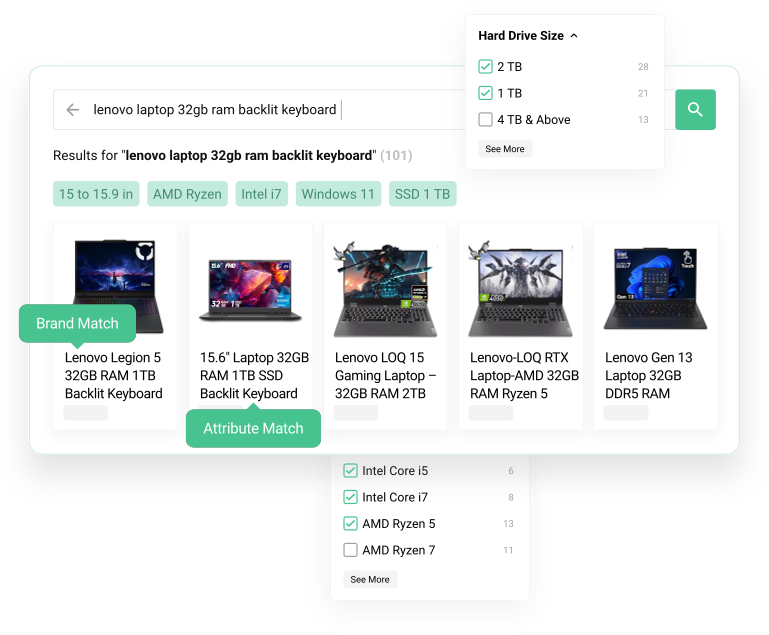
Help PrestaShop shoppers move from their first typed letters to products they can compare and buy. Autocomplete, search results, product cards and filters use the same search engine.
- Search-as-you-type suggestions.
- Dedicated search result pages.
- Product result cards for desktop and mobile.
- Clear paths from a query to the right products.

Filters and navigation
Help shoppers narrow large catalogs without losing context
Turn PrestaShop categories, brands, attributes, features and prices into useful ways to narrow matching products. Keep filter choices and product counts connected to the current search.
- Filters for categories, brands, attributes, features, and price.
- Searchable values for long filter lists.
- Controls for visibility, order, and display type.
- Desktop and mobile storefront layouts.

Search relevance
Rank products by relevant catalog details
Rank your PrestaShop products by how well they match the shopper’s query. Tune product-field priorities, synonyms and typo handling around the vocabulary and references in your catalog.
- Weighted searchable fields.
- Synonyms for store vocabulary.
- Typo tolerance and fuzzy matching.
- Stop-word and partial-word handling.
- SKU and reference search where product data supports it.

Search merchandising
Use search to support campaigns and product priorities
Use the PrestaShop Back Office to prepare query rules, product priorities and category adjustments. Keep relevance as the foundation, then review the commercial changes that should affect the product order.
- Pin products for important queries.
- Boost or bury products by rule.
- Hide products from selected searches.
- Prioritize products and categories.
- Preview natural and adjusted results before enabling a rule.

Interface customization
Match search to your storefront
Adapt search to your PrestaShop theme through visual settings, layouts, product cards and supported styling. Use Preview to review the complete storefront on desktop and mobile before publication.
- Search interface layout options.
- Product-card and results layout adaptation.
- Styling and CSS customization.
- Theme integration for custom storefronts.

Search analytics
See demand, missed searches, and the products shoppers choose
Read Top Queries, Zero Results, Lost Opportunities, Popular Products and query details in the PrestaShop Back Office. Use customer demand and product clicks to choose the next relevance, catalog or merchandising improvement.
- Popular queries.
- Zero-result queries and searches without clicks.
- Clicked products by query.
- Search activity and basic usage counters.
- Signals that lead to practical search improvements.

AI-assisted setup
Let your AI prepare the search setup
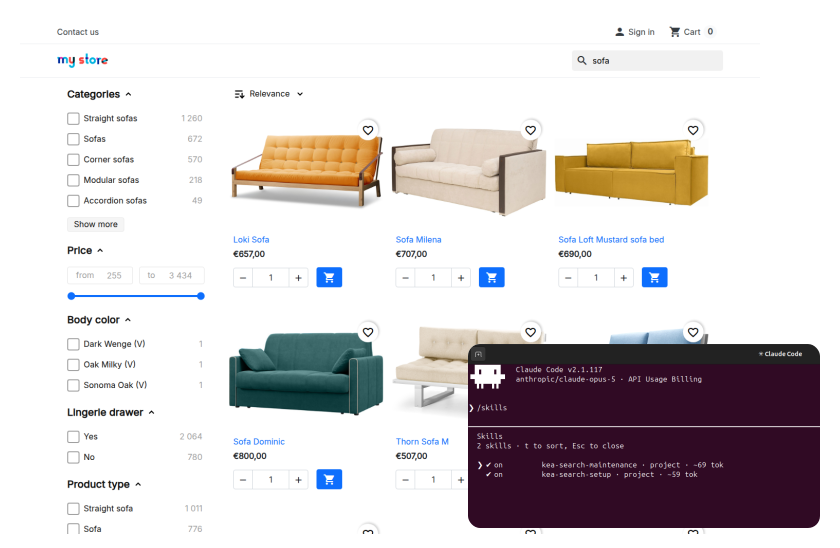
Use your own supported AI client with Kea Labs Search Pro skills and MCP tools to inspect the PrestaShop catalog and prepare search, merchandising and storefront settings. Review the result in Preview and decide what to publish.
- Prepare configuration around the actual store catalog.
- Keep existing merchant decisions and priorities in context.
- Review search and product cards on desktop and mobile.
Setup and launch
Install, configure, preview and enable PrestaShop search
Set up the module and review the shopping experience before Kea Labs Search Pro handles the live storefront.
- 01 Install Kea Labs Search Pro Install the PrestaShop module through Module Manager, then open Configure in the Back Office.
- 02 Follow guided setup Choose searchable product fields, filter controls and storefront settings.
- 03 Build and preview Build the catalog index and review search, filters and merchandising in Preview.
- 04 Enable Kea Labs Search Pro Enable the approved search experience for shoppers and verify it on desktop and mobile.

Kea Labs Cloud
Move to Kea Labs Cloud when the store needs more
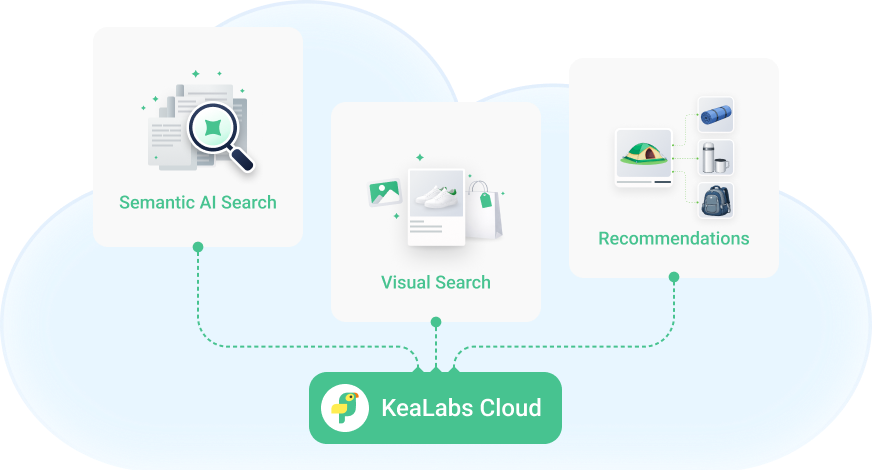
Kea Labs Search Pro provides premium product search running inside your store. Choose the separate Kea Labs Cloud service for provider-operated search infrastructure, semantic search, image search, recommendations or visual discovery.
PrestaShop Kea Labs Search Pro feature questions
Which features are included in the PrestaShop module?
Kea Labs Search Pro includes autocomplete, product results, catalog filters, weighted relevance, synonyms, typo tolerance, visual merchandising, interface customization, search analytics and AI-assisted setup. These capabilities work together inside the PrestaShop store.
Where can I buy Kea Labs Search Pro for PrestaShop?
Open the official PrestaShop Marketplace listing for the module purchase and current offer. The module purchase covers one production store. Purchases on that marketplace follow its own conditions. Marketplace purchases include 12 months of PrestaShop Business Care for updates and support. Business Care renews automatically each year unless you disable renewal in your Marketplace account; check the current listing and subscription terms for the renewal charge. The module remains usable after support ends while it stays compatible with the store.
Which PrestaShop versions are supported?
Kea Labs Search Pro supports PrestaShop 1.7.6.0+, 8.x, and 9.x. Select your exact version on the official Marketplace listing and review your theme before enabling the search experience.
Do I need Elasticsearch or a hosted search subscription?
No. The search engine and catalog index run inside your PrestaShop environment. The included search features do not require an Elasticsearch server or a separate monthly search-service subscription.
Can Kea Labs Search Pro work with a catalog of around 50,000 products?
Yes. Catalogs around 50,000 products are a normal fit for Kea Labs Search Pro on PrestaShop. Product combinations, languages, searchable data, filters, concurrent shoppers, catalog updates and hosting resources affect the workload. See the PrestaShop catalog and performance guide for practical planning.
Can I review search and merchandising before launch?
Yes. Configure search, build the product index and review the storefront in Preview before enabling Kea Labs Search Pro for shoppers. Merchandising rules also let you compare natural and adjusted results before activation. Explore the PrestaShop demo to see the controls.