Amazzing Filter alternative for PrestaShop

Kea Search Pro or Amazzing Filter?

  • Amazzing Filter: specialist faceted navigation
  • Kea: complete product search and filters together
  • Kea: merchandising and search analytics included
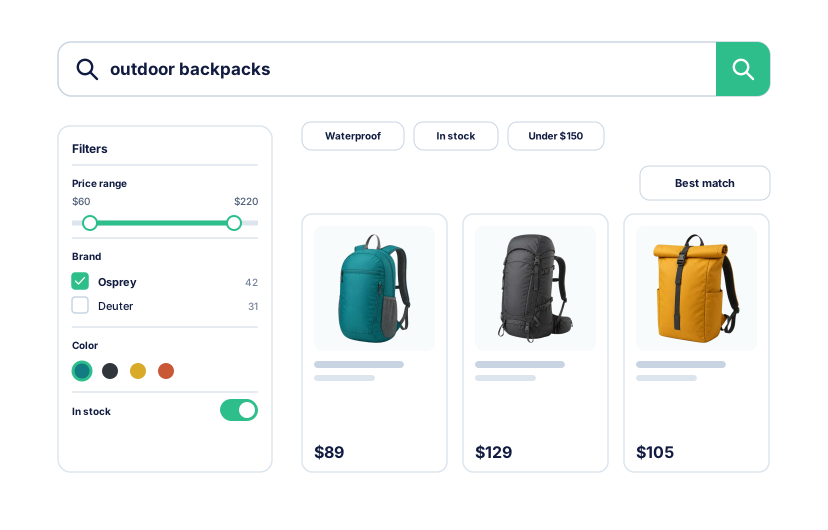
Configurable filters connected to a complete product search experience

Search or filtering?

Amazzing Filter handles catalog navigation. Kea adds product search.

Amazzing Filter builds filters for product lists. Kea combines filtering with search, relevance, and ranked results.

  • Keep Amazzing Filter when category filtering is the main requirement.
  • Choose Kea when shoppers also need better product-search results.
  • Test real catalog queries and filter combinations before switching.
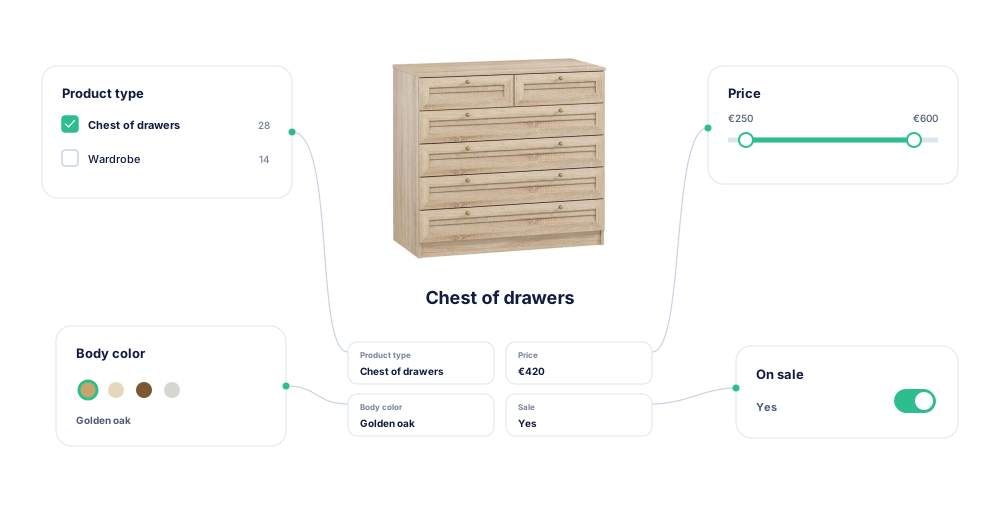
Filter display, ordering, and visibility controls for a PrestaShop catalog

One result experience

Connect the query, ranking, and filters

Kea uses one index for autocomplete, the results page, filters, and sorting.

  • Rank products with weighted fields and configurable relevance scoring.
  • Let filters narrow the same ranked result set.
  • Customize product cards and layouts in the same storefront workflow.
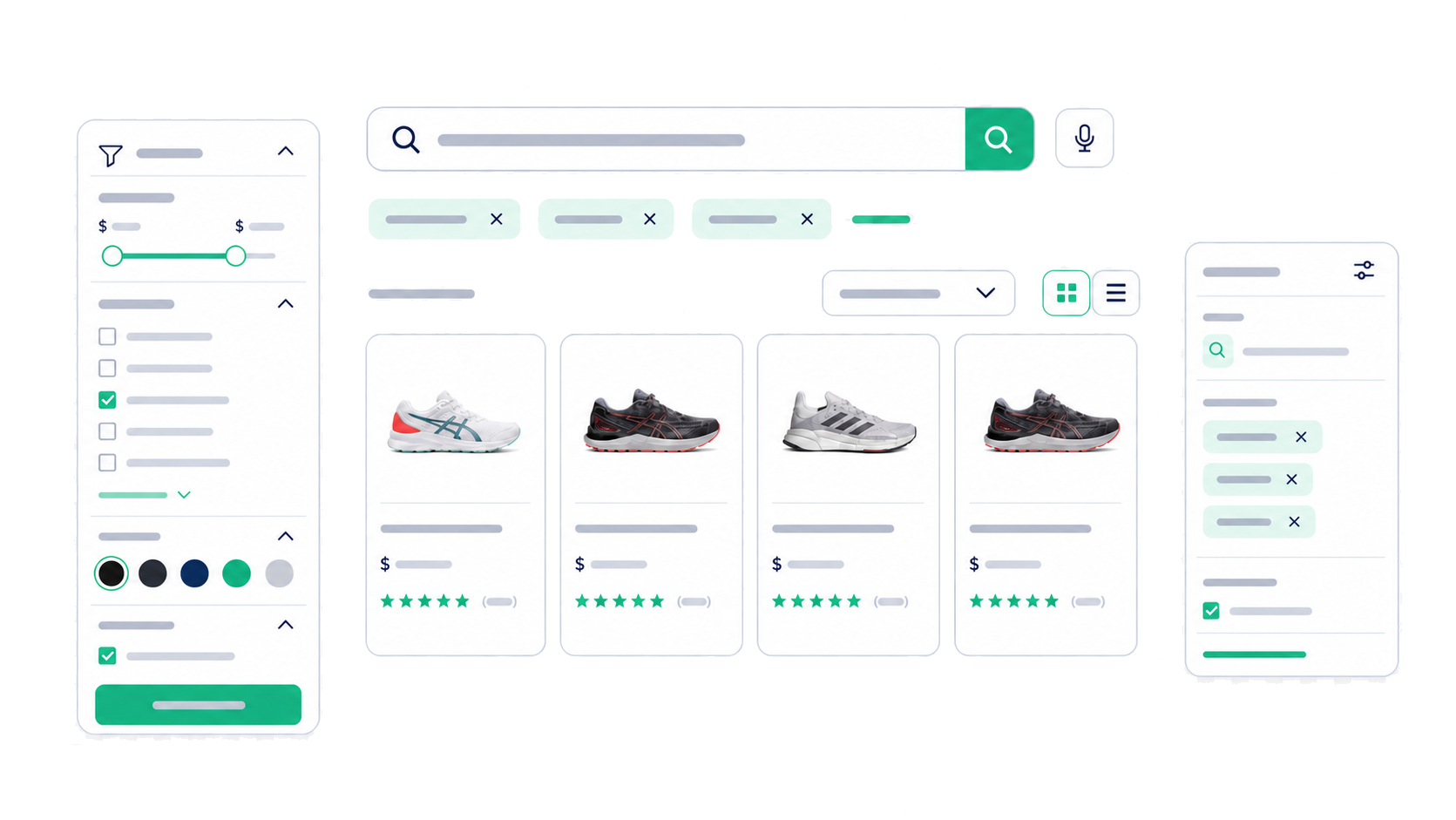
Keyword search results, product cards, active filters, and catalog controls working together

Search merchandising

Control which products appear first

Amazzing Filter is strong at narrowing a catalog. Kea also lets merchants control the order of search results.

  • Pin products and boost, lower, or hide products and categories.
  • Apply rules to important queries and category priorities.
  • Preview changes before enabling them for shoppers.
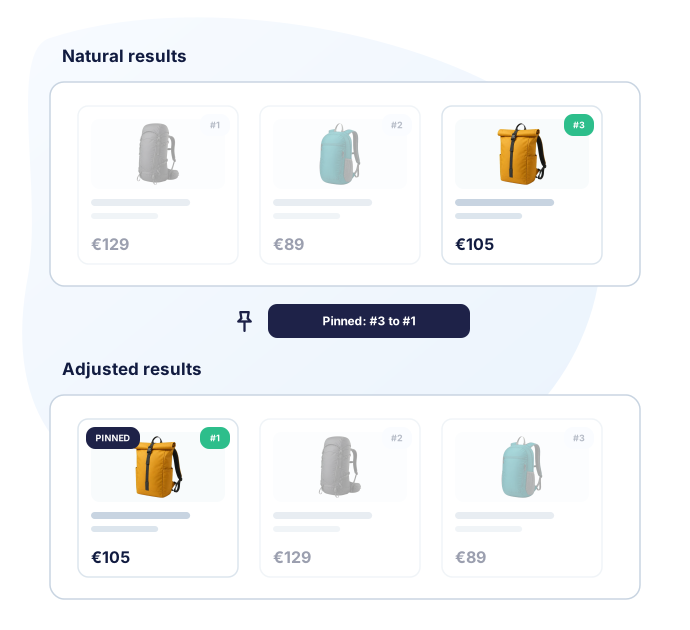
Merchant rearranging product results with search merchandising controls

Full comparison

Kea Search Pro vs Amazzing Filter

Amazzing Filter is a specialist filtering option. Kea is the broader choice when filtering must work with product search, relevance, merchandising, and analytics.

Does the module include product search? Kea runs product search and filtering. Amazzing Filter provides filtering and needs a separate search engine. Kea Search Pro Complete search system Query processing, relevance, autocomplete, results, filters, merchandising, analytics, and Preview. Amazzing Filter No search engine Amazzing Filter supplies catalog filters. The search box, autocomplete, and relevance come from a separate search module.
Search box and autocomplete
Kea Search Pro Included Autocomplete uses the same index and relevance configuration as the full results page.
Amazzing Filter Not included Amazzing Filter is a faceted-navigation module, not a product-search or autocomplete engine.
Search results page
Kea Search Pro Included Kea owns the ranked results page, filters, sorting, and product-card presentation.
Amazzing Filter Filter pages Amazzing Filter can place filters on search-result and other product-list pages. The existing search engine still needs to be evaluated.
Voice search
Kea Search Pro Included Shoppers can start a voice search from the storefront search interface.
Amazzing Filter Not included Amazzing Filter does not provide a product-search interface or voice input.
How do the filters compare? Both provide configurable catalog filters, but the scope and integration model differ. Kea Search Pro Search-connected filters Filters narrow the same index and ranked result set used by autocomplete and product search. Amazzing Filter Specialist templates The module documents reusable templates, page-specific placement, AJAX updates, counters, and catalog criteria.
Catalog criteria
Kea Search Pro Included Categories, brands, attributes, features, price, availability, and mapped values.
Amazzing Filter Included The module readme documents attributes, features, price, stock, condition, tags, and other special filters.
AJAX result updates
Kea Search Pro Included Search and filter state update the product result experience without a full page reload.
Amazzing Filter Included AJAX filtering, pagination, sorting, load-more, and infinite scrolling are documented.
Color filters
Kea Search Pro Included Color values can use a dedicated visual filter presentation.
Amazzing Filter Included Attribute colors and images are supported in the documented filter templates.
Page placement
Kea Search Pro Search results only Kea filters work on the Kea search results page, not as a replacement for category-page faceted navigation.
Amazzing Filter Multiple catalog pages Templates can target categories, search results, new products, price drops, best sellers, manufacturers, suppliers, and the home page.
How are search results ranked? Kea provides real relevance scoring. Amazzing Filter does not provide a product-search engine. Kea Search Pro Relevance scoring Weighted fields, language processing, typo handling, synonyms, and BM25 scoring. Amazzing Filter Not included Search matching and relevance stay with the store's separate search engine.
Searchable fields and priorities
Kea Search Pro Included Choose and weight product names, references, categories, attributes, features, and other indexed fields.
Amazzing Filter Not included Searchable-field priorities are not part of the filter module.
Synonyms and typo handling
Kea Search Pro Included Merchant-managed synonyms and query-recovery controls are included.
Amazzing Filter Not included These capabilities must come from the store's separate search engine.
Can merchants manage and measure search results? Kea adds full search merchandising and detailed analytics. Amazzing Filter manages filter navigation. Kea Search Pro Merchandising + analytics Control result order and use reports to find important queries, failed searches, and product demand. Amazzing Filter Filtering controls Configure filter templates, values, counters, ordering, availability behavior, and page placement.
Search merchandising
Kea Search Pro Included Pin products and boost, lower, or hide products and categories for searches.
Amazzing Filter Not included Query-specific product pins, boosts, demotions, and hides are outside the filter module's scope.
Search analytics
Kea Search Pro Included Top Queries, Zero Results, Lost Opportunities, Popular Products, and dashboard KPIs.
Amazzing Filter Not included The filter module does not provide the same query, zero-result, opportunity, and product reports.
Preview
Kea Search Pro Included Review relevance, filters, product cards, and merchandising before launch.
Amazzing Filter Filter preview only Test templates and placements in the store theme; there is no equivalent search-merchandising Preview.
How is the storefront configured and operated? Both are PrestaShop modules, but Kea includes search and filters in one Back Office workflow. Kea Search Pro One search module One index and workflow for relevance, results, filters, merchandising, Preview, and reports. Amazzing Filter One specialist module One filter configuration area; the store's search engine and search controls remain a separate decision.
Storefront customization
Kea Search Pro No-code + developer controls Configure layouts and product cards, then use documented CSS, public classes, selectors, and custom templates for deeper changes.
Amazzing Filter Filter templates Reusable filter templates, hooks, positions, icons, and styling controls are documented.
Visual drag-and-drop editor
Kea Search Pro Planned - not included today A fuller WYSIWYG component editor is planned and is not counted as a current capability.
Amazzing Filter Not included The documented template workflow is not a comparable drag-and-drop search UI editor.
Index updates
Kea Search Pro Store-triggered Product changes queue near-real-time updates to the Kea search index.
Amazzing Filter Indexed and cached The module readme documents native product-save hooks and bulk-import guidance for filter index updates.
Commercial terms
Kea Search Pro One-time module purchase The module purchase covers one production store. The Marketplace purchase includes 12 months of PrestaShop Business Care for updates and support. Annual renewal is optional and costs 40% of the product price; the module remains usable after it ends while it stays compatible with the store.
Amazzing Filter Marketplace module Check the current price, license, PrestaShop Business Care, compatibility, support, and refund terms on the listing.
Are AI discovery features included? Neither module includes semantic-AI discovery in this product. Kea Search Pro Available in Kea Labs Cloud AI discovery is not included in Search Pro. Kea Labs Cloud is the separate AI option. Amazzing Filter Not included Amazzing Filter focuses on catalog filters and navigation.
Optional AI path
Kea Search Pro Kea Labs Cloud A separate cloud product is available for AI search, visual search, personalization, and recommendations.
Amazzing Filter Not included No AI discovery layer is included in the filter module.

Install Kea Search Pro

Get product search, relevance, filters, merchandising, and analytics in one PrestaShop module.

Kea Search Pro and Amazzing Filter FAQ

Does Amazzing Filter include a product search engine?
No. Amazzing Filter is a specialist faceted-filtering module for category and other product-list pages. Kea also includes the search box, autocomplete, relevance, the results page, merchandising, and analytics.
Which option is better for faceted navigation?
Choose Amazzing Filter when specialist faceted navigation is the main requirement and its templates, placements, and filter behavior fit the store. Choose Kea when filters need to share one index and workflow with product search and relevance.
Does Kea Search Pro include catalog filters?
Yes. Categories, brands, attributes, features, price, and mapped values can become configurable list, range, color, or Yes/No filters on search results.
Which option controls search relevance?
Kea documents selectable search fields, field priorities, language analysis, synonyms, typo handling, and BM25 ranking. Equivalent keyword-ranking controls are not described by the Amazzing Filter sources reviewed because its documented job is filtering.
Does Kea Search Pro replace every Amazzing Filter setup?
No. A store centered on category navigation, special filter placements, or a current Amazzing Filter setup that already works may be better served by keeping it. Test the actual catalog and theme before replacing any module.
How should I test the switch?
Keep the live storefront unchanged while Kea builds its index. In Preview, test important queries, filter combinations, product cards, mobile behavior, and theme overrides. Change the live setup only after acceptance.

Evidence

Sources and review methodology

The Marketplace confirms the product identity. Detailed filtering behavior comes from the module readme. Search-engine, merchandising, and analytics cells are compared against the documented product scope: Amazzing Filter is a faceted-navigation module, while Kea Search Pro also includes the product-search engine.
  1. A1

    Amazzing Filter

    Marketplace listing

    PrestaShop Marketplace

    Supports: Current product identity and Marketplace purchase context.

  2. A2

    Amazzing Filter module readme

    Product documentation mirror

    Amazzing Filter module documentation mirror

    Supports: Filter templates, catalog criteria, page placement, AJAX behavior, indexing, counters, and configuration.

  3. K2

    Search fields and priorities

    Public documentation

    Kea Labs

    Supports: Searchable fields, field priorities, language processing, ranking, synonyms, and storefront updates.

  4. K3

    Filters in the PrestaShop Back Office

    Public documentation

    Kea Labs

    Supports: Filter types, ordering, visibility, value mappings, indexing behavior, and Back Office workflow.

  5. K4

    Kea Search Pro Back Office demo

    Live product demo

    Kea Labs

    Supports: Merchant-visible merchandising, analytics, configuration, and Preview workflows.

  6. K5

    Search Analytics in PrestaShop

    Public documentation

    Kea Labs

    Supports: Dashboard KPIs, Top Queries, Zero Results, Lost Opportunities, and Popular Products.