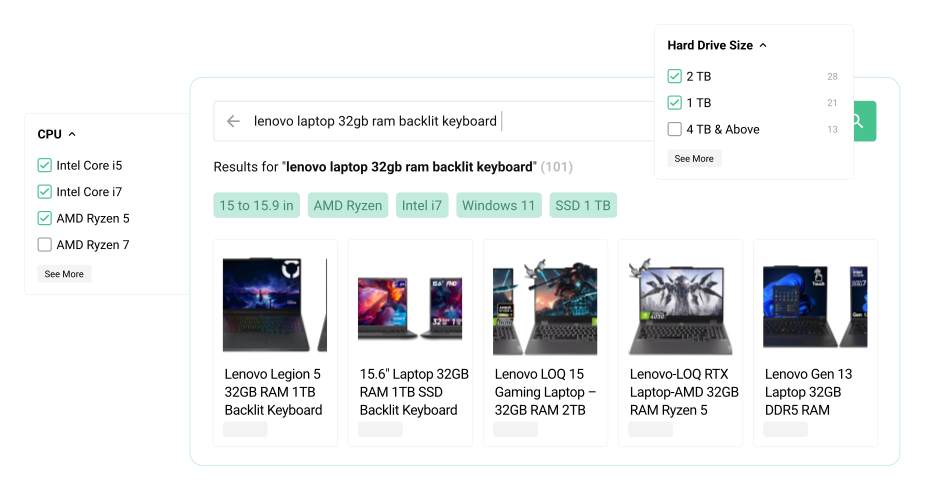
Default PrestaShop search alternative

Default PrestaShop search or Kea Search Pro?

  • Default search: basic catalog matching
  • Kea: real relevance and merchandising
  • Kea: detailed search analytics
Default PrestaShop search compared with Kea Search Pro relevance and merchant controls

Search relevance

Rank the best products first

Default search finds indexed words. Kea scores every match and lets the merchant decide which fields matter most.

  • Use weighted fields and configurable relevance scoring.
  • Handle typos, synonyms, word forms, and keyboard layouts.
  • Preview important queries before changing live search.
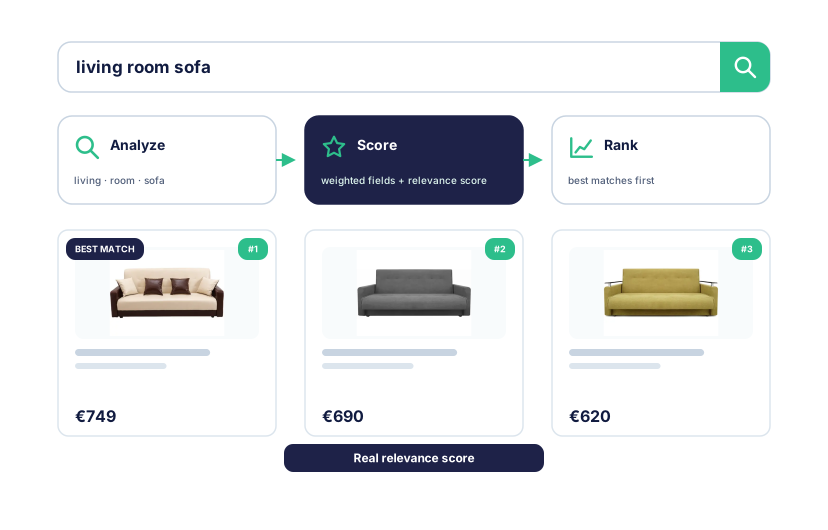
Product matches moving through relevance scoring into a ranked result list

Merchandising

Control which products win

Use search as a sales tool, not only a database lookup.

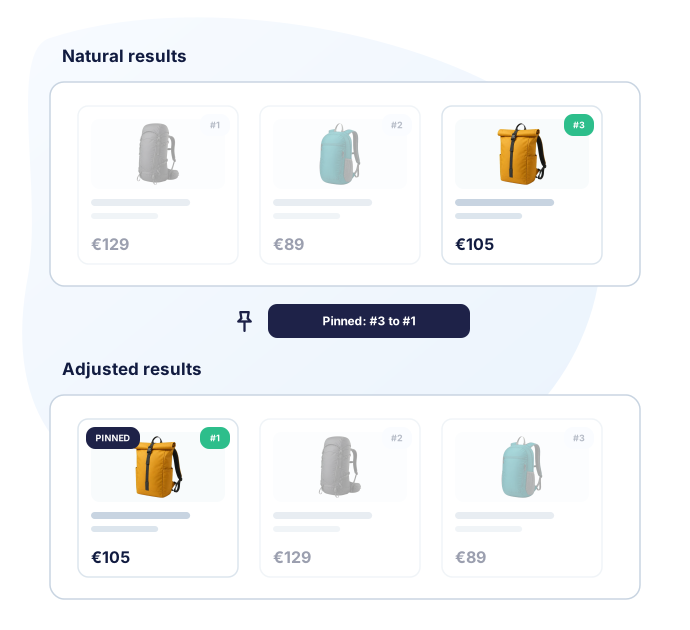
  • Pin products for important searches.
  • Boost, lower, or hide products and categories.
  • Review the changed order in Preview.
Merchant previewing pinned and reordered search results

Search analytics

See what shoppers cannot find

Default search does not include a practical analytics workflow for improving results. Kea does.

  • Review Top Queries and Popular Products.
  • Find Zero Results and Lost Opportunities.
  • Use the reports to improve fields, synonyms, and product rules.
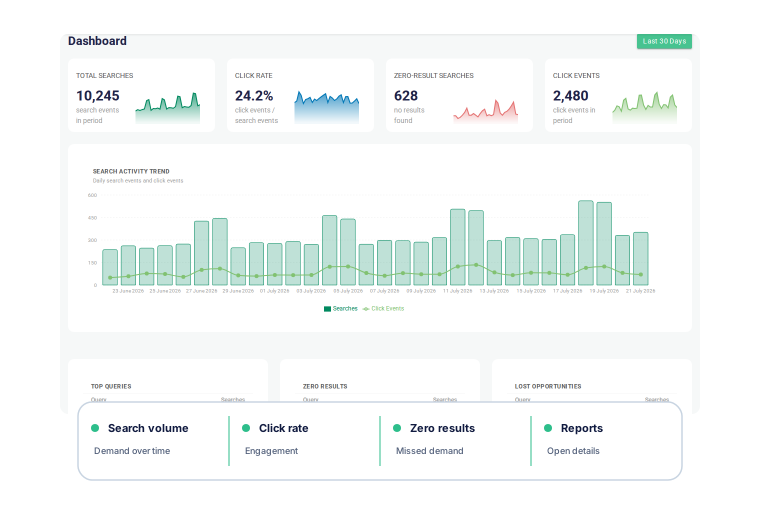
Search analytics dashboard with query and opportunity reports

Full comparison

Default PrestaShop search vs Kea Search Pro

Default search covers the basics. Kea adds a complete relevance, merchandising, analytics, and storefront workflow.

Search and relevance Both search the catalog. Kea adds BM25 scoring and a much deeper query-processing workflow. Default PrestaShop search Basic search Indexed word matching with global field weights and aliases. Kea Search Pro Relevance scoring Weighted fields, language processing, synonyms, typo handling, and BM25-based scoring.
Searchable fields
Default PrestaShop search Included Supported product fields can be indexed and assigned global weights.
Kea Search Pro Included Names, brands, categories, references, attributes, and features can be selected and prioritized.
Typos and aliases
Default PrestaShop search Basic Aliases and fuzzy settings are available in supported versions.
Kea Search Pro Advanced Typo handling, fuzzy matching, word forms, keyboard-layout correction, and synonym sets.
Query-level ranking
Default PrestaShop search Not included Core search has no query-specific ranking and merchandising workflow.
Kea Search Pro Included BM25 scoring works with field priorities and explicit product or category rules.
Filters and storefront PrestaShop can add layered navigation separately. Kea connects suggestions, results, and filters to one search index. Default PrestaShop search Separate native module Faceted Search handles layered navigation separately from core search. Kea Search Pro Integrated Autocomplete, results, sorting, filters, and product cards use the same ranked result set.
Rich autocomplete
Default PrestaShop search Theme dependent Core documentation does not define one rich autocomplete experience across themes.
Kea Search Pro Included Show queries, products, categories, images, prices, and catalog data while shoppers type.
Search-result filters
Default PrestaShop search Separate module Filter placement depends on Faceted Search and the active theme.
Kea Search Pro Included List, range, price, color, and Boolean filters refine the same search result set.
Merchandising Default search returns matches. Kea lets the merchant decide which products should win. Default PrestaShop search Not included No query-specific pin, boost, lower, or hide workflow in core search. Kea Search Pro Full control Pin products and boost, lower, or hide products and categories.
Search analytics PrestaShop exposes basic search-term statistics. Kea turns search behavior into an optimization workflow. Default PrestaShop search Basic statistics A Shop search stats view covers search terms and common errors. Kea Search Pro Detailed reports Top Queries, Zero Results, Lost Opportunities, Popular Products, and dashboard KPIs.
Customization and Preview Default presentation belongs to the theme. Kea adds no-code controls and a safe Preview workflow. Default PrestaShop search Theme development Presentation changes depend on the active theme and custom development. Kea Search Pro No-code + developer tools Configure layouts and cards, then use CSS, public classes, selectors, and templates when needed.
Catalog updates Both run inside the PrestaShop store and use current catalog data. Default PrestaShop search Store data Core search indexes PrestaShop product data and provides rebuild tools. Kea Search Pro Near-real-time Product changes queue updates to the Kea index without an external feed.
AI capabilities Neither default search nor Search Pro is a semantic-AI subscription. Default PrestaShop search Not included Semantic search, visual search, personalization, and recommendations are not core-search features. Kea Search Pro Available in Kea Labs Cloud AI discovery is separate from the Search Pro module.
Operations and purchase Default search is included. Kea is an additional module with its own support and update terms. Default PrestaShop search Included with PrestaShop No separate search-module purchase is required. Kea Search Pro One-time module purchase The module purchase covers one production store. The Marketplace purchase includes 12 months of PrestaShop Business Care for updates and support. Annual renewal is optional and costs 40% of the product price; the module remains usable after it ends while it stays compatible with the store.

Install Kea Search Pro

Replace basic search with relevance, filters, merchandising, and analytics.

Default PrestaShop search and Kea Search Pro FAQ

What search is included with PrestaShop?
PrestaShop includes indexed storefront search with aliases, configurable searchable fields, field weights, and fuzzy options in supported versions. The exact storefront experience also depends on the theme.
Does default PrestaShop search include filters?
Core search and the native Faceted Search module are separate. Faceted Search can add layered navigation, but it does not add Kea's integrated relevance, merchandising, analytics, and Preview workflow.
When is default search enough?
Keep it when shoppers already find products reliably, the catalog is straightforward, and the store does not need query-level merchandising or detailed search reports.
Can Kea be tested before it replaces default search?
Yes. Build the index and use Preview to check important queries, filters, product cards, and theme integration before enabling the new storefront experience.

Evidence

Sources and review methodology

The comparison separates PrestaShop core search from the separate native Faceted Search module and compares both with the current Kea Search Pro documentation and demo.
  1. P1

    Search parameters

    Official documentation

    PrestaShop

    Supports: Aliases, indexing, fuzzy settings, searchable fields, field weights, and Shop search stats.

  2. P2

    Faceted Search module

    Official source repository

    PrestaShop

    Supports: Separate native module identity and layered-navigation scope.

  3. K1

    Search fields and priorities

    Public documentation

    Kea Labs

    Supports: Searchable fields, priorities, and ranking controls.

  4. K2

    Search Analytics

    Public documentation

    Kea Labs

    Supports: Dashboard KPIs and search reports.

  5. K3

    Kea Search Pro Marketplace listing

    Marketplace listing

    Kea Labs

    Supports: Current compatibility and commercial terms.